

Participant
September 24, 2023
Answered

sourceRectAtTime difficulties
  • September 24, 2023
  • 2 replies
  • 798 views

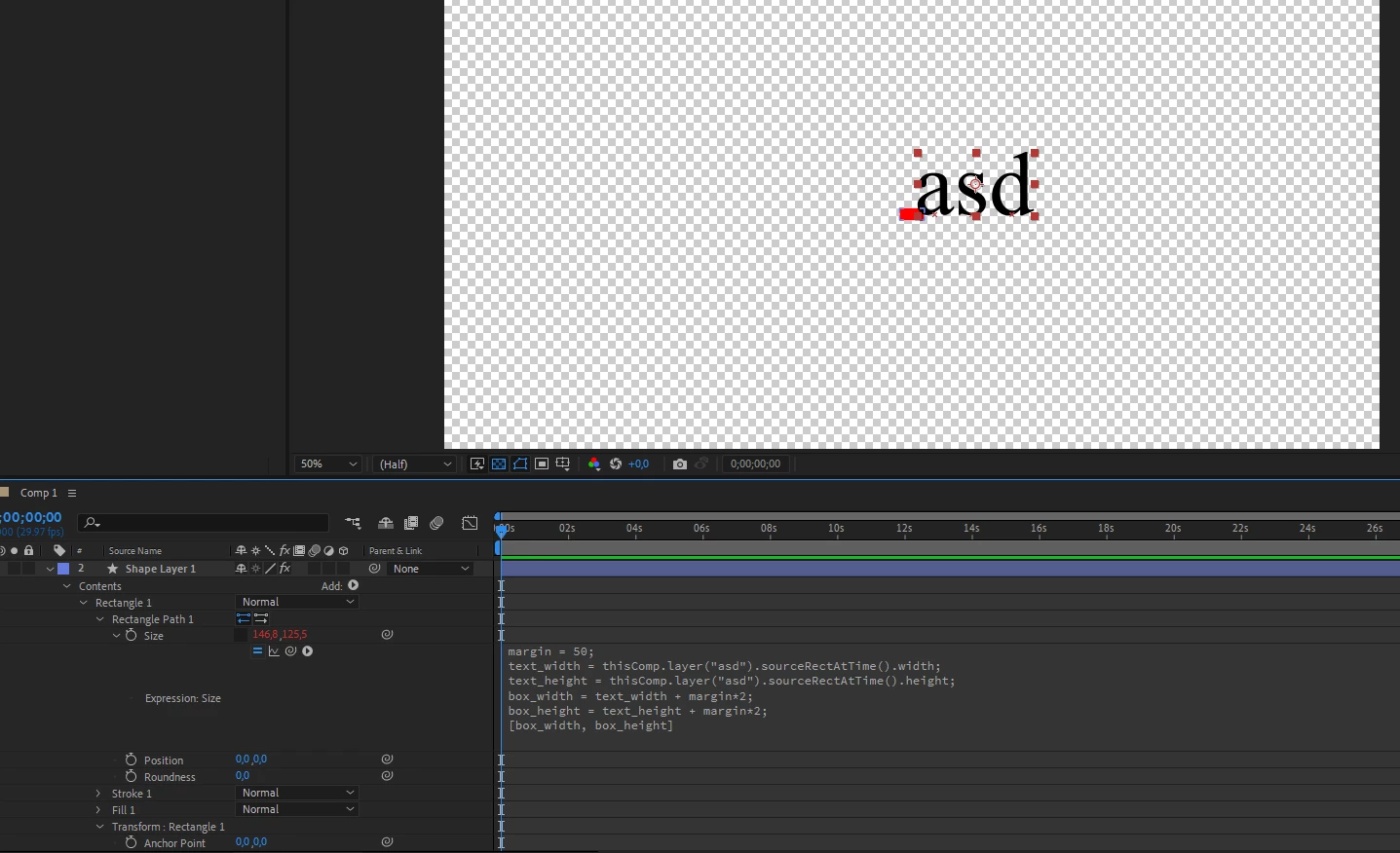
"Shape Layer 1" must match the size of the text block "Text". But it turns out something strange. I've been watching tutorials for two days and I don't understand what's going on. Help please.

This topic has been closed for replies.
Correct answer Dan Ebberts
Untitled_Project.aep

If you look in Transform : Rectangle 1, you'll see that you have scale set to 27.0, 16.8. Change that to 100, 100 and it should work (although margins of 50 will probably look extreme with text that small).

2 replies

Mathias Moehl
Community Expert
Community Expert
September 25, 2023

My extension Pins & Boxes could save you a lot of headache here:

https://aescripts.com/pins-and-boxes/


Mathias Möhl - Developer of tools like BeatEdit and Automation Blocks for Premiere Pro and After Effects
Dan Ebberts
Community Expert
Community Expert
September 24, 2023

Having the text, the shape layer, or the rectangle scaled could cause that.

Participant
September 24, 2023

Without any scale changes, it turns out that


Dan Ebberts
Community Expert
Community Expert
September 24, 2023

Can you post the project (or a simplified version that demonstrates the problem)?
