
sourceRectAtTime() expression to change key-framed position of solid based on text layer width
Hello,
I am making a series of fully-customizable lower-thirds, that automatically scale / change based on the width of any given text layer. I have had success with linking the width of a shape layer to the width of a text layer using the following expression:
s=thisComp.layer("FIRST NAME")
x=s.sourceRectAtTime(time-s.inPoint,true).width;
[x, value[1]]
I also have a position expression linked to the size.
content("Rectangle 1").content("Rectangle Path 1").size/2
Here is my question:
If I want to link a key-framed "end position" of a shape layer to the width of a text layer, how would I go about that? Below is a video of my current animation. A square rolls in then splits in two to reveal text. I want the right half of the square to automatically animate further away based on the width of the text layer. My goal is to make this as user-friendly as possible, so even an 'After Effects Novice' can edit and export!
The shape layer in question has key-framed animation on both the x-scale, and the x-position. The keyframes are eased and velocity adjusted as below.
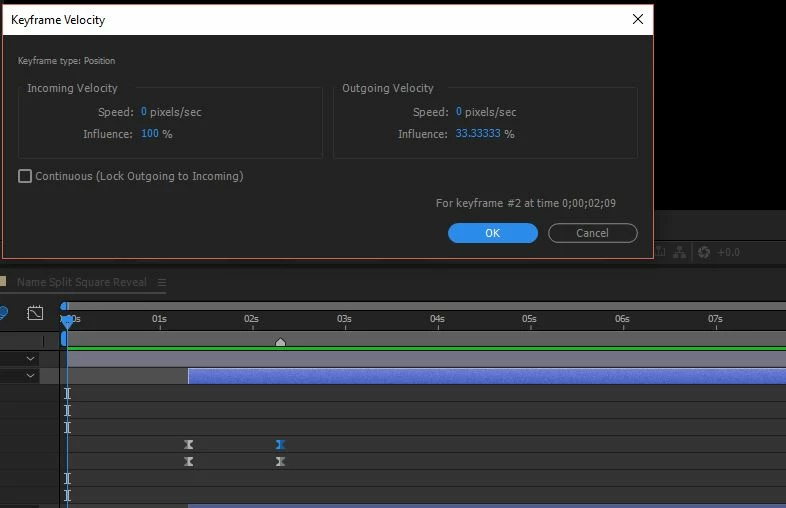
I do realize that I'll also have to write an expression to scale the Alpha Matte in relation to the width of the text layer (which should be similar to my first expression at the top), but that's nothing I can't handle.
Please Help!!!


 AdChoices