Participating Frequently
September 4, 2025
Answered

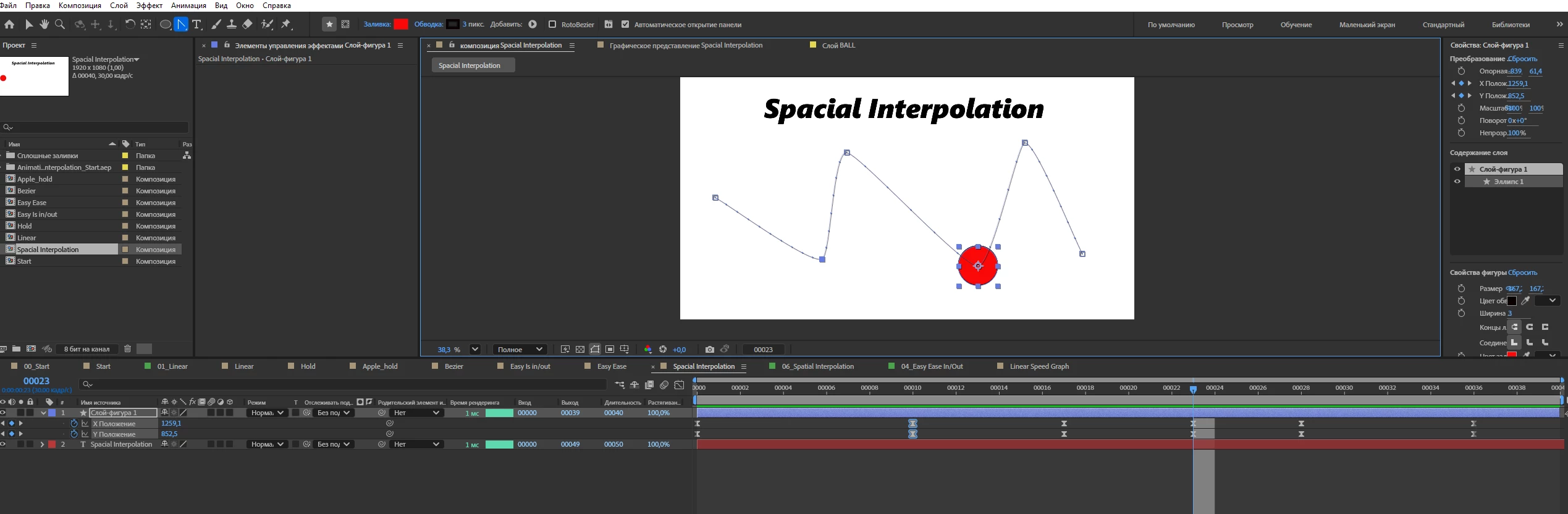
Spacial Interpolation. No handles for bezeir curves.

  • September 4, 2025
  • 1 reply
  • 143 views

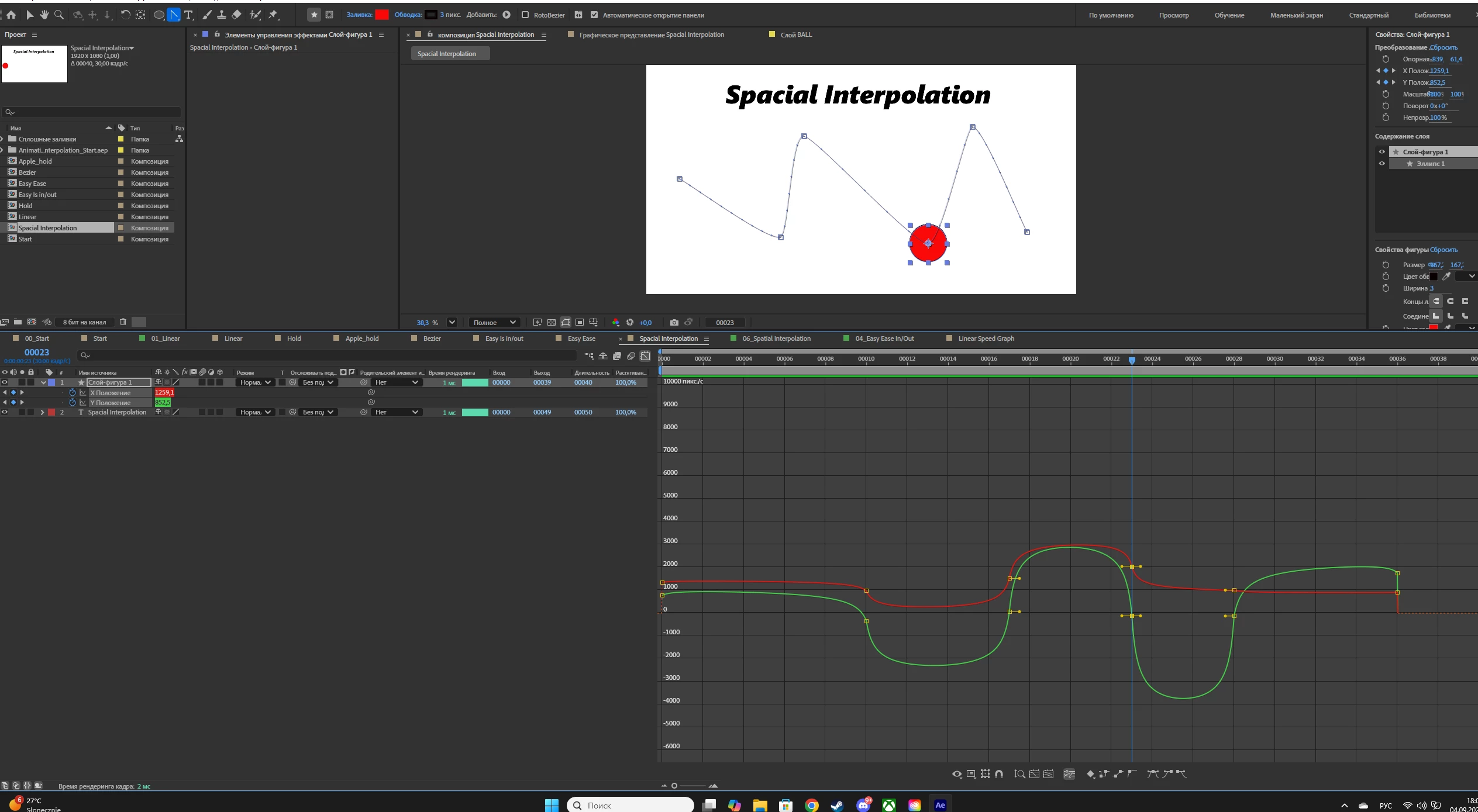
Hi, at the moment I am learning the basic principles of animation in AE, and I have encountered a problem. In any composition with animation that I have created, the CTRL+ALT shortcut for creating a bezier curve directly in the composition window does not work, and the "Move across time" button is also blocked, but as soon as I open other people's compositions, everything works. I don't quite understand what the problem could be, maybe someone  encountered something similar? Even the vertex transform tool works exclusively in the diagram editor.  I would be very grateful if anyone could help!


Correct answer Kevin J. Monahan Jr.

Hi Nikita,
Thanks for the post and welcome to the forum.


Try converting keyframes from Linear to Bezier and use the Value Graph editor for editing bezier handles—these features only work with Bezier or Continuous Bezier interpolation. Also, make sure layers aren’t set to separate dimensions, and pre-compose if some buttons are disabled. Other compositions probably have correct keyframe/layer setup, so match their structure for tools to work


Hope this helps.


Thanks,
Kevin


1 reply

Kevin J. Monahan Jr.
Community Manager
Kevin J. Monahan Jr.Community ManagerCorrect answer
Community Manager
September 4, 2025

Hi Nikita,
Thanks for the post and welcome to the forum.


Try converting keyframes from Linear to Bezier and use the Value Graph editor for editing bezier handles—these features only work with Bezier or Continuous Bezier interpolation. Also, make sure layers aren’t set to separate dimensions, and pre-compose if some buttons are disabled. Other compositions probably have correct keyframe/layer setup, so match their structure for tools to work


Hope this helps.


Thanks,
Kevin


Kevin Monahan - Sr. Community and Engagement Strategist – Adobe Pro Video and Audio
Participating Frequently
September 4, 2025

Thank you, it was enough to connect X Y position in the layers window and everything worked.