
Participant
September 5, 2024
Question

"Spikes" on Speed Graph

  • September 5, 2024
  • 1 reply
  • 182 views

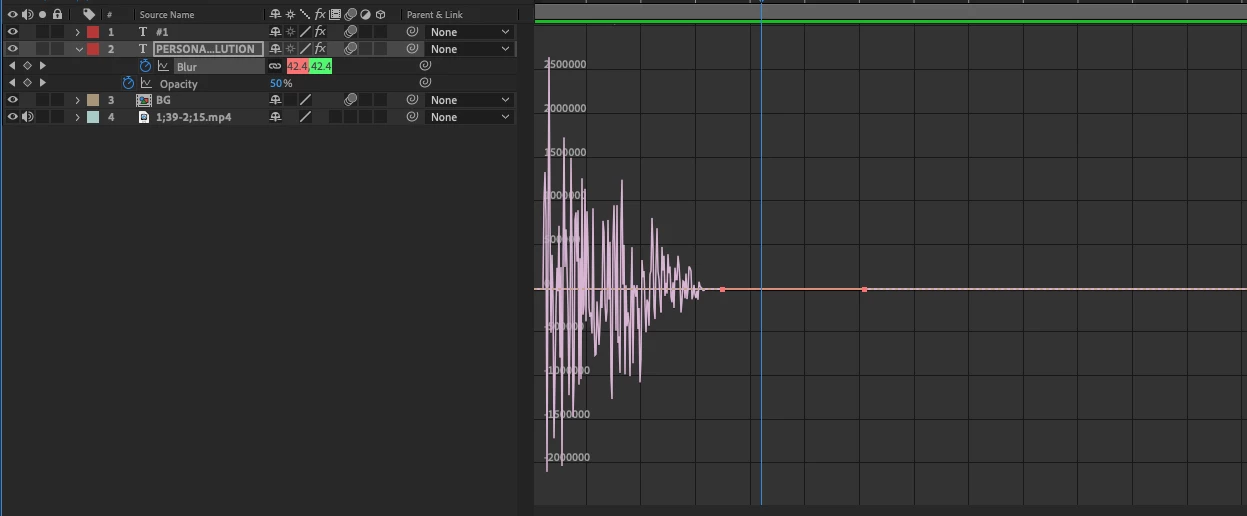
Hey, everyone! I've ran into this problem before, but could not remember what I searched to find the answer. I still cannot find the solution so I'm posting in here. I don't know why all these "spikes" are on my speed graph. It actually won't let me adjust the speed between the two keyframes I have set either. Any help would be greatly appreciated! Thank you in advance!
This topic has been closed for replies.

1 reply

Community Expert
September 5, 2024

Select the keyframes between the anomaly and press F9 to change their interpolation, then adjust the speed graph to your liking. It looks like there may be a keyframe before the start of the graph. I also have no idea whether the vertical lines on the graph editor represent one frame, ten, fifteen, twenty, or one hundred because you have not included the top of the timeline in your screenshot. I also have no idea if the graph editor is set to speed or units because the top of the graph editor's units/second or units graphic is missing. I also don't know which effect is being used, and the values, both for speed and amount, don't make sense. This could be an anomaly or a bug in the effect.