

Question
Stabilize footage with a track point
Hi! Ae Newb here
I have a fully tracked Tracker Point on my footage. How can I apply it to stabilize the footage?
I've tried it a few times with other footage, but now the [apply] button is gone.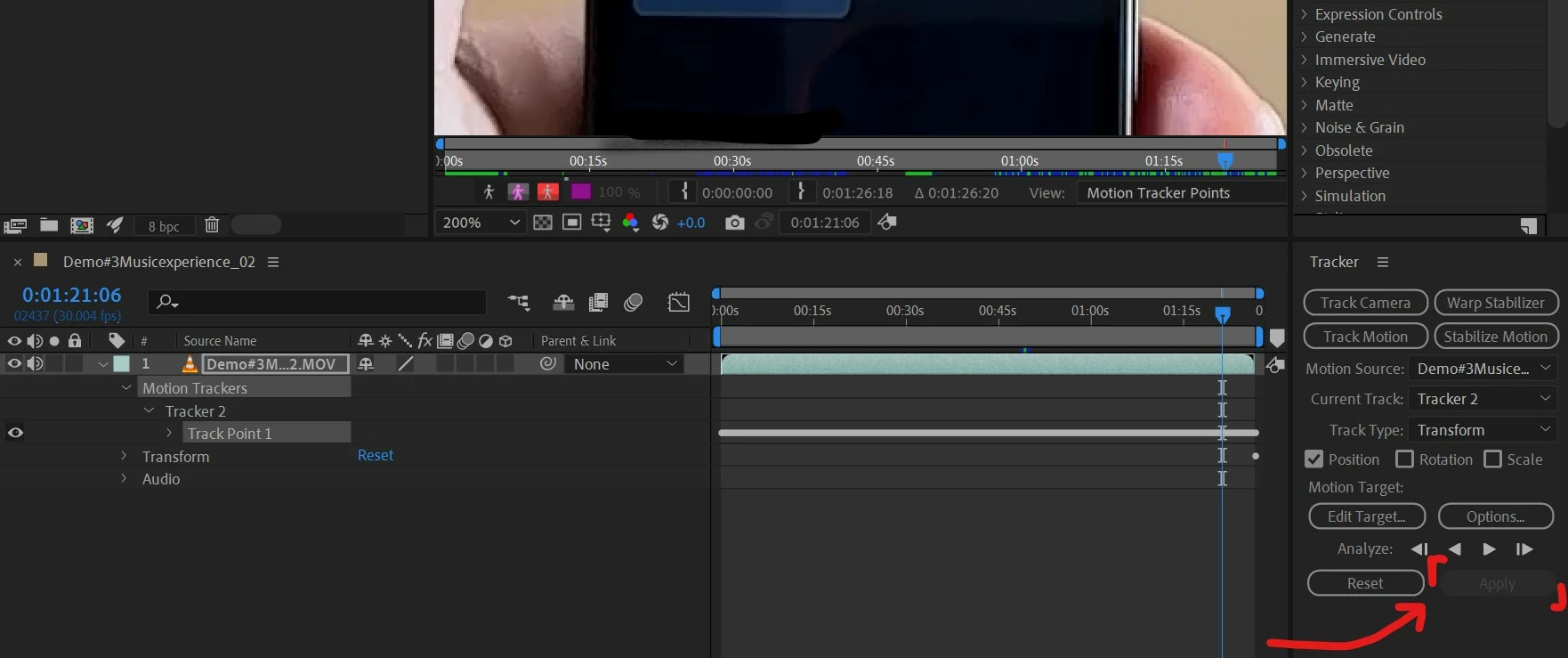

Hi! Ae Newb here
I have a fully tracked Tracker Point on my footage. How can I apply it to stabilize the footage?
I've tried it a few times with other footage, but now the [apply] button is gone.
Already have an account? Login
Enter your E-mail address. We'll send you an e-mail with instructions to reset your password.
 AdChoices