
mikejmurphy
Inspiring
April 19, 2018
Answered

Star Tool Polystar Missing Options

  • April 19, 2018
  • 2 replies
  • 6946 views

Mac 10.13.4 OS High Sierra

After Effects: 15.1

Troubleshooting to determine whether this is a bug or isolated issue.

Issue:
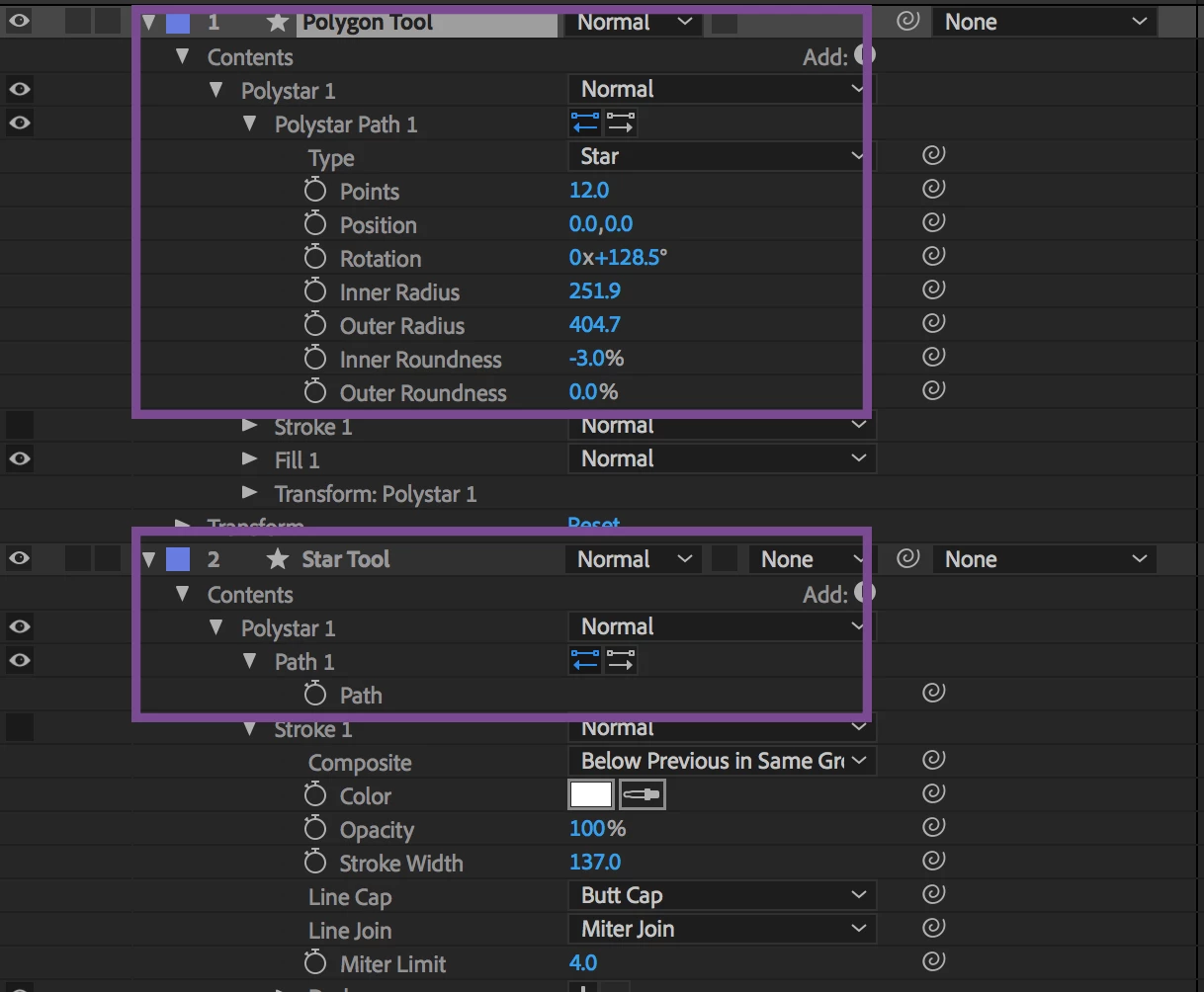
Star Tool has no options to change under Path 1 (Points, Position, Rotation, Roundness....)
Polygon Tool has all of the options. I can change to Star in Polygon and create what I want, but why is there no options with Star Tool?

I was pretty certain Star Tool had Points, Position, Roundness, too. I toggled it open and closed, restarted AE, etc

Is there any known issues regarding Star Tool?

Thank you for any insight on this and if that was never an option, my mistake. It's been awhile since I've used it, but thought they should be there.

mike
    This topic has been closed for replies.
    Correct answer Jose Panadero

    This is not an issue. Probably you have checked the Bezier Path option befor creating the Star. Uncheck the Bezier Path Checkbox before creating shapes. Check the attached image

    2 replies

    Participant
    August 3, 2020

    Thanks man !

    Jose Panadero
    Community Expert
    Jose PanaderoCommunity ExpertCorrect answer
    Community Expert
    April 19, 2018

    This is not an issue. Probably you have checked the Bezier Path option befor creating the Star. Uncheck the Bezier Path Checkbox before creating shapes. Check the attached image

    mikejmurphy
    Inspiring
    April 19, 2018

    Doh! Thank you.