Known Participant
Aug 6, 2021 7:39 AM UTC
Question

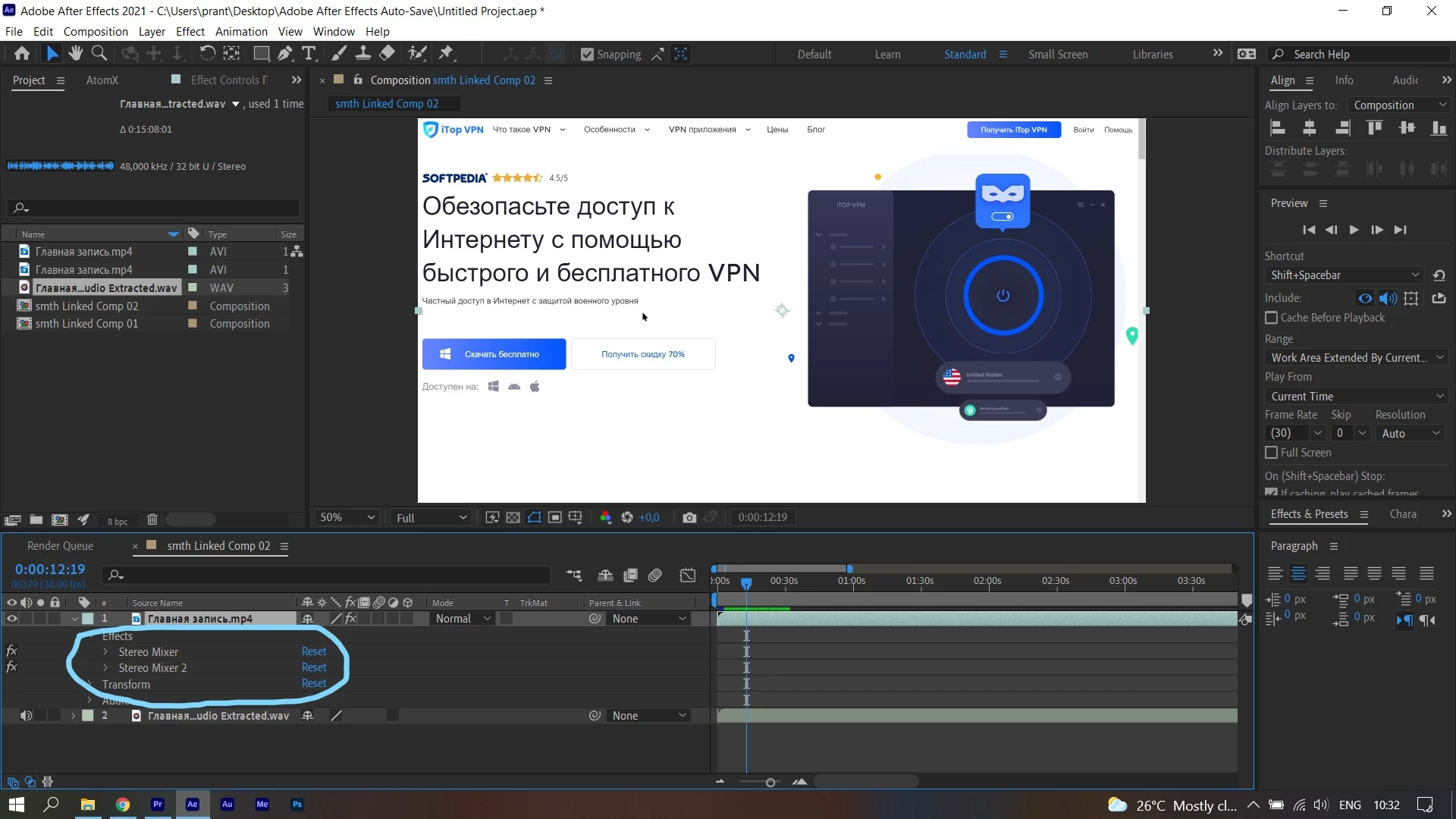
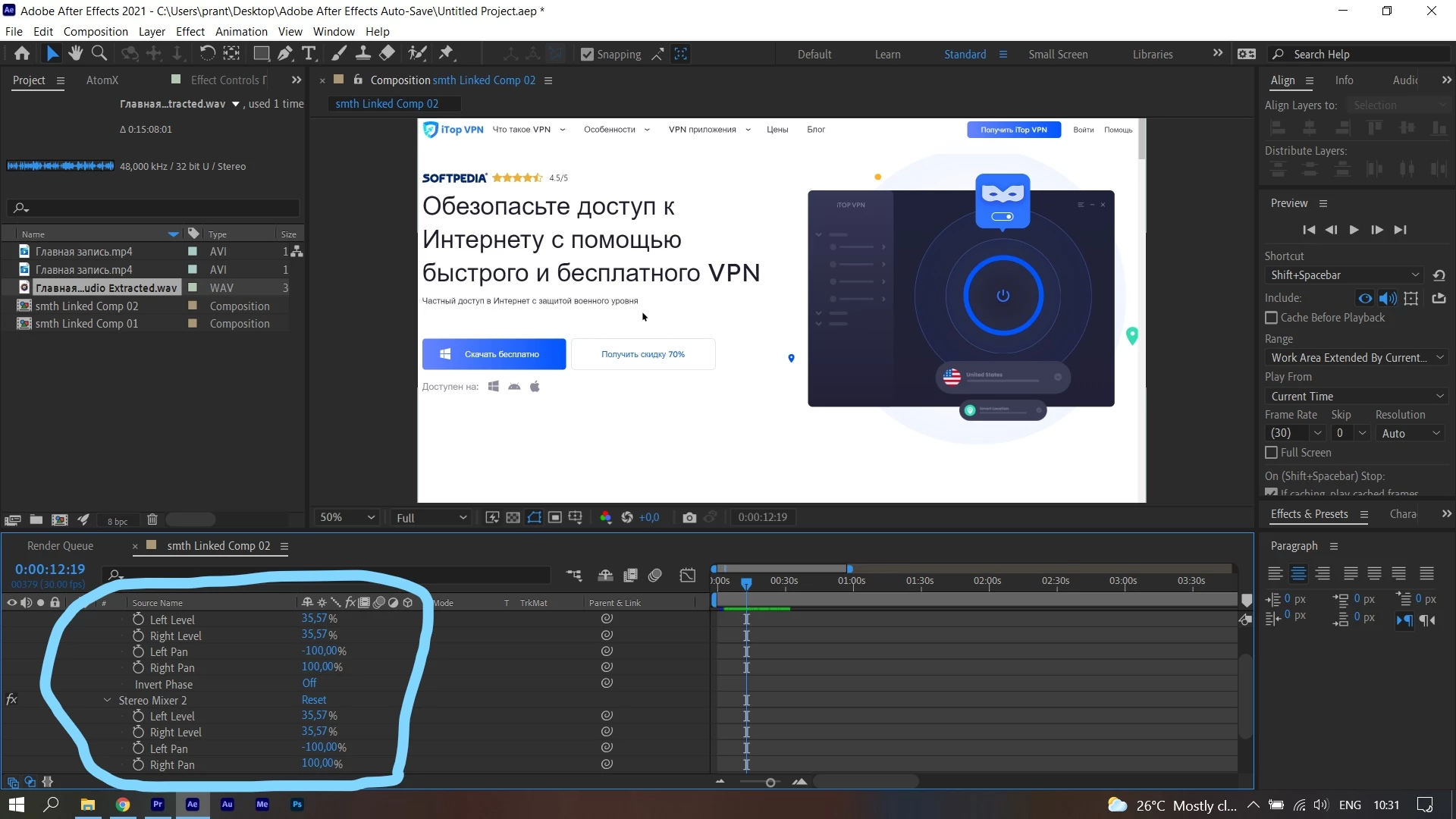
Stereo Mixer effect is automatically applied to my audio when using Dynamic Link

Whenever I try to use Adobe Dynamic Link between Premiere Pro and After Effects, I end up getting some strange effects (Stereo Mixer, Stereo Mixer 2) in After Effects, which make my audio sound quieter compared to Premiere Pro. Therefore, I have to manually turn off those effects in After Effects to hear the original sound.

Is there a way to fix this problem?
This topic is closed to new replies. Start a new post to keep the conversation going.

4 replies

dropbear digital
Participating Frequently
Nov 17, 2023 2:21 AM UTC

Same here. Very annoying

Translate
acoolrocket
Participant
Sep 11, 2022 10:13 PM UTC

Same thing happening to me, thankfully CTRL + SHIFT + E will do the trick to remove all effects from multiple selected layers.

Translate
Naiosama
Participating Frequently
Feb 10, 2022 3:59 PM UTC

I use a lot dynamic link and his problem is really annoying. 

Translate
Mylenium
Legend
Aug 6, 2021 7:44 AM UTC

It's normal, but this doesn't explain your issues in the other thread. I honestly have no idea why the sound comes in to low in volume. The only thing I can think of is that there is some metadata from a volume adjustment in Audition, which AE may read but Premiere not, but this is pure speculation.


Mylenium

Translate