Participant
August 11, 2020
Question

Still Duration in AE

  • August 11, 2020
  • 2 replies
  • 306 views

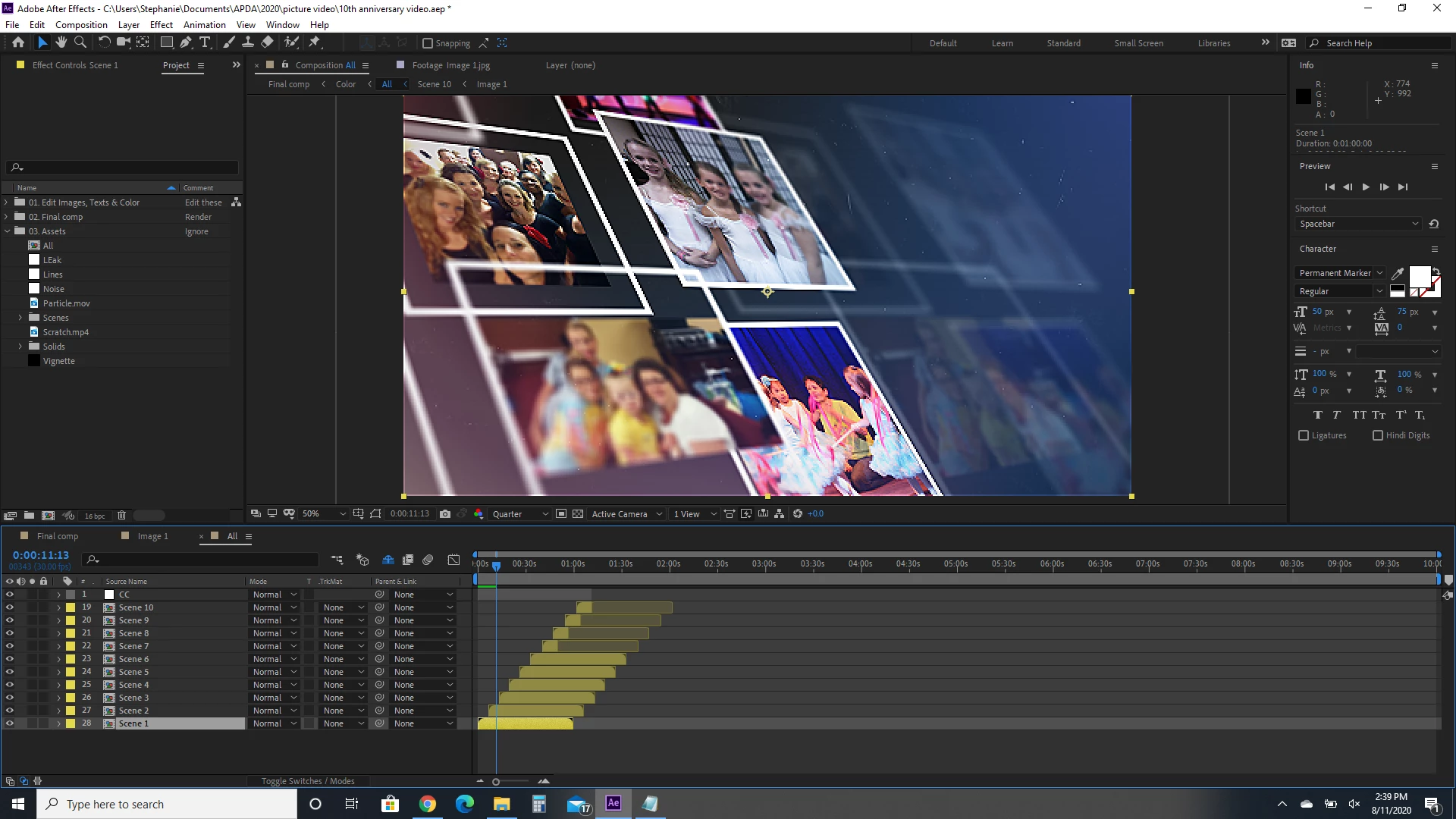
I bought a slideshow from envato and I've got all my images in, but I can't seem to lengthen the slideshow. I'm thinking it's the "scenes" but can't figure out how to lengthen those. I'll be honest, I've never really done this before and I'm completely new to After Effects. Someone please help! I'm clueless!
 

This topic has been closed for replies.

2 replies

imeilfx
Inspiring
August 12, 2020

As Rick said - to do anything in AE and to understand when we explain to you how to do that you need to have basic knowledge about AE. 

Participant
August 12, 2020

Lol. That's what I'm working on. 😉 

Community Expert
August 12, 2020

Layer 2 through 18 are Shy and the Shy switch is turned on. 

Layer 19 through 24 are compositions that are nested in the All comp. Some of those compositions have had the in and out points changed. If you want to lengthen them you have to go to each of the composition settings one at a time and make the comps longer. Then you have to open each of those comps and adjust the length of the layers in the comps.  Your Switches column is also not visible so I don't have any idea which of those comps have effects applied. 


If you want to easily find things in the All comp just open up the Flowchart and start expanding things. You can double click on any item in the flowchart and it will take you to that comp and layer. 


If none of that made any sense, get used to using the Search Help field in the top right corner of After Effects and spend some time with the User Guide. This looks like a pretty poorly organized template. Did it come with a set of instructions?

Participant
August 12, 2020

Thanks Rick! No, not instructions at all. I'm trying to learn bit by bit, but I'm a "figure it out as you go" kind of learner. That's how I learned Photoshop and I'm pretty knowledgeable there, but I'm trying to dive into AE a bit now. Thanks for all your suggestions. I'll play around with it based on what you said and see what I can come up with.