Stop colour fading into another on after effects??
Hi everyone, I am a complete newbie to after effects and i need to change the colour of my film multiple times everytime it changes. When i put in a keyframe for it to start blue, for example, but then the next scene i want the colour to change to green, it changes the colour gradually so that green fades in, when i want it to cut immediately to a different colour when the scene changes. how do i do this?????? the whole film relies on colour changes!!!
here is some idea to what i mean:
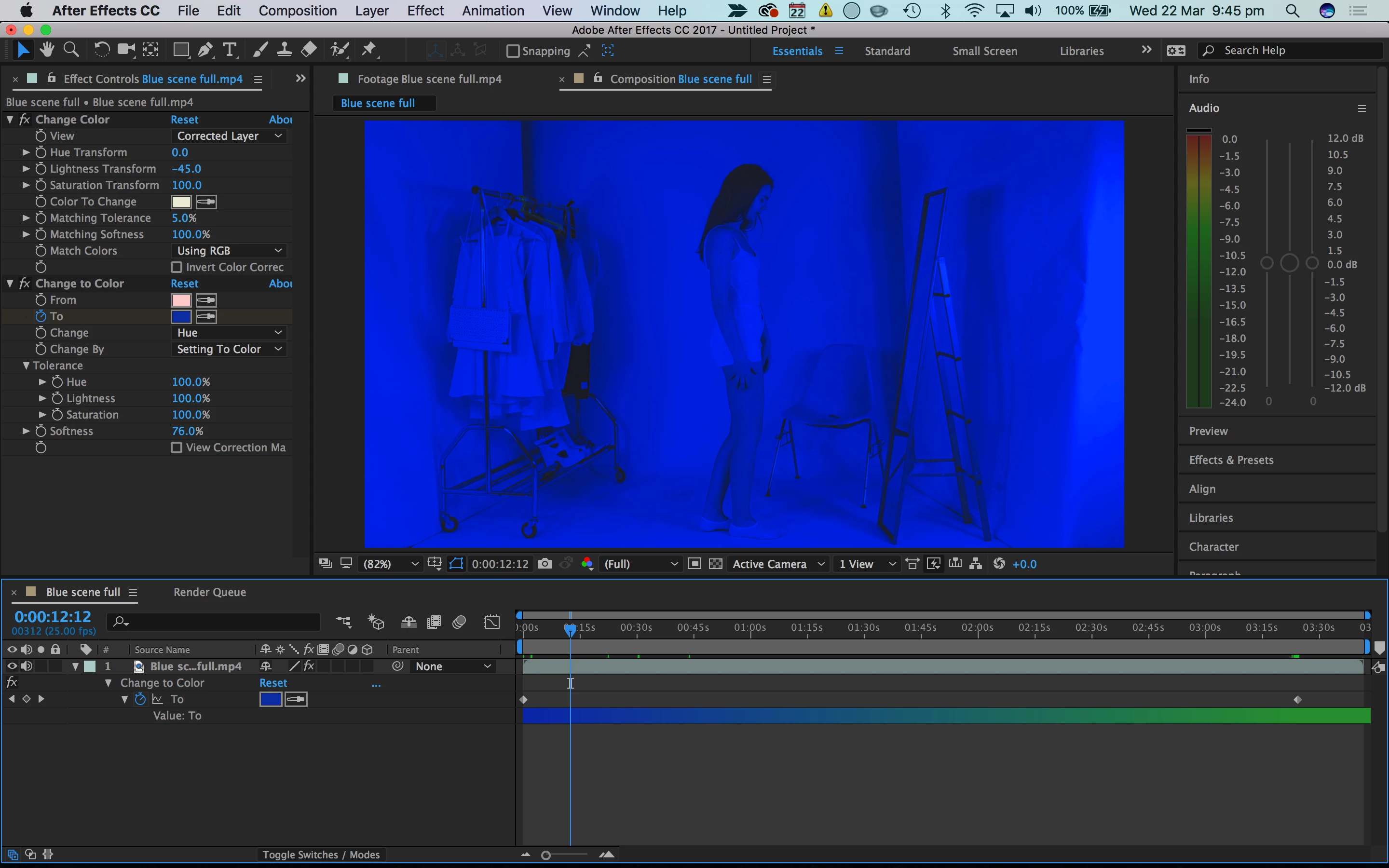
First scene, I want it to stay this blue throughout the whole scene

Still the first scene but later on, it's changing to the green shade I want for the next scene.

Second scene, I want this scene to stay this shade of green for the entire scene. End of first scene ends up being the same shade as this!!
So yeah i hope that makes sense. Basically I want each scene to stay the same colour its assigned and change immediately when it changes scene.
please help!! it's for a final year project!!!
 AdChoices