

Hagen Schmiedel
Inspiring
December 23, 2018
Answered

strange behavior of the Mask path while keyframing the path (Bug?)

  • December 23, 2018
  • 2 replies
  • 4742 views

Hello guys, i'm hoping that someone here can help me. I'm desperately trying to do a mask-out-transition between 2 clips. I can't tell why the damn masking especially the keyframing isn't working.

Here is my problem:

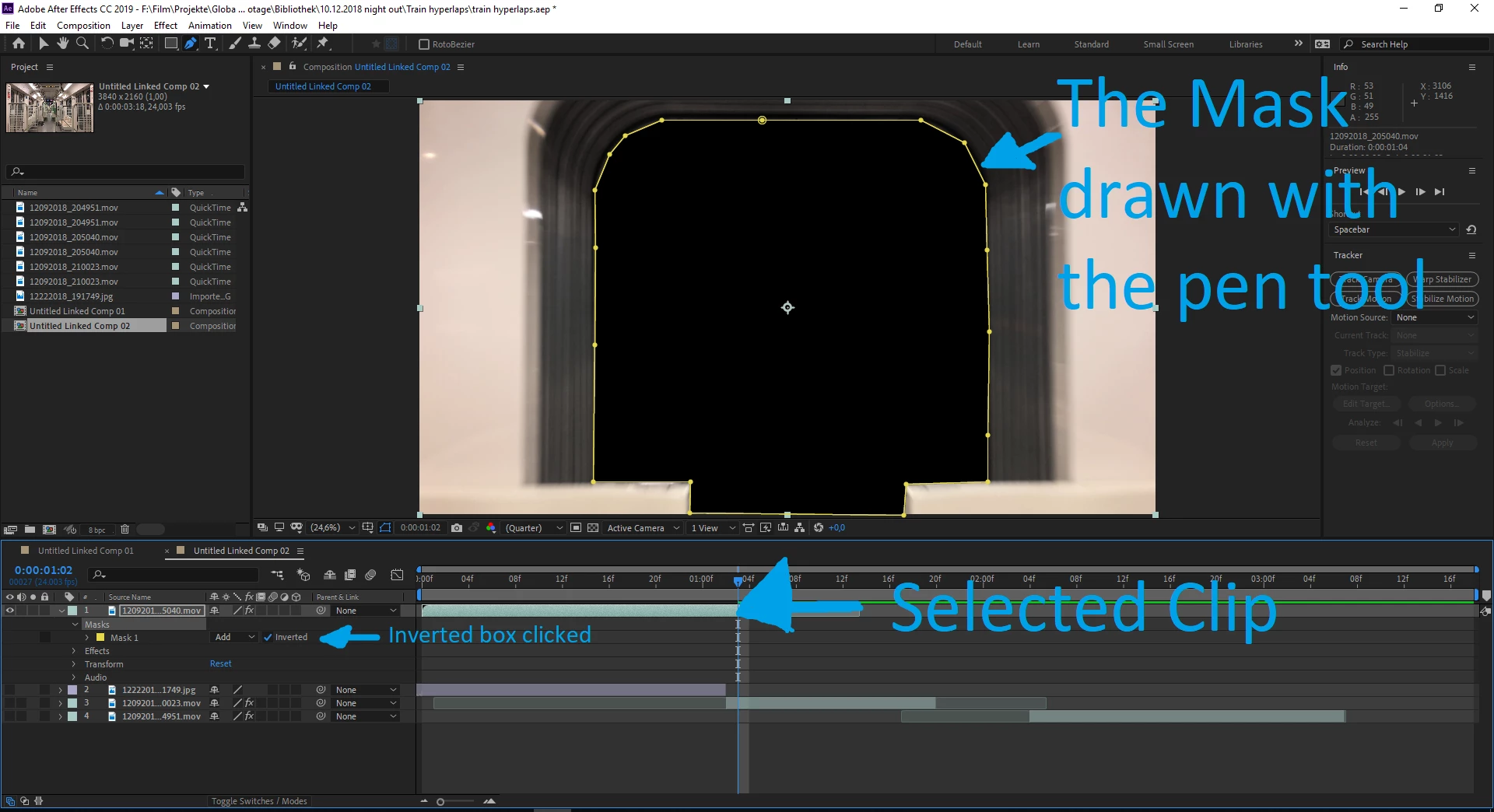
1. This is my selected clip. I pick the pen tool and draw a mask into the frame. Then I click "inverted" to cut out the area within the mask.
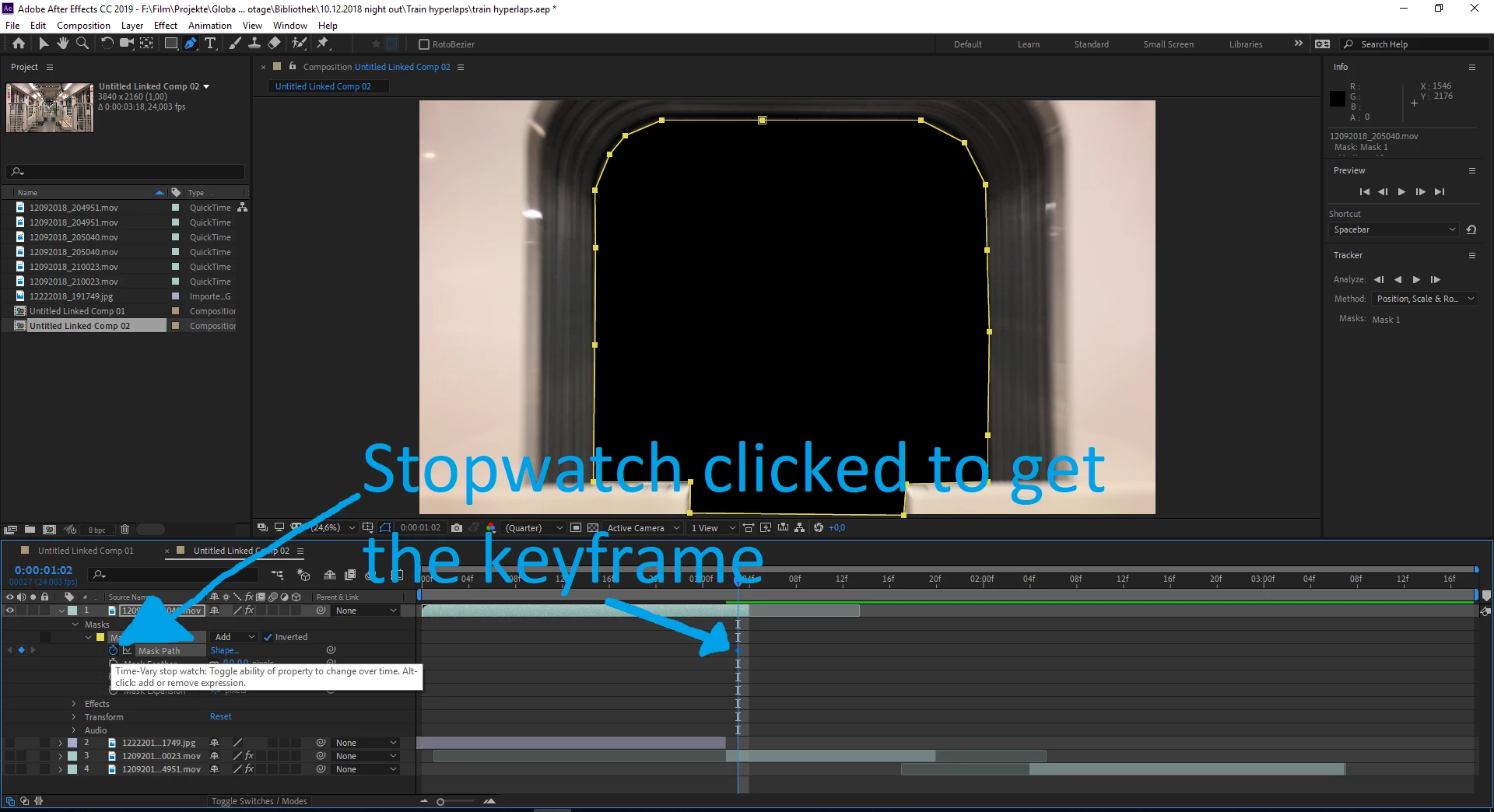
2. I click on the stopwatch to get a keyframe for that mask path
3. I move the playhead 1 frame backwards to set another keyframe...
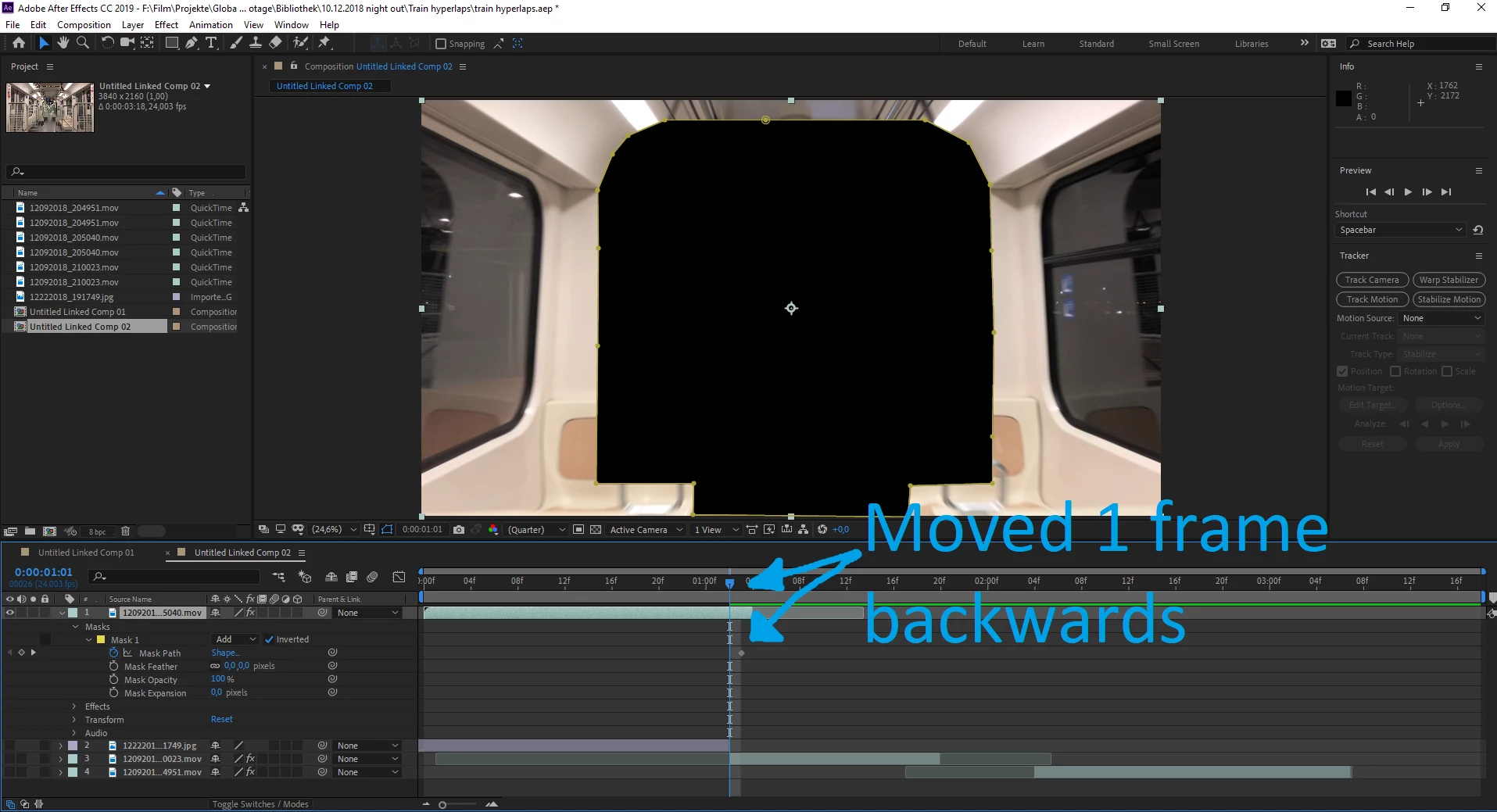
4. I set the keyframe and adjust the mask path so it fits to the new frame

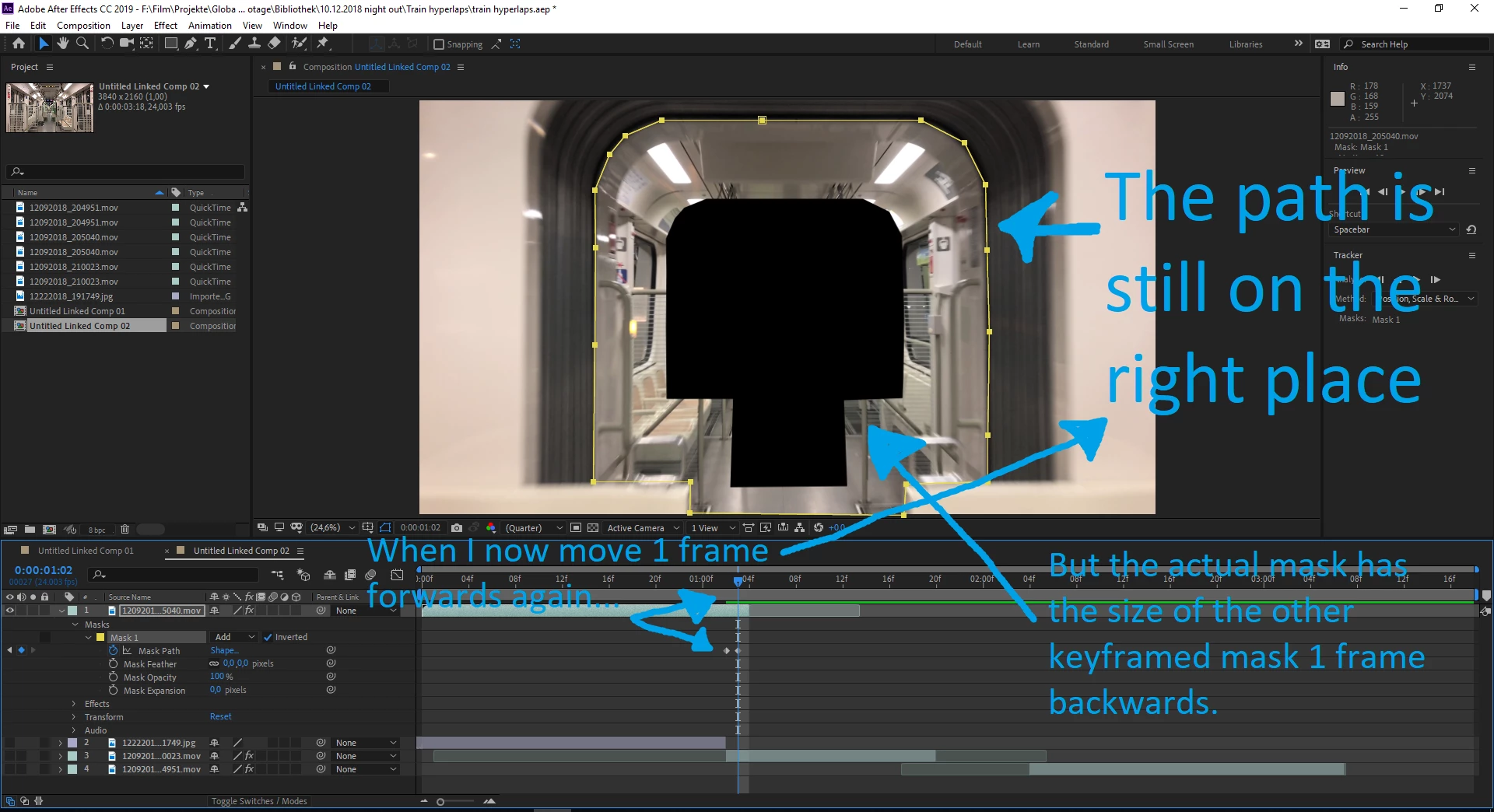
5. when i now move the playhead 1 frame forwards again to the previous frame, although the path is still on the right place, the actual mask is not! The actual mask has the size of the other frame wich was last edited. would i move on and edit frame by frame backwards, the actual mask size would always stick to the last keyframe i've edited.
I would be so happy when someone could tell me what the hell is going on here.
This topic has been closed for replies.
Correct answer Rick Gerard

I can't reproduce your problem. I suspect a cache issue.

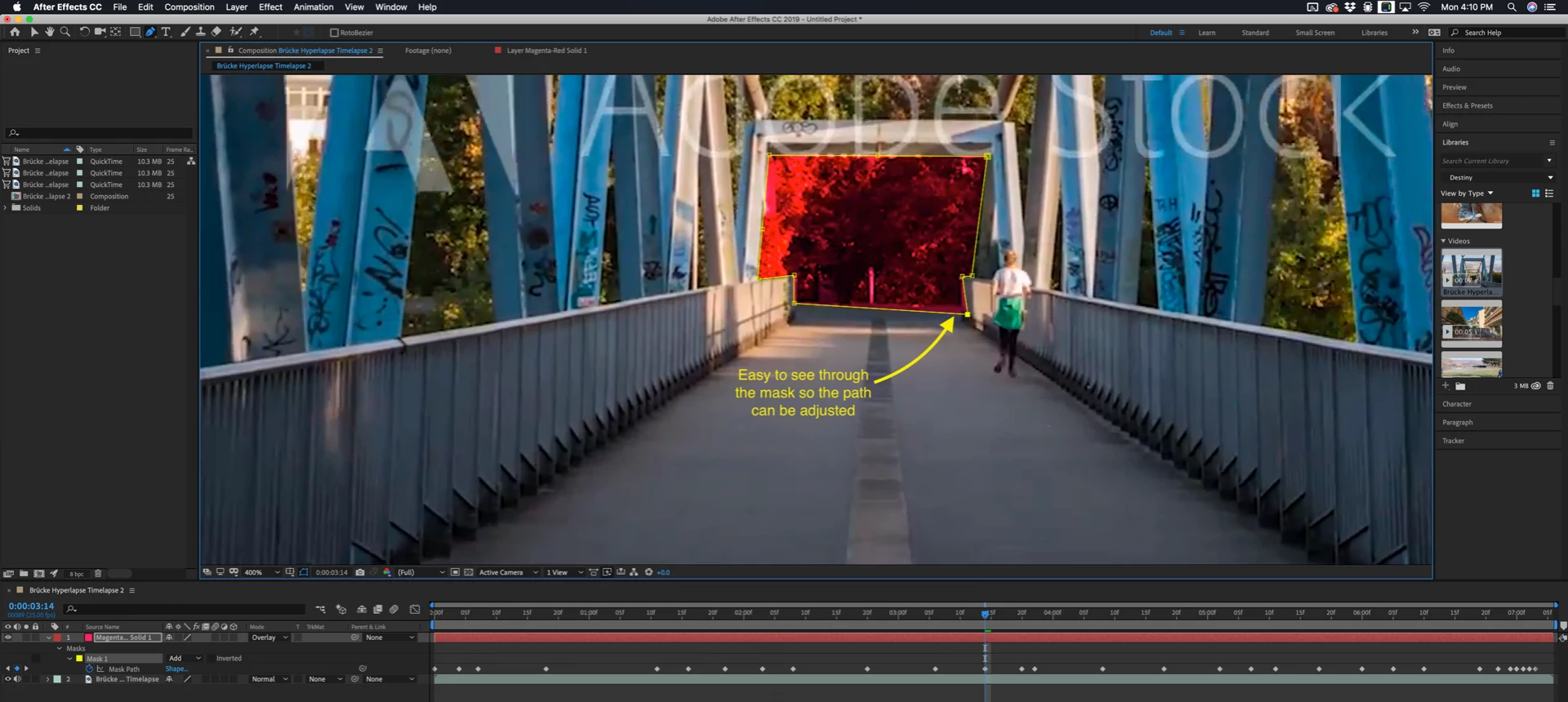
I would probably have put a colored solid above the hyperlapse footage, set the blend mode of the solid to screen or multiply so you can easily see through the layer, animated a mask on the solid, then used that as a track matte for the train. I find it easier to manipulate the masks if I work this way. I would also not set a keyframe at every frame unless there is no other way to pull off the matte. Take this shot for example - 162965230, It is the closest thing I could quickly find that kind of looked like your shot.  

It took me just under 5 minutes to animate the mask for the end of the bridge. Just a few keyframes. As you can see in the screenshot

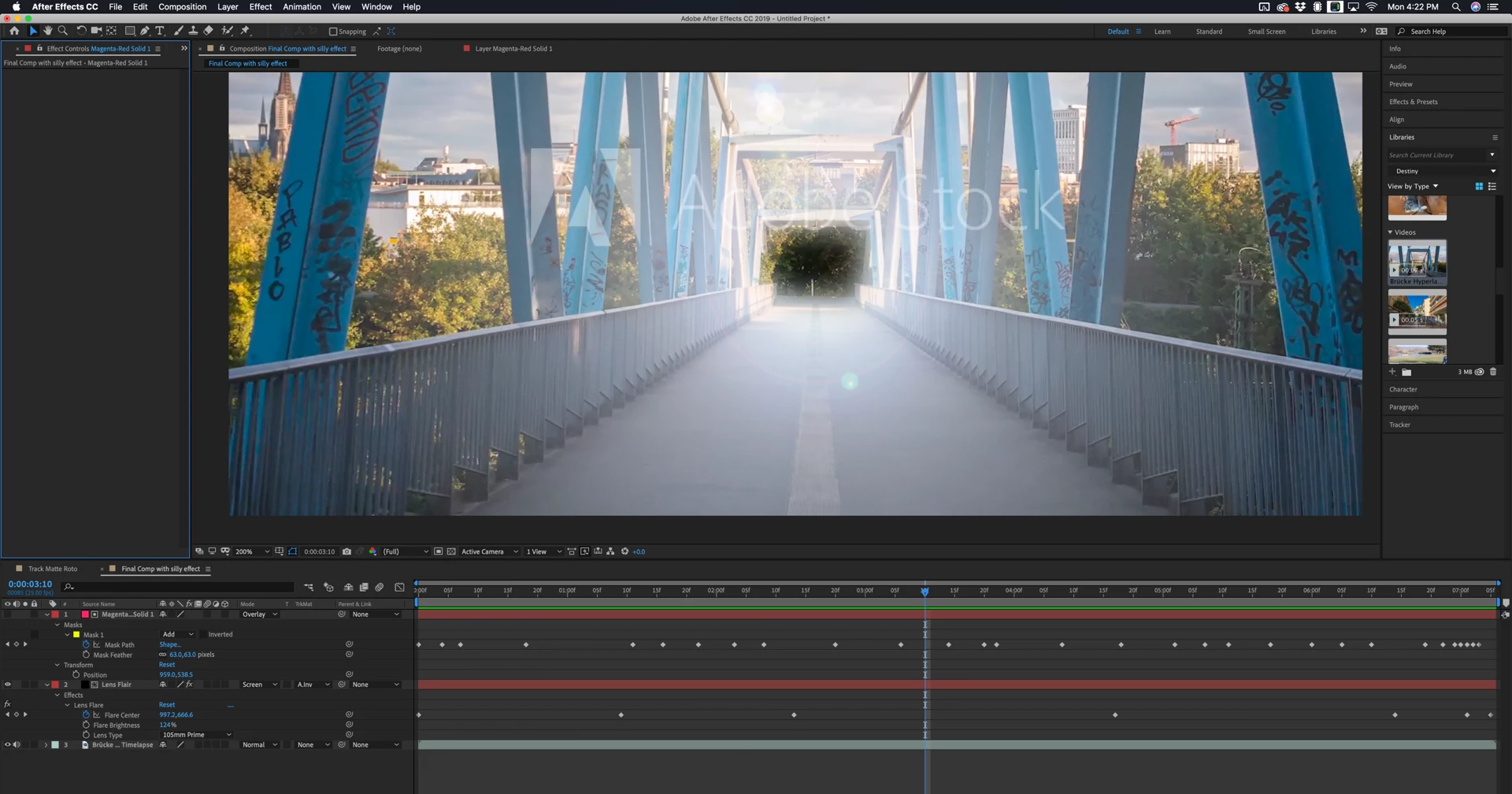
If you are interested you can download the clip from Adobe Stock (free preview) and take a look at the project file. All that is left is to turn the solid into a track matte and use that for whatever effect you want.  Here's the project file: Dropbox - Hand RotoCC (15.x).aep

(note: if your browser adds a .txt extension to the .aep file you can just delete it. Here's the final...

2 replies

OussK
Community Expert
Community Expert
December 24, 2018

Did you try to restart AE and purge all memory and disc cache?

Hagen Schmiedel
Inspiring
December 28, 2018

No, I haven't tried this yet. But I've tried it the way Rick described it. That worked. Thank you anyway !

Dave_LaRonde
Inspiring
December 23, 2018

That's normal behavior.  You don't see the mask on every frame unless the layer's Mask is highlighted in the timeline.  If it isn't, you will only see it on a mask keyframe.

Hagen Schmiedel
Inspiring
December 24, 2018

Hello Dave, thank you very much for your quick response!

I'm not quite sure if I understand what you mean. The mask path should cut out what is inside the mask, but it doesn't. Wether if the mask is highlighted in the timeline or not.

As you can see, it's a hyperlapse through a train and I'm trying to match the mask to a frame at the end of the train that comes closer (gets bigger) with every frame forwards. At the end should it smoothly transit to another clip that is beneath it in the timeline.

Could you please give me an advice? What can I do?

Rick GerardCommunity ExpertCorrect answer
Community Expert
December 25, 2018

I can't reproduce your problem. I suspect a cache issue.

I would probably have put a colored solid above the hyperlapse footage, set the blend mode of the solid to screen or multiply so you can easily see through the layer, animated a mask on the solid, then used that as a track matte for the train. I find it easier to manipulate the masks if I work this way. I would also not set a keyframe at every frame unless there is no other way to pull off the matte. Take this shot for example - 162965230, It is the closest thing I could quickly find that kind of looked like your shot.  

It took me just under 5 minutes to animate the mask for the end of the bridge. Just a few keyframes. As you can see in the screenshot

If you are interested you can download the clip from Adobe Stock (free preview) and take a look at the project file. All that is left is to turn the solid into a track matte and use that for whatever effect you want.  Here's the project file: Dropbox - Hand RotoCC (15.x).aep

(note: if your browser adds a .txt extension to the .aep file you can just delete it. Here's the final...