In the preferences, check that in the Applications and Synchronization tabs it have the correct location that could be the "Default locations" or you could give it a location that is active and functional in your system.
Without any info about your system and its configuration we can't really tell you much. This could be an issue with your Turkish system, but just as well could simply mean you are running out of disk space and the Adobe apps are trying to switch to a different drive for their temporary data. Really impossible to say without soem detailed info.
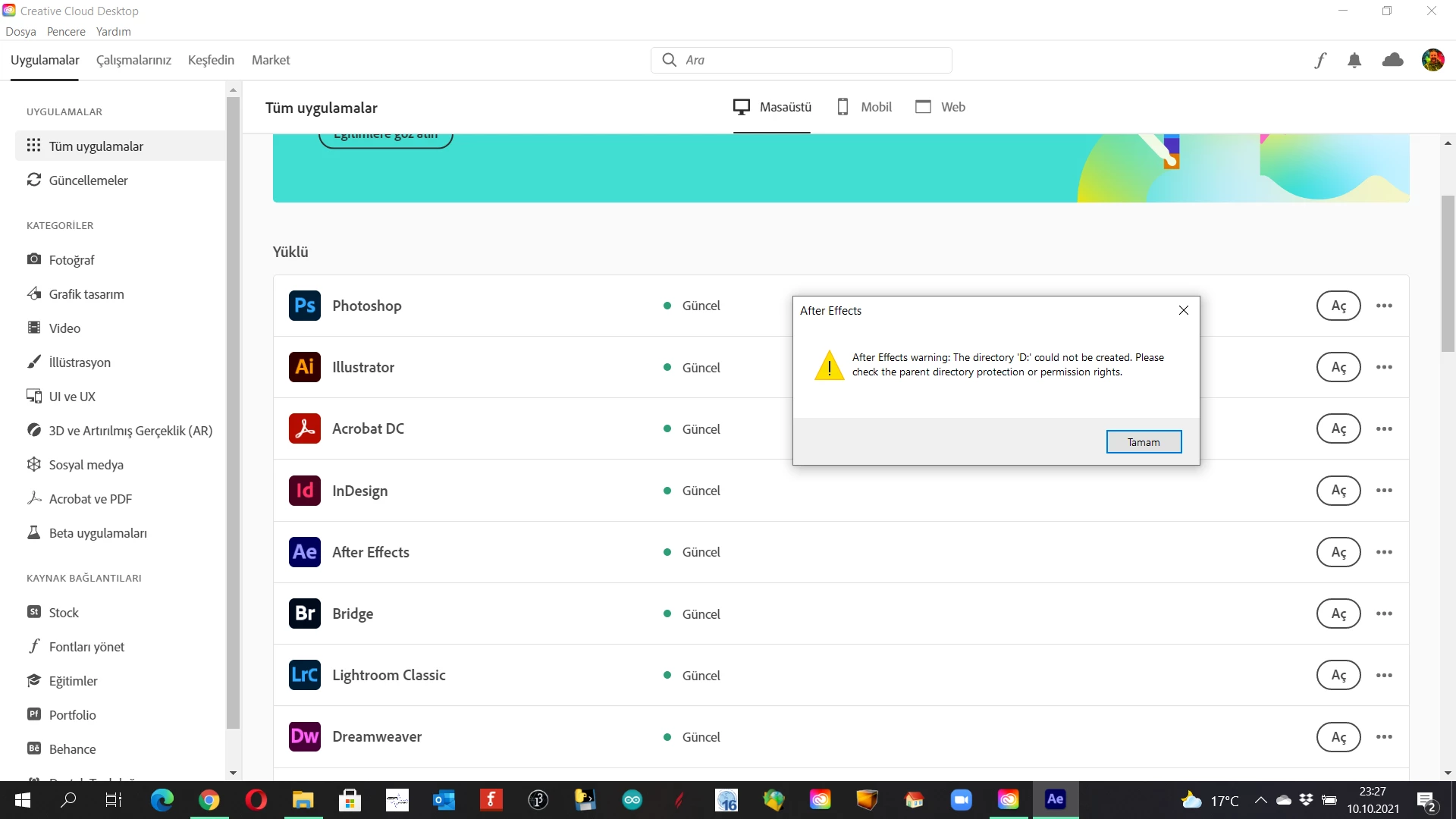
Thanks for your message. I am using CC since 5 years (almost) and it was working perfectly. My notebook is i7 processor with 16 Gb RAM and everything is working fine except AE. I think, I made a mistake. Last month, my C Drive (it is 128 Gb SSD - running windows) was almost full and I tried to change Roaming folder to Drive D ( 1 TB standart disk). I found some codes on the blogs and applied. This is the brief story. When I tried to run AE but gave me this error. All others are running but AE. I don't know how can I recover it. I fully removed AE at least five times but nothing changed. Thnaks for your helps. Murat.



 AdChoices