I would add Trim Paths to the stroke you want to animate, create a second shape layer for the matte using the pen tool to define the shape on the end of the path, make sure that the anchor point is in the center of the curve, Set a path keyframe for the stroke you want to reveal then cut it, reveal the position property of the matte layer and paste, set the transform options to Auto Orient Along Path, then animate the end value of Trim paths to match the timing of the matte layer and set it as an Alpha Inverted track matte for the original shape layer. There will be little or no editing of the matte path. You will probably have to adjust the matte rotation and maybe edit it if the path makes a bunch of sharp corners.
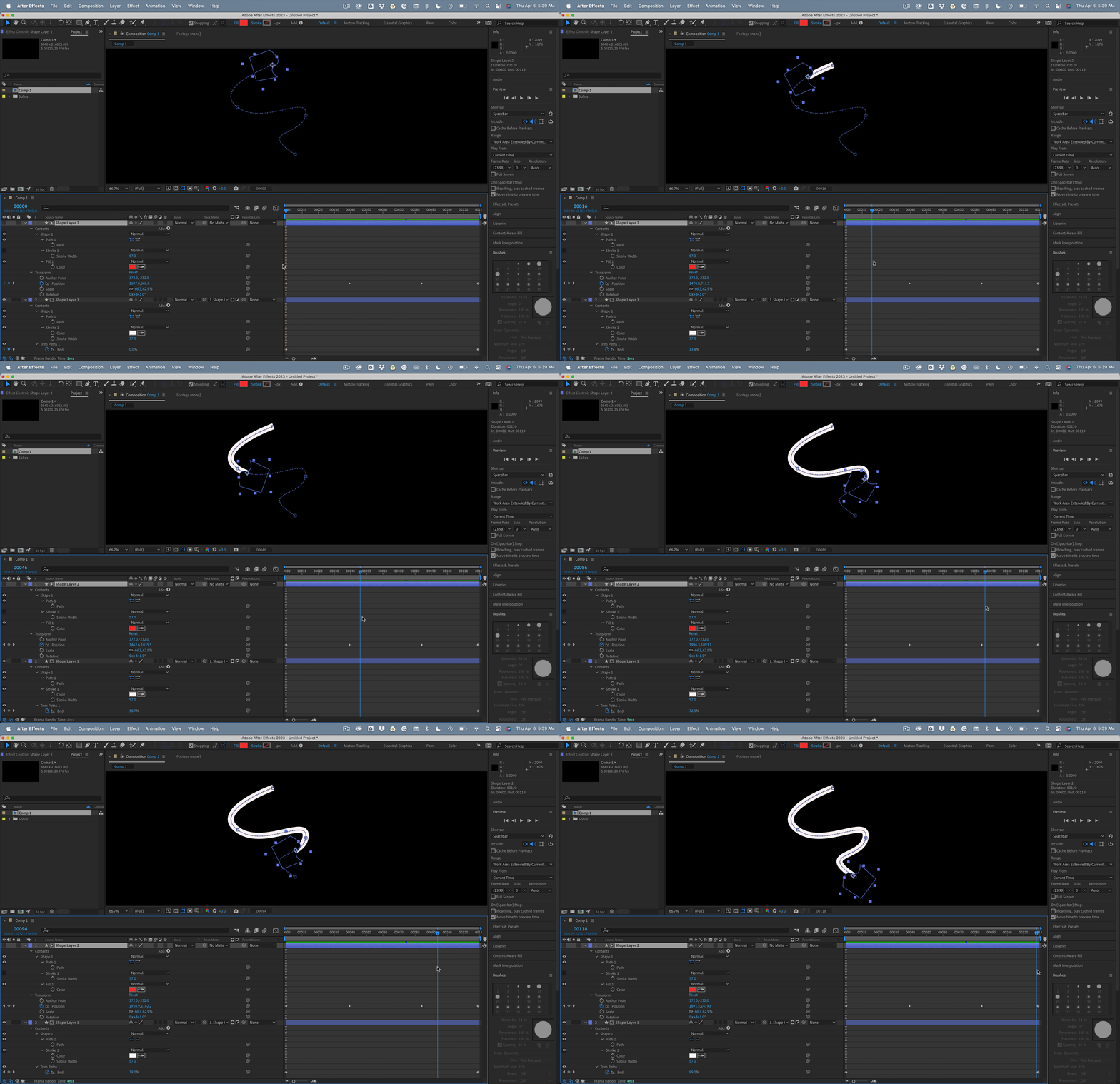
If you want also to animate the end, repeat the procedure for a second matte shape and add Set Matte to the path layer so you can have custom shapes at both ends.
I use this technique to add arrowheads and tails to shape layer paths all the time.

 AdChoices