
markh17861918
Participant
August 13, 2019
Question

"Stroke Reveal Effect" displays rounded corner

  • August 13, 2019
  • 3 replies
  • 5731 views

Hi, all. I'm using After Effects to create a type reveal similar to this example: Accelero - Logo Animation by Aga Jucha for Netguru on Dribbble

I used the stroke reveal effect from this video: Simple Text Stroke Reveal Effect - After Effects Tutorial - YouTube

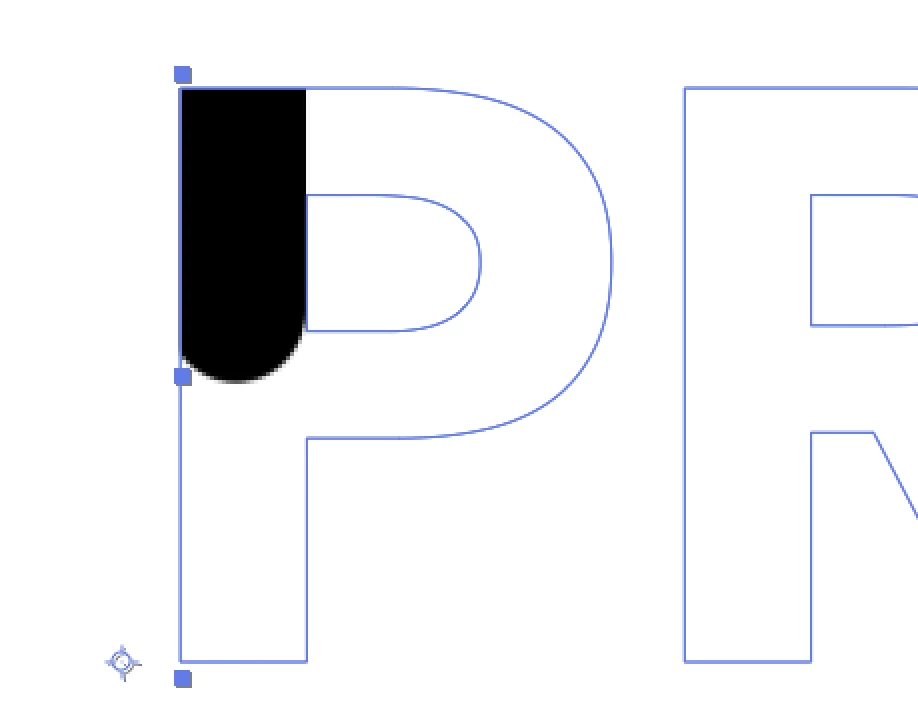
I was successful, although the line cap is rounded as the text appears though I want it to be flat (similar to the dribbble example). I had read a few answers to this problem with the solution of trim paths on a stroke, although this method doesn't work great for me since I'd have to re-create each letter using the pen tool (which isn't ideal for the curved shapes).

Any solutions?
This topic has been closed for replies.

3 replies

Roland Kahlenberg
Legend
August 14, 2019

Your Stroke's Line Cap Property is set to Round. Set it to Butt Cap or Projecting Cap to get what you want.

You may also want to look at this Script which allows you to set/reset the Line Cap and Line Join properties of selected Shape/Strokes - https://www.battleaxe.co/buttcapper

Very Advanced After Effects Training | Adaptive & Responsive Toolkits | Intelligent Design Assets (IDAs) | MoGraph Design System DEV
OussK
Community Expert
Community Expert
August 14, 2019

You do same using shape and alpha matte, check this small demo.

https://www.dropbox.com/s/havizq7td6blc8r/reveal.aep?dl=0

Community Expert
August 14, 2019

Don't use the stroke effect, use a shape layer. If the layer with the mask has not been scaled or repositioned you can just copy the mask paths, start a new shape layer, click anywhere with the pen tool and then paste. Then add Trim Paths to animate the line.