Legend
November 23, 2021
Answered

Strokes Not Appearing Until After 02s

  • November 23, 2021
  • 1 reply
  • 274 views

Hey all, 


Scenario:

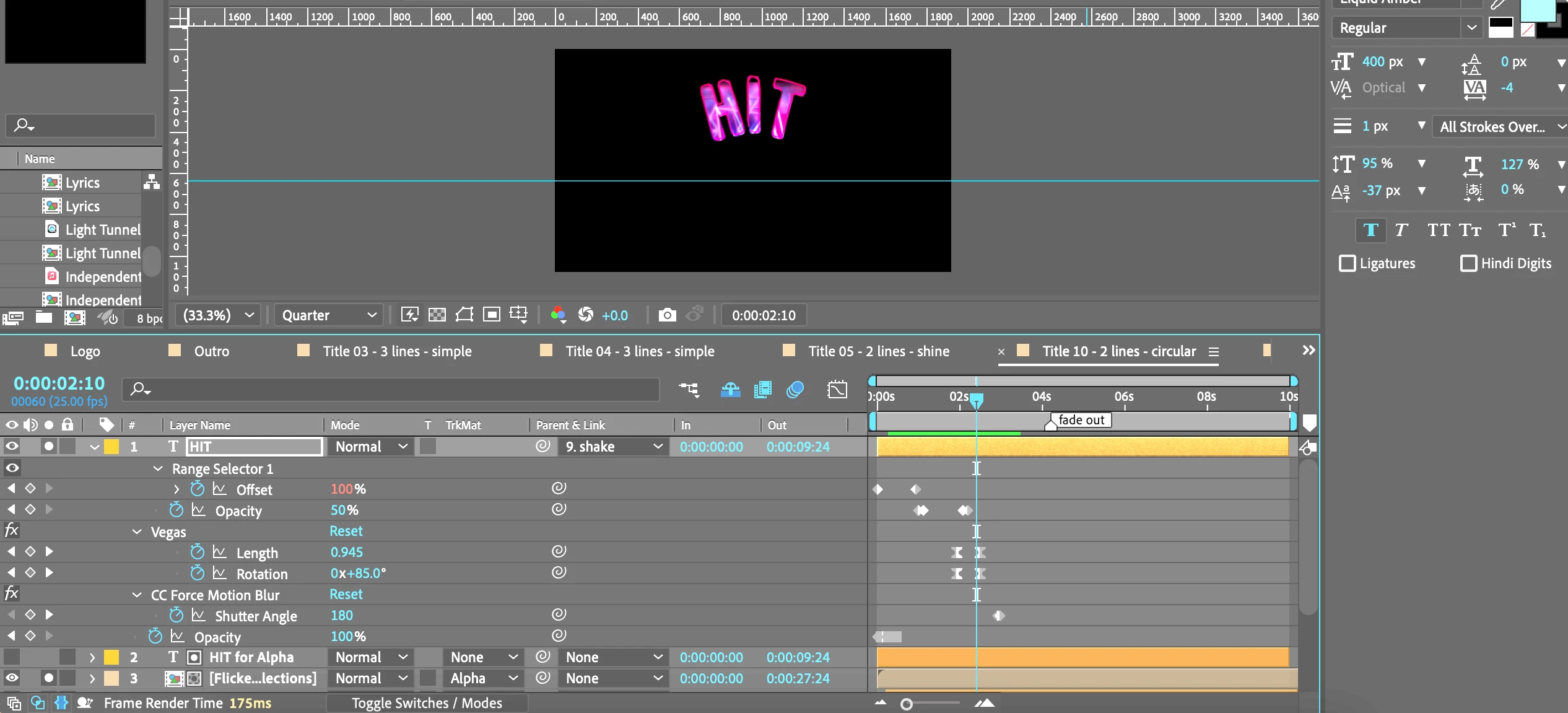
I Want My Strokes to Always Be Present When My Alpha Matte Fill is Present.


Question:

What am I Doing Wrong that This Is Not Happening Until 02s Mark?


Fig.1] Pre 02s Mark ~ Strokes Not Visible
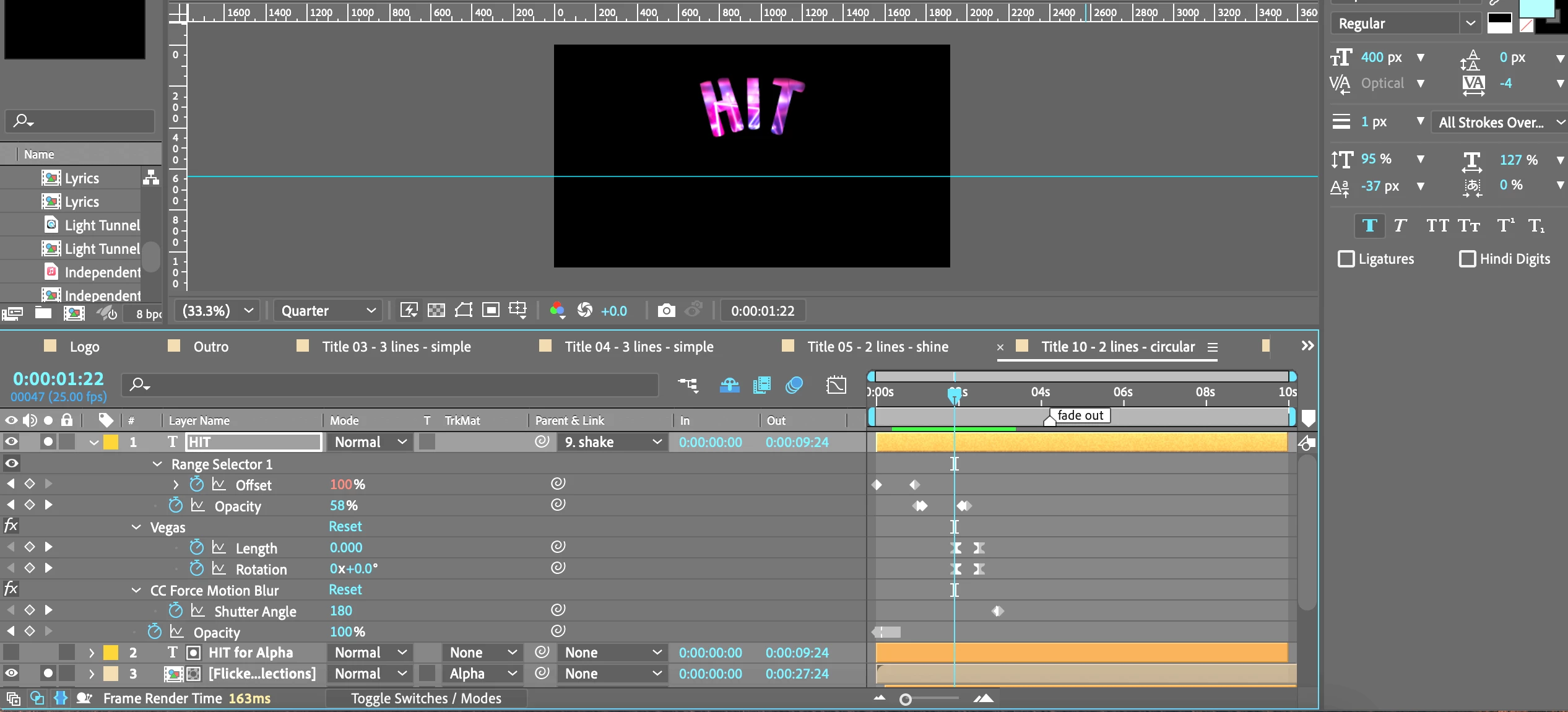
 

Fig.2] Post 02s Mark ~ Strokes Now Visible
  

Thank you,

One&Done


This topic has been closed for replies.
Correct answer Mylenium

Pre-compose the text animation and create the strokes on a separate layer. Don't always try to do everything at once...


Mylenium

1 reply

Mylenium
MyleniumCorrect answer
Legend
November 23, 2021

Pre-compose the text animation and create the strokes on a separate layer. Don't always try to do everything at once...


Mylenium

One&DoneAuthor
Legend
November 26, 2021

Sound Advice Mylenium : )

This got me focusing on the strokes, rather than trying to control it from the outermost layer.


1. I allowed the playback run, then stopped it right when the stoke began appearing.

2. From here, I hit "uu". This allowed me to trace which keyframes began at this particular moment in time.

3. I realized the Vegas effect was initiating much later than the text as a whole. 

4. Then, I proceeded to adjust these keyframes accordingly.  


The following video helped me to get a basic grasp upon using the Vegas effect.

Animated Neon Text Stroke Vegas Effect 


Also, for this particular lettering, I inserted a Glow effect to control which colors my animated stroke would display as.