
Struggling to implement a curved pan zoom along a specific path
Hi all,
So I have an image that I drew on Photoshop. It's a panorama layout for animation (a landscape). It's shaped like a curve, and I need the camera to move along this path til it reaches the last frame, located at the top of the curved path. The first shot is located at the other end of the curve. The final shot is 1920 x 1080 and the first shot is slightly larger. The size of the entire thing is roughly 5000 x 3000 pixels. The path tightens in as it moves toward the final shot.
Here is the path, minus the actual layout.
I eyeballed the blue tracks, so they may not be totally consistent with one another.
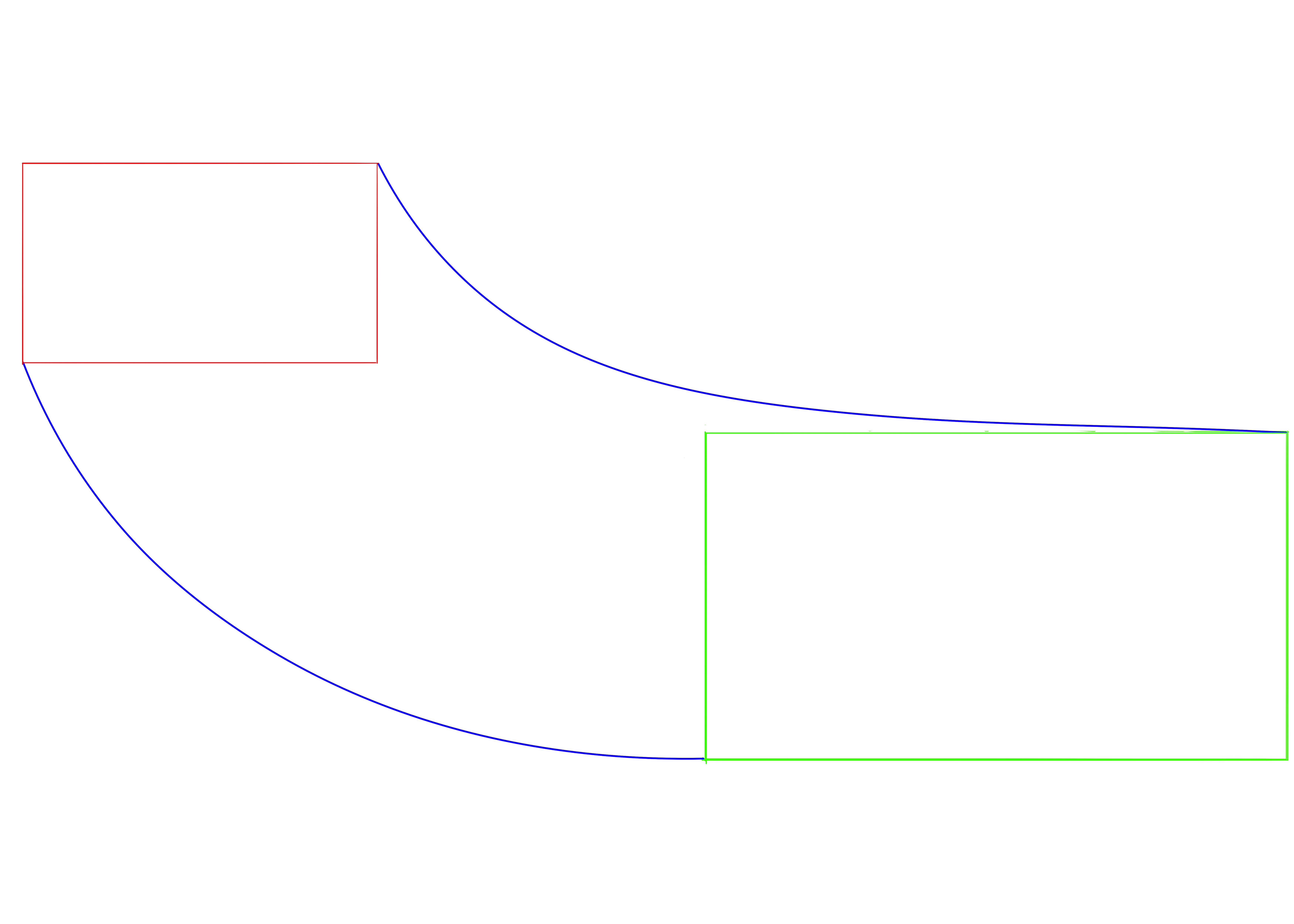
I've been struggling to make the camera follow this exact path of curved pan and simultaneous zoom in.
I started out by framing the first shot, and adding a keyframe to all the parameters (POI, position, orientation, x, y, z rotations). Then I moved about 15 seconds up the timeline and framed the final shot, adding a key to all the parameters again. Of course, this led the camera to follow a straight diagonal path between the two shots. The pan was smooth and evenly timed.
This is where it gets tricky for me and I don't know how best to proceed. I started moving along the timeline adding keys here and there to reposition the camera along the blue tracks. But the camera still kept popping out of the tracks and I ended up with way too many keys, and a really uneven pacing. Sometimes the camera would slow down or speed up abruptly.
What is the best way to go about doing this?
 AdChoices