Known Participant
February 7, 2020
Question

Subtle Underwater Effect?

  • February 7, 2020
  • 2 replies
  • 420 views

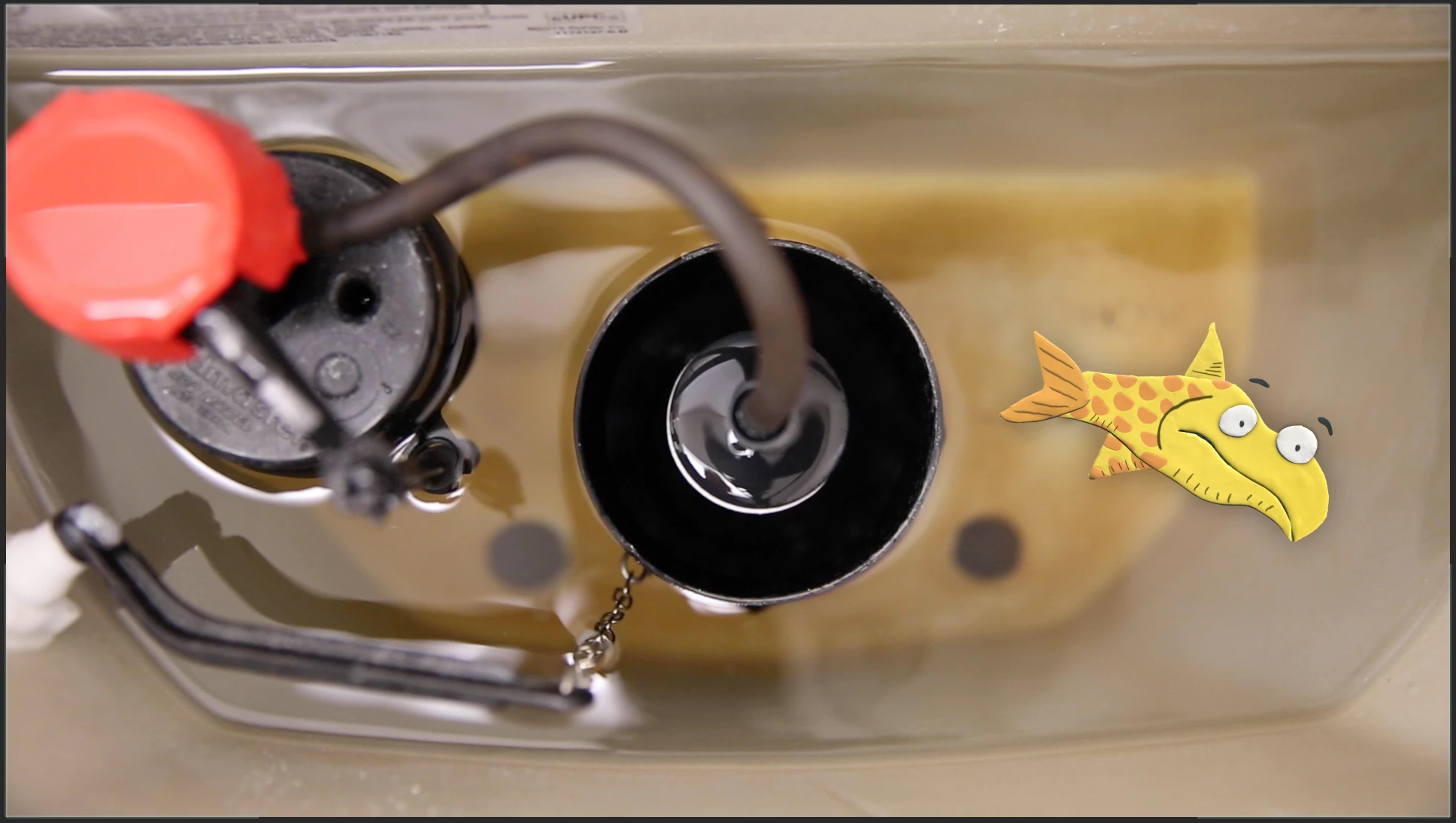
I am looking for the best way to make a cartoon character look like it is under a little bit of water.


No deep ocean wave effects; I just want to make this little guy look like he is under a little bit of water.


Thanks!
This topic has been closed for replies.

2 replies

Kyle Hamrick
Community Expert
Community Expert
February 8, 2020

If you're looking for that little bit of wobble you might see from being slightly below the surface, you could use Displacement Map, referencing a layer with some subtly-evolving Fractal Noise. Wave World is specifically made for generating waves in water (that can even bounce off the sides), but might be overkill for what you're after. 

Mylenium
Legend
February 7, 2020

Well, study the source image - the parts under water look darker/ more grey and very soft due to the camera having a very shallow focus. Ergo, tweak the colors ever so slightly e.g. with a Hue/ Saturation effect and apply a subtle gaussian blur. Manipulate and animate the values to give the illusion of different depths.


Mylenium