
Participant
May 12, 2023
Question

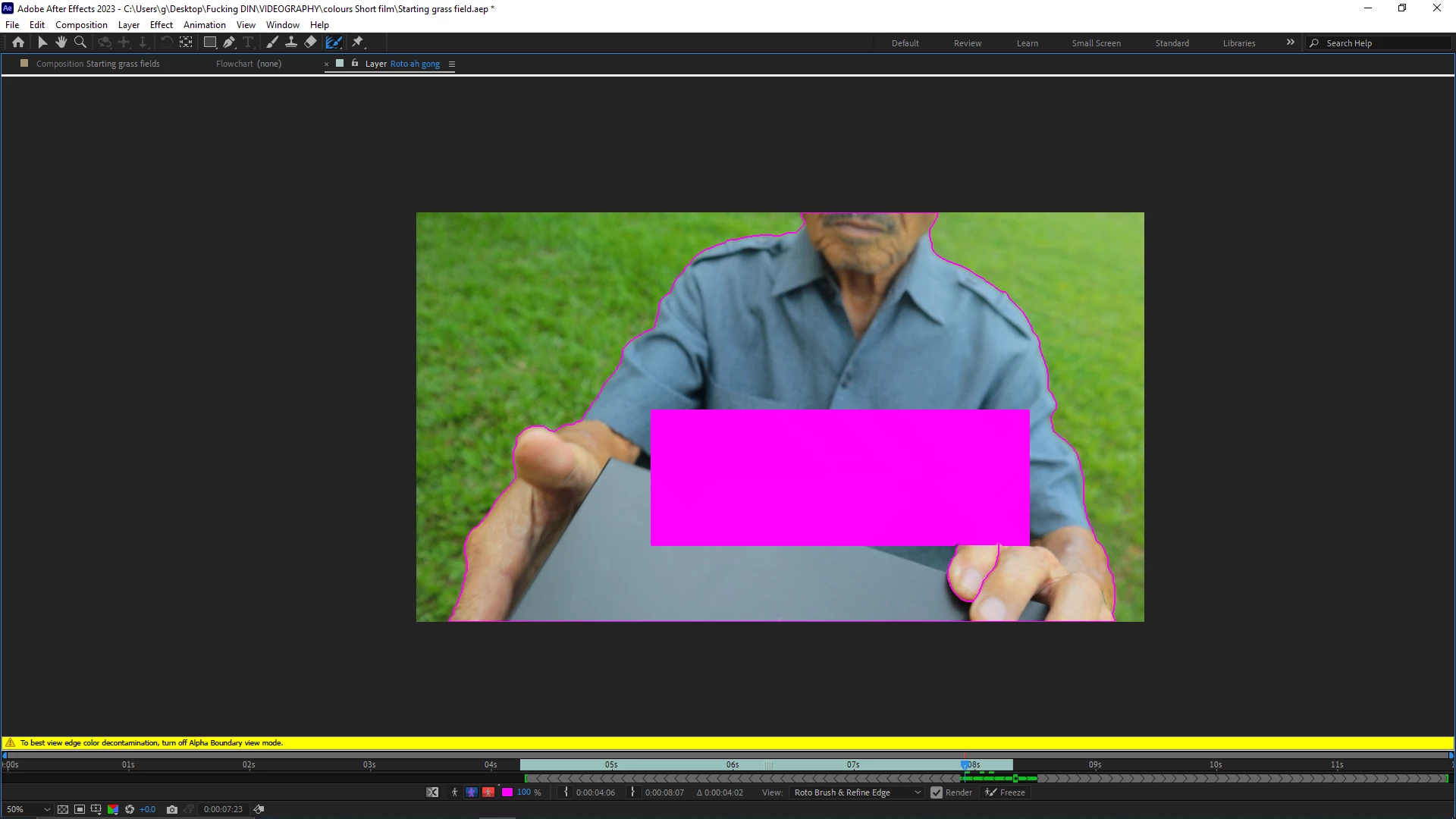
Sudden rectangle rotobrush glitch?

  • May 12, 2023
  • 3 replies
  • 216 views

Rotobrush just pops this rectangle out for no reason. This is after trying to get the tool to properly separate the subject and background. The rectangle cannot be manipulated in any way.


After Effects 23.3, Windows 10.


This topic has been closed for replies.

3 replies

Community Expert
May 16, 2023

A mask or transparency on a layer limits where Rotobrush will act, so that artifact is probably not a mask or transparency. It also has no transparency. Normally that would lead me to believe that there is something in a nested comp (pre-comp), but the Layer Panel shows some trimmed footage with the default video layer color instead of an untrimmed layer is the default Sandstone color that you would see with a Nested comp. You do have the opacity overlay set to 100%. Try changing that to 50% and turning the Overlay on an off in the Layer Panel. That should place the overlay over everything outside of the Rotobrush spline that is showing, and the overlay should be semi-transparent. You could also try changing the color of the overlay and see if that also changes the color of the rectangle. 


This might be just a memory and disk cache problem. It's hard to say without some more info about the layer. 


A screenshot that shows the modified properties of the layer you are trying to work on would help. Select the layer, press 'uu,' and share the screenshot. Maybe we can help. If you are using Rotobrush on a nested comp (pre-comp), open that up and check the layer structure and modified properties. 

nishu_kush
Legend
May 16, 2023

Hi there,


Was the expert's suggestion helpful? If not, please share more details.

We're here to help.

Note: Moving this thread from Bugs to Discussions for troubleshooting.


Thanks,

Nishu


ShiveringCactus
Community Expert
Community Expert
May 14, 2023

There's not a mask on that layer is there? It almost looks like there might be a second layer with a rectangle shape.  You're not using rotobrush on a precomp, are you?


It would be helpful if we could see the original image too.  In case there are any clues.