Participant
March 2, 2022
Answered

Sudden Renaming: Bulk Layer Name Change

  • March 2, 2022
  • 1 reply
  • 249 views

I was working in after effects and suddenly a bunch of my layer's names changed to the name of one of my other layers.  Undo doesn't reverse the name change.  Anyone have any idea how this could have happened and if there's any kind of fix?   


It's super anoying in that I now have to sort through them all and figure out what they are to change the name back to the original.  And this is not simple to do because of the nature of the comp. 
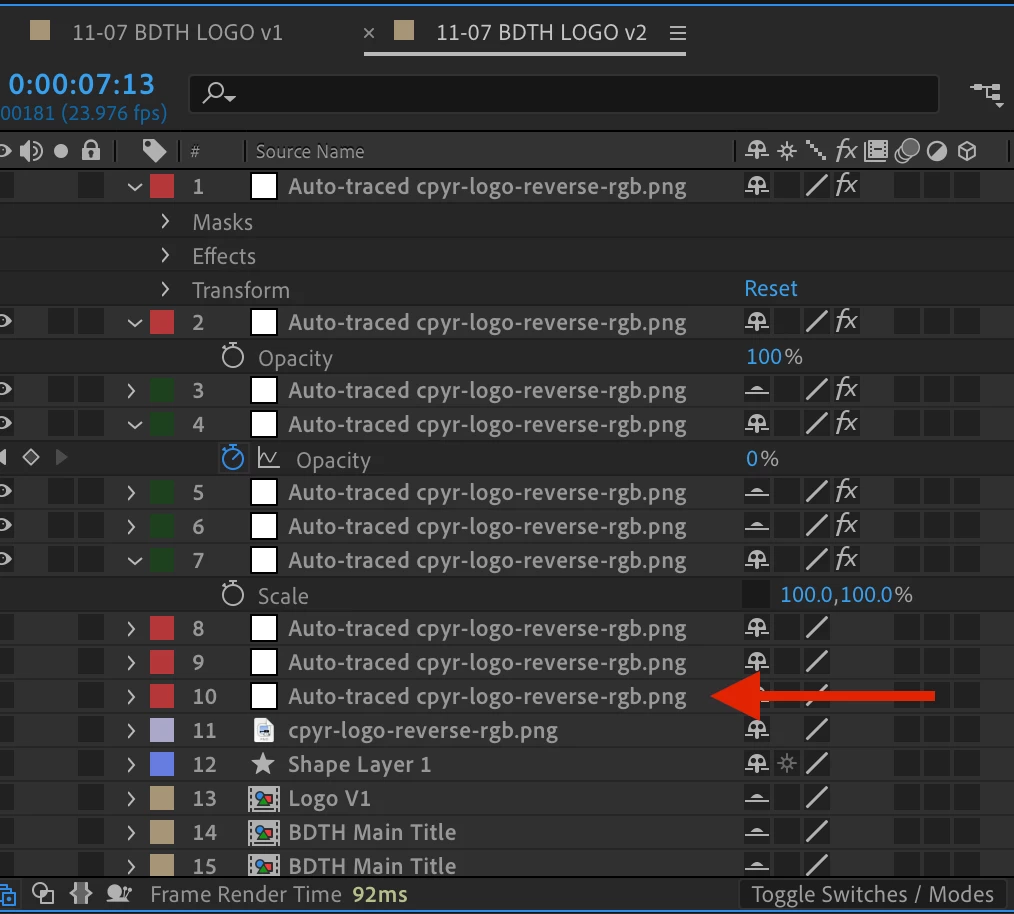
 

(The arrow depicts the original layer with the name "Auto-traced cpyr-logo-reverse-rgb.png")
This topic has been closed for replies.
Correct answer Wolf96

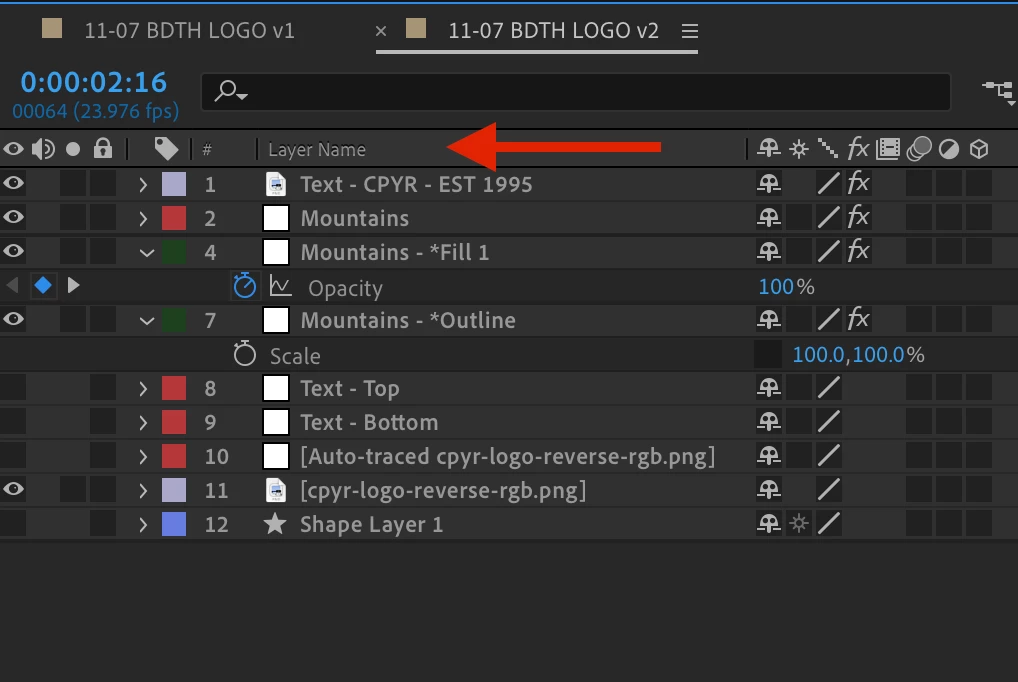
So actually, it happened again.  Lo and behold, there's a toggle above the layers that toggles between "Layer Name" & "Source Name".  Didn't know this existed.


If anyone else has this problem, hopfully this helps.

1 reply

Wolf96Author
Participant
March 2, 2022

Never mind.  I renamed one of the layers and everything reverted back to normal.

Weird bug.

Wolf96AuthorCorrect answer
Participant
March 2, 2022

So actually, it happened again.  Lo and behold, there's a toggle above the layers that toggles between "Layer Name" & "Source Name".  Didn't know this existed.


If anyone else has this problem, hopfully this helps.