
Participant
March 21, 2018
Question

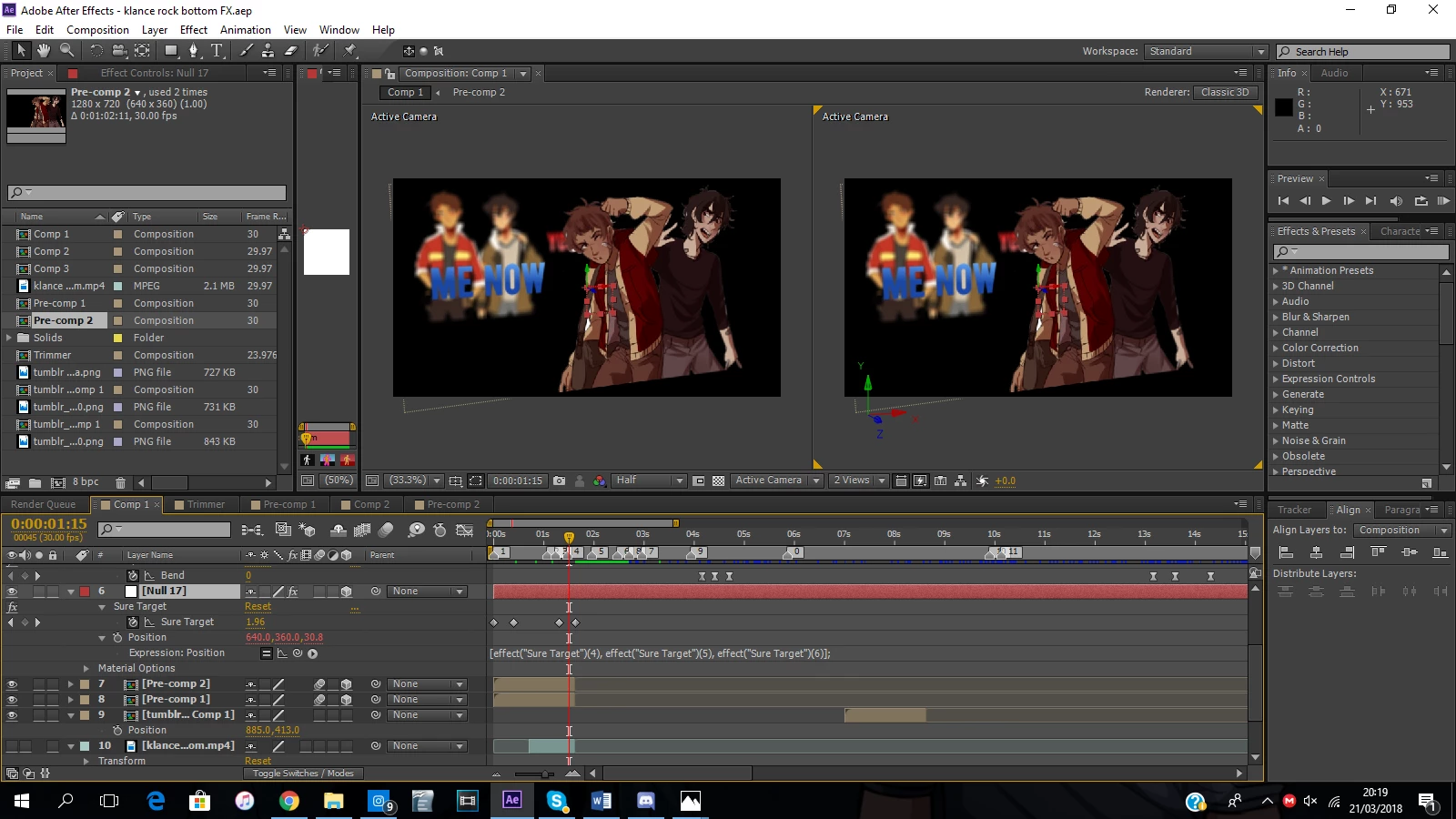
Sure Target Orientation Glitch
  • March 21, 2018
  • 2 replies
  • 334 views

I'm trying to use Sure Target for 3D and it works completely normally, however every time I add it to a null layer it automatically changes to this orientation, and I can try and change it back manually but I can never get it back completely straight. I gave my friend the project file and it didn't change to this orientation at all, making me think it might be an issue with one of my settings or something, however have no idea which setting would effect it.

This topic has been closed for replies.

2 replies

Participant
June 23, 2024


  • Identify the Issue: Determine the exact nature of the orientation glitch in Sure Target.

  • Check Dependencies: Ensure all required plugins and scripts are up to date and compatible with your version of After Effects.

  • Review Settings: Double-check the Sure Target settings to confirm they align with your project requirements.

  • Reset Parameters: Reset any parameters within Sure Target that may have been inadvertently altered or are causing the glitch.

  • Update Sure Target: If an update is available for Sure Target, install it to fix any known bugs or issues.

  • Verify Keyframes: Review keyframes associated with Sure Target like clean site to ensure smooth transitions and orientations.

  • Adjust Expression Controls: Modify expression controls within Sure Target if they are contributing to the glitch.

  • Check Layer Order: Confirm the layer order in your composition as Sure Target's functionality can be affected by layer stacking.

  • Clear Cache: Clear After Effects cache to eliminate any temporary data that could be causing the glitch.

  • Restart After Effects: Sometimes a simple restart of After Effects can resolve unexpected glitches.

  • Test in New Composition: Create a new composition and test Sure Target to isolate whether the issue is specific to your current project.

  • Seek Community Support: If issues persist, consult forums or community support for Sure Target users to troubleshoot further.


Kevin J. Monahan Jr.
Legend
March 27, 2018

hath,

What does Video Copilot support say about your issue? Let us know.

Thanks,
Kevin

Kevin Monahan - Sr. Community and Engagement Strategist – Adobe Pro Video and Audio