Participant
January 3, 2017
Answered

Template (Unlocked Text Layers Editable In Premiere Pro) - 2017

  • January 3, 2017
  • 3 replies
  • 7551 views

Greetings!

I have Adobe After Effects 2017, most up to date version.

I am trying to learn how to make the text layer editable in After Effects and send to Premiere Pro.

Using this tutorial from Adobe: How to use Live Text templates from After Effects in Premiere Pro | Adobe Premiere Pro CC tutorials

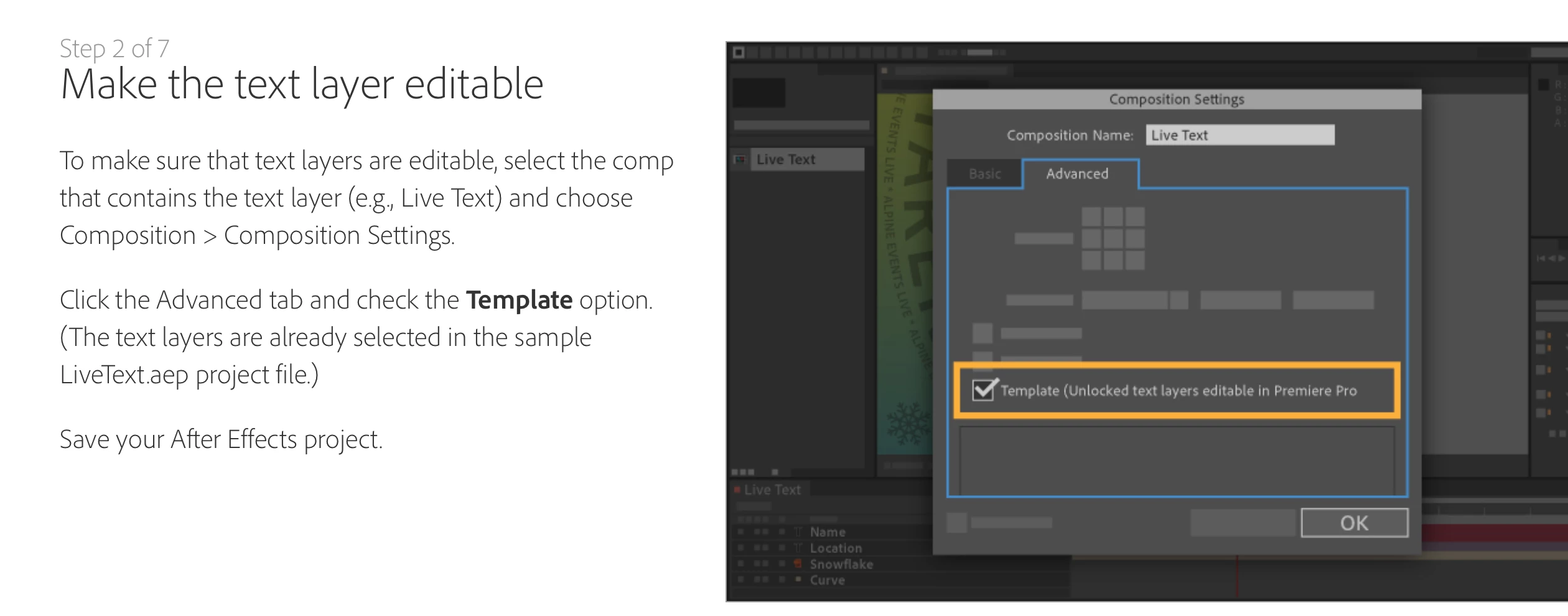
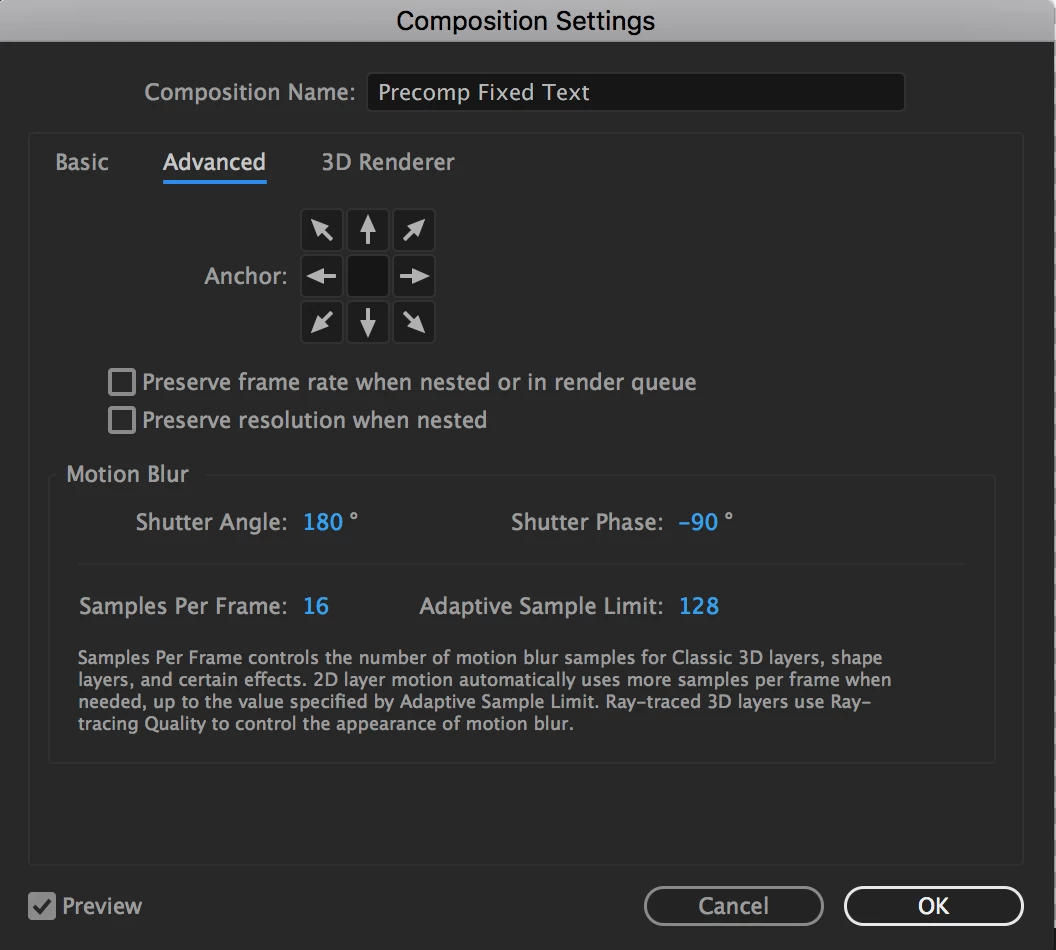
When I go to Composition> Composition Settings> then select Template, there is no option, the box is missing.  See below.

How to do I turn this feature on?  See bottom photo.

Thanks!

Jannet
    This topic has been closed for replies.
    Correct answer Mylenium

    In CC 2017 there is no longer an extra option for this. You can use the templatzes right away.

    Mylenium

    3 replies

    Participant
    April 7, 2017

    Hi,

    if you don't need the option anymore, how come it says that I need to unlock my text layers although thy are not locked?

    Participant
    January 3, 2017

    Thank you Mylenium.

    After Effects to Premiere Pro  - What's the process to get the title or comp from After Effects to Premiere Pro?

    Do I just save the After Effects project and import into Premiere Pro?

    Thank you very much for all your help!

    Roei Tzoref
    Legend
    January 3, 2017

    After Effects to Premiere Pro  - What's the process to get the title or comp from After Effects to Premiere Pro?

    information about it here: After Effects CC In-Depth: New Features | Creative Cloud blog by Adobe

    here's a nice tutorial about it:

    Participant
    January 3, 2017

    THANK YOU!

    Roei, that's really helped.

    Great video tutorial!

    Jannet

    Mylenium
    MyleniumCorrect answer
    Legend
    January 3, 2017

    In CC 2017 there is no longer an extra option for this. You can use the templatzes right away.

    Mylenium

    Participant
    April 7, 2017

    Hi,

    if you don't need the option anymore, how come it says that I need to unlock my text layers although they are not locked? I just added a text layer to my composition and it won't allow me to save it as a live text comp..

    Thanks in advance!

    thomasp48330773
    Participant
    November 16, 2018

    Hello everyone,

    I have the same problem : there isn't any option "Template (unlock text layer editable in Premiere Pro)

    But the problem is, I have the last version of After Effects available today in my Creative Cloud: Version 16.0.0 (Build 235)

    I work on the french Creative Cloud version. Does it have importance?

    Cordially.

    Thomas