Answered
TEXT ANIMATION EDIT OPTIONS NOT THERE
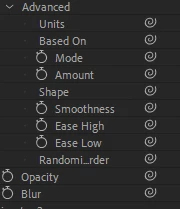
The options appear but there is nothing at the side to edit does anyone know how to fix this please?

The options appear but there is nothing at the side to edit does anyone know how to fix this please?
Hi, @goatmj :
It looks like you're in Adobe After Effects instead of Adobe Premiere Pro.
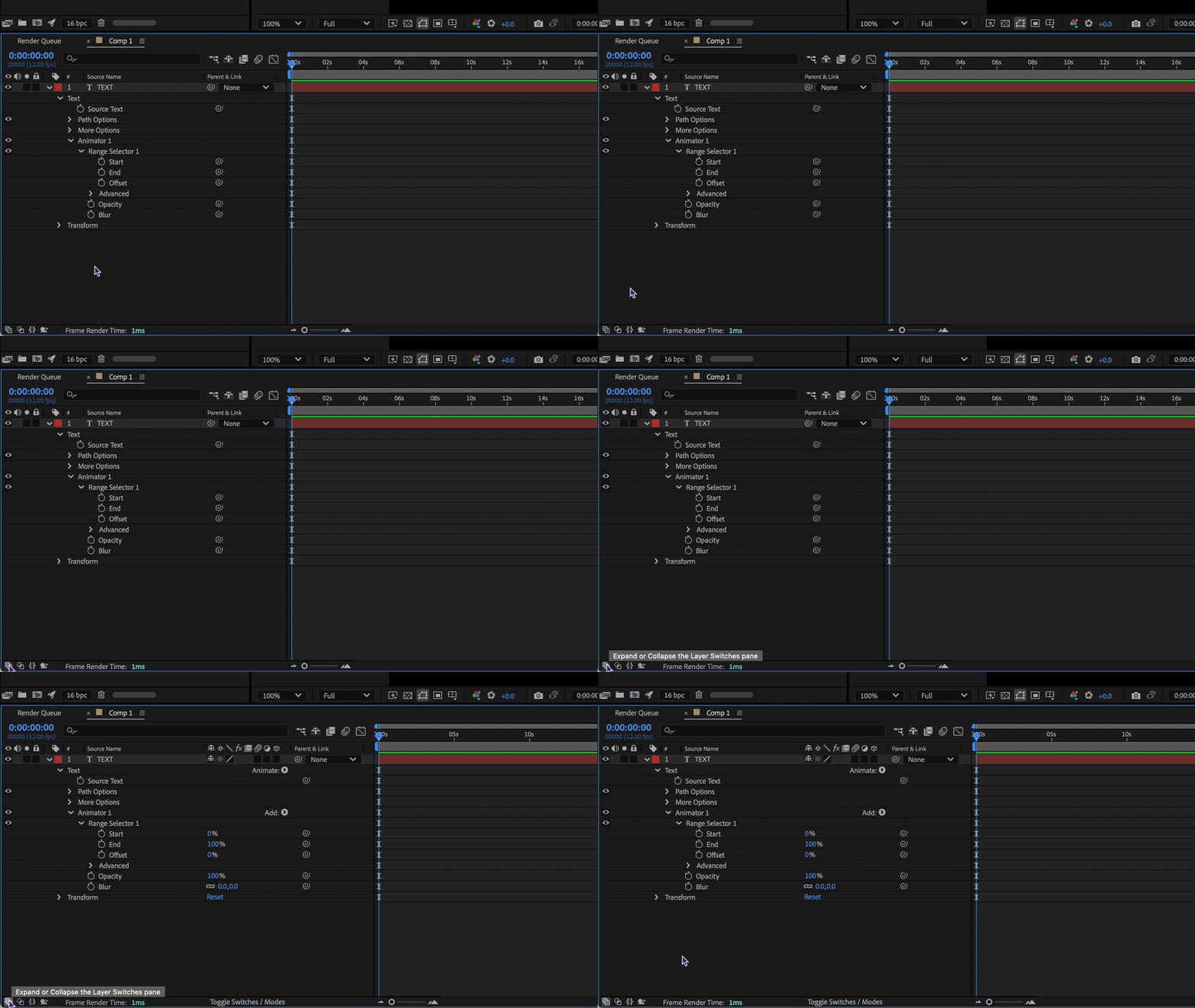
Expand the Layer Switches pane. This shows the values for the parameters like the Advanced options of a Text Animator.
The button to expand or collapse the Layer Switches pane is located at the very bottom left of the After Effects application window.
Already have an account? Login
Enter your E-mail address. We'll send you an e-mail with instructions to reset your password.


 AdChoices