
Text Box Message Question 2
I wrote a series of expressions to help me create a ‘message’-like animation, where text boxes slide up from below the composition to a set spot in the composition. Each time a new text box slides up, the preceding text boxes will be pushed up. I’m using the auto-sizing text box preset from Adobe Bridge, and apply all of the expressions to the text layer each shape is connected to. Here’s the code I have written so far :
y = thisComp.height;
y -= thisLayer.sourceRectAtTime().height + 175;
y -= (index - 1) * (thisLayer.sourceRectAtTime().height + 175);
[value[0], y]
y = thisComp.height;
y -= (thisLayer.index) * (thisLayer.sourceRectAtTime().height + 125);
[value[0], y]
height = thisLayer.sourceRectAtTime().height;
distance = 125;
y = thisComp.height - thisLayer.index * (height + distance);
[value[0], y]
If I jump into my composition, we start with the first text box, with lines of text inside :
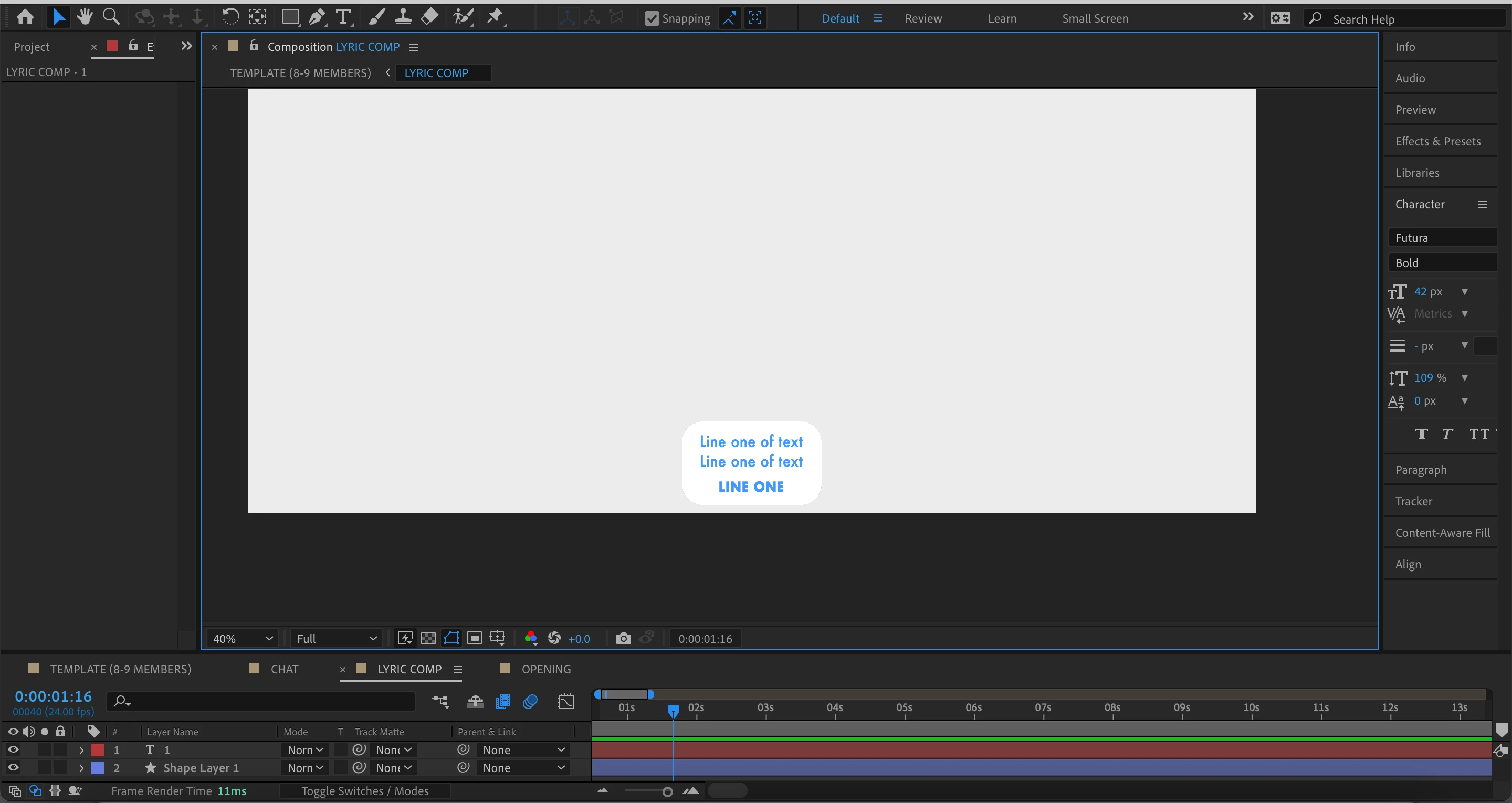
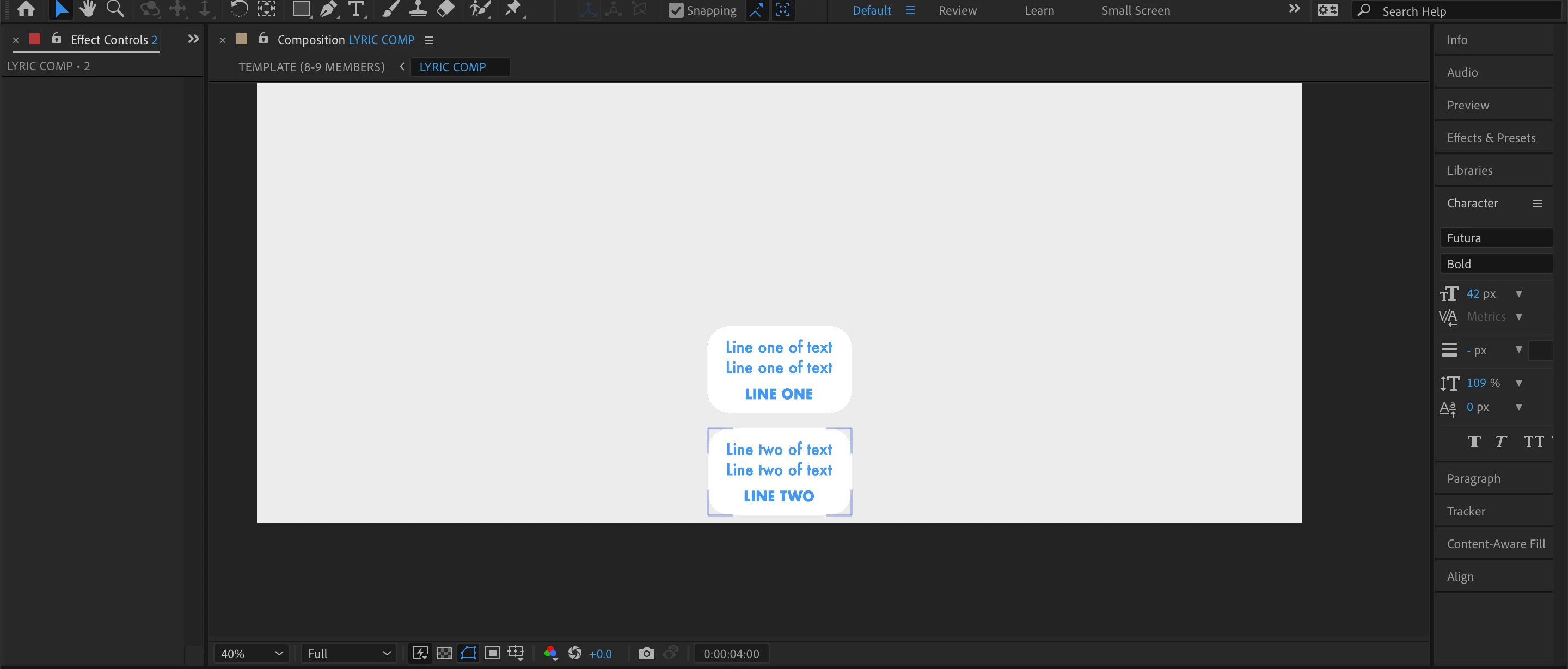
I've duplicated the text box, and the new text box appears at the bottom, in the same spot as the first text box. The first text box is pushed up.
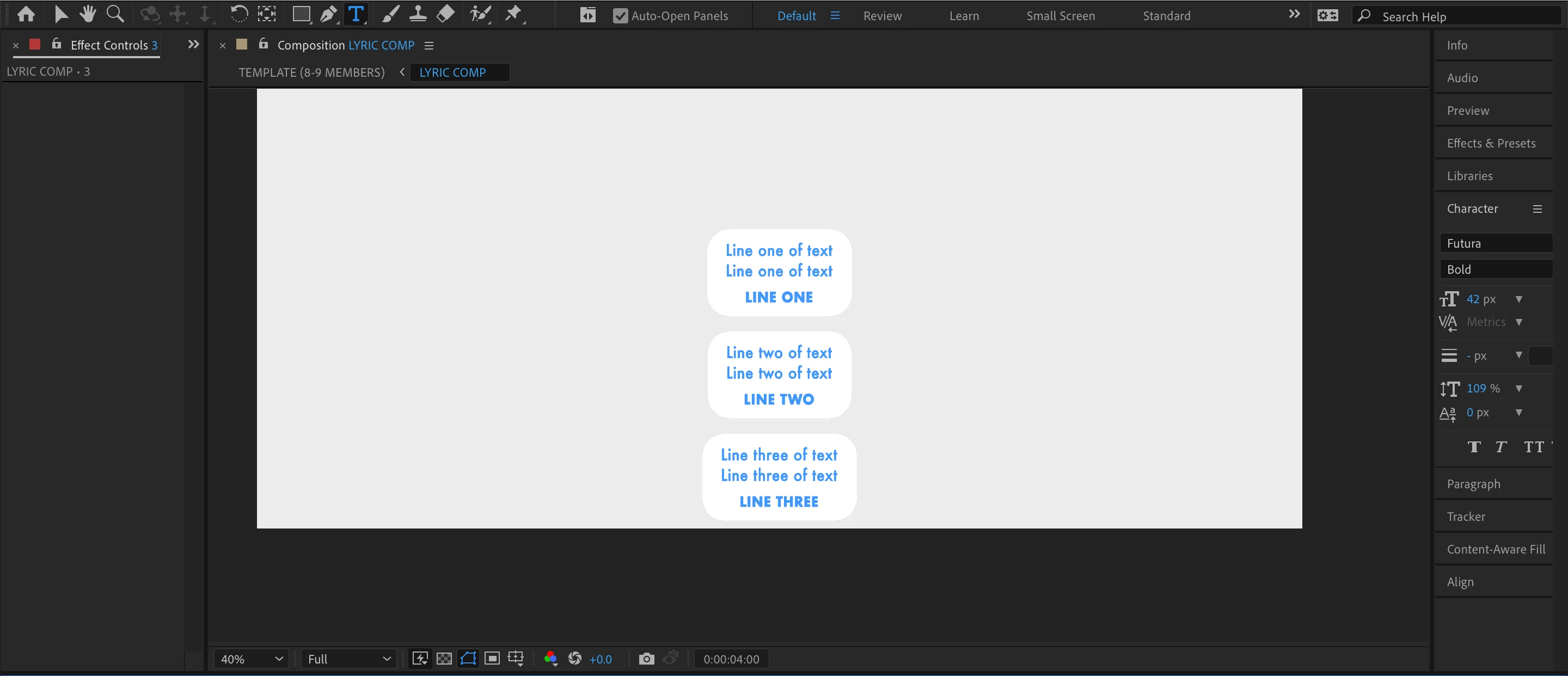
I've duplicated it again, and the same happens as before.
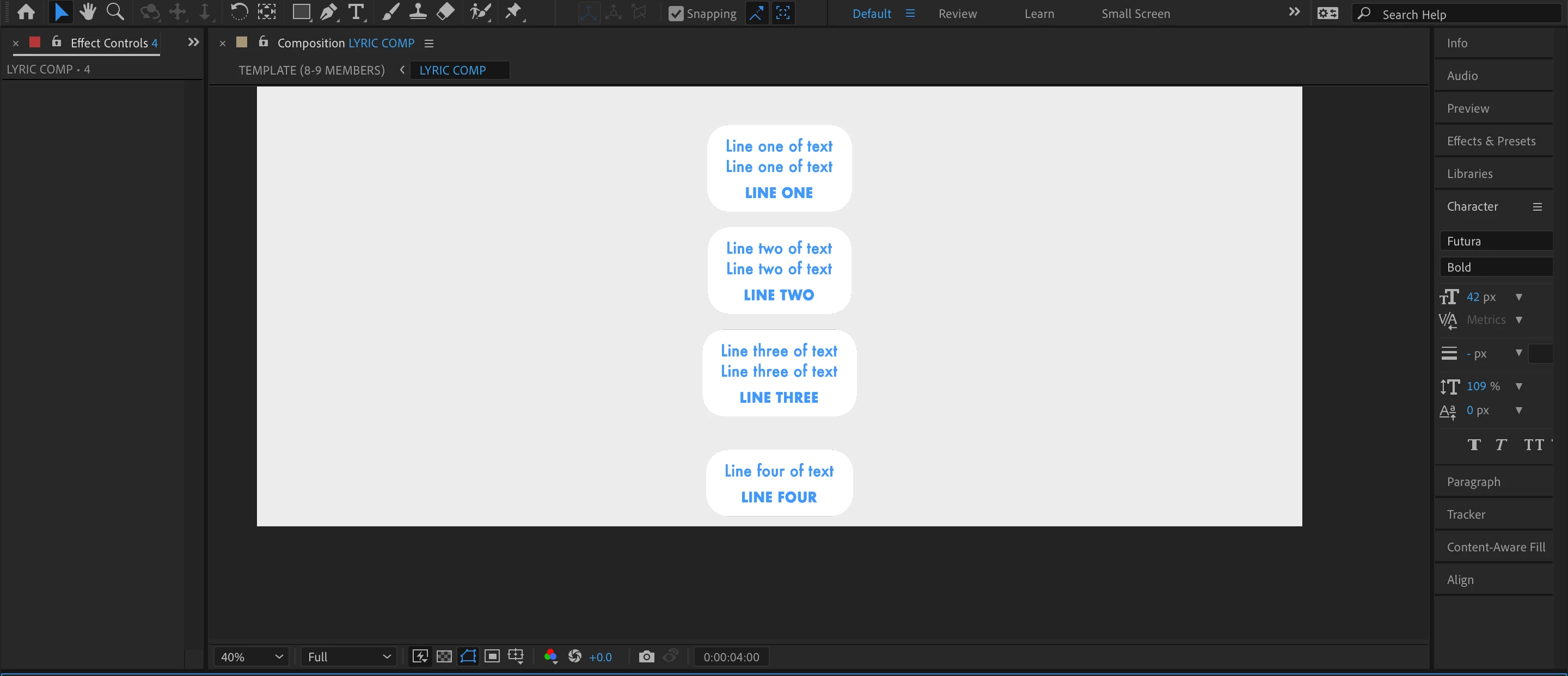
However, when I add a new text box, and change the height of it, so that it only has one line instead of two like the rest, the space between the boxes gets all wonky.
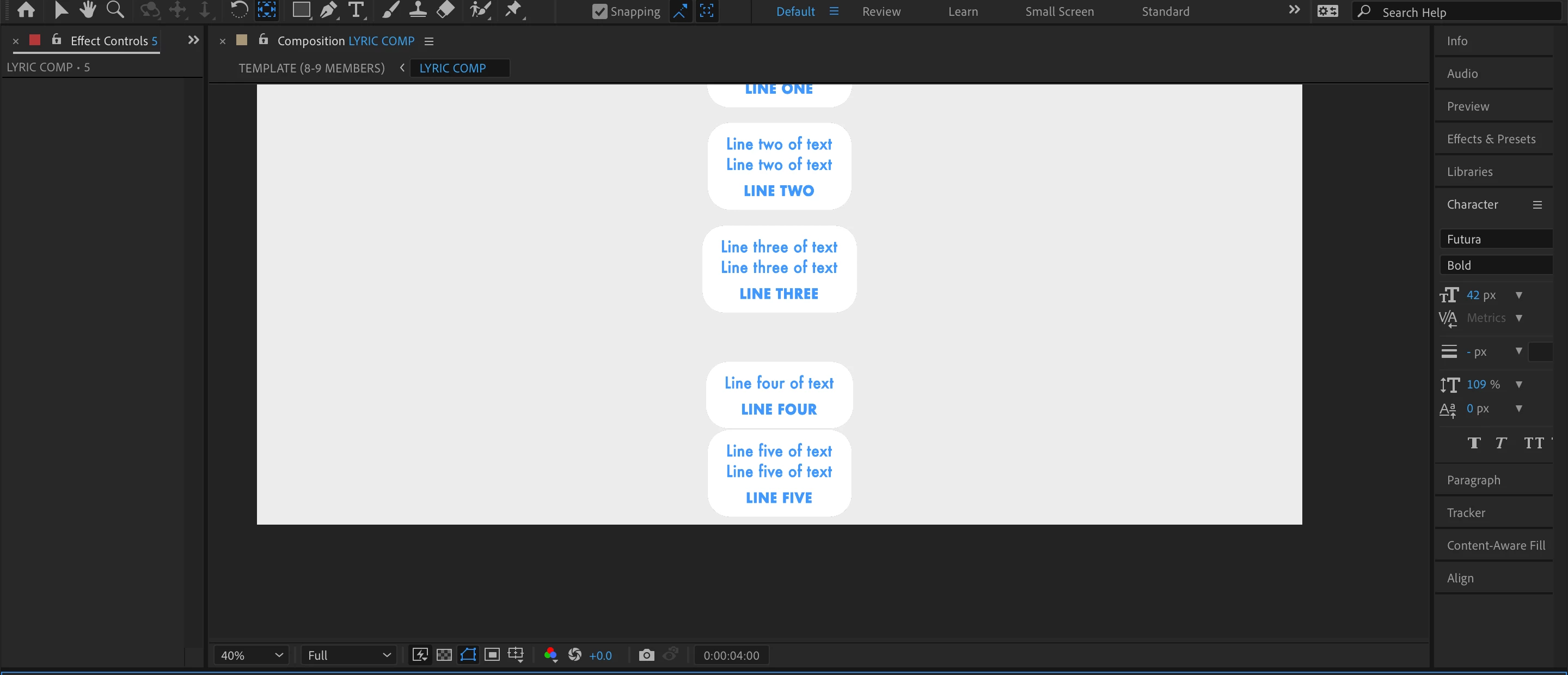
If I go ahead and add another box and change the height of the text again, returing to two lines, it gets even wonkier. Essentially, I want the distance in between each box to stay the same regardless of the heights of each box, and I've messed around with some soureRect functions, but none of them seem to be working out for me. Any help would be appreciated, thanks.
 AdChoices