
Text bug - 3d tracked text and cinema4d Renderer issue
Hello!
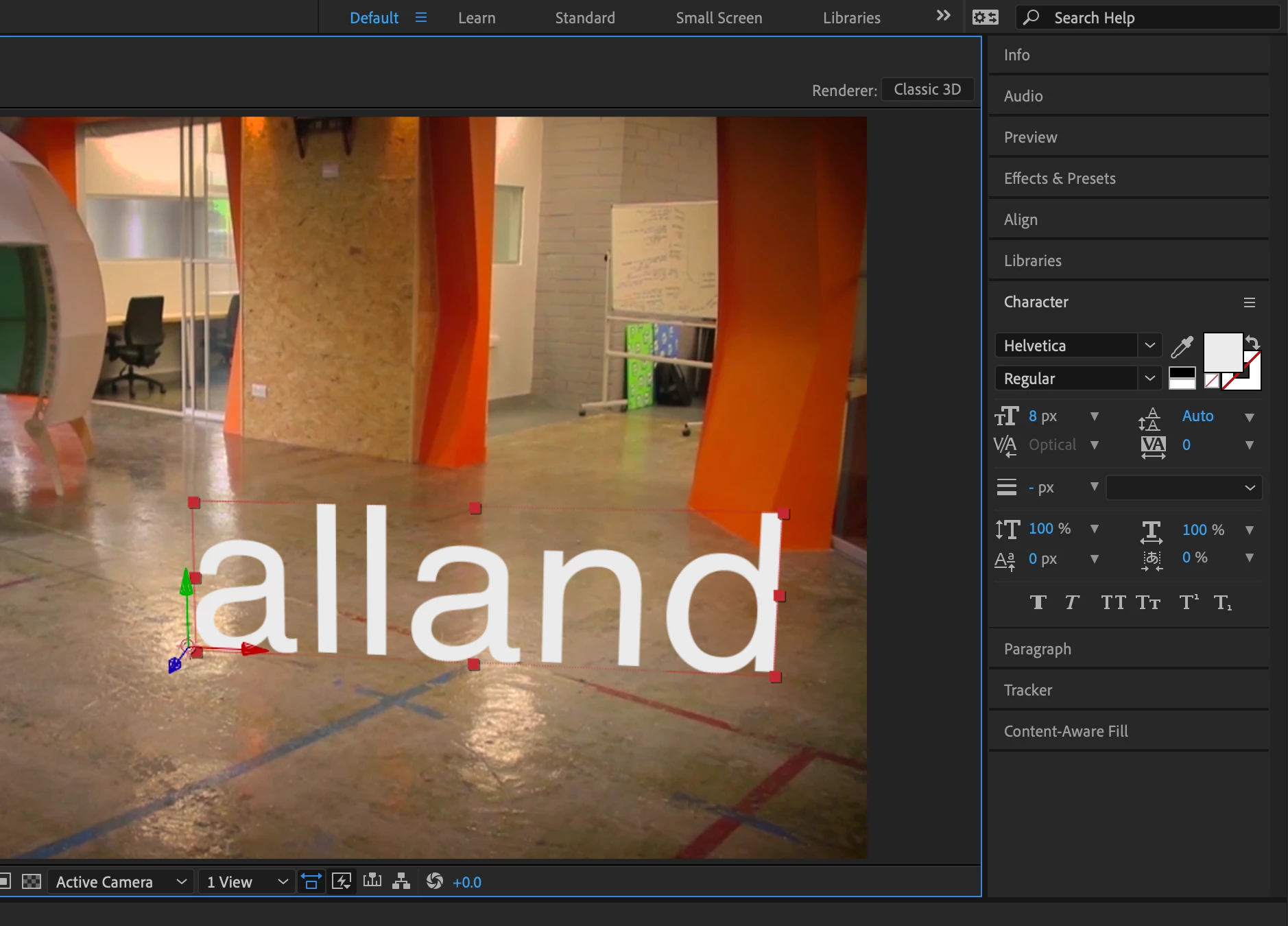
I'm totally new to AE and while doing some courses I stumbled into an issue wherein AE does strange things with tracked type. It looks like some kind of bug where the geometry or stroke just freaks out. I'm including screen shots. I've been on with support already and the agent fixed the issue via remote yesterday, but it came back today anyway. The only way I can "fix" this is by using "Classic 3D" renderer instead of Cinema4D. I'm not sure if this is something ideal or not, as yeah... I'm quite the novice still here (though using Photoshop and all since it started, pretty much --- dating myself) 🙂
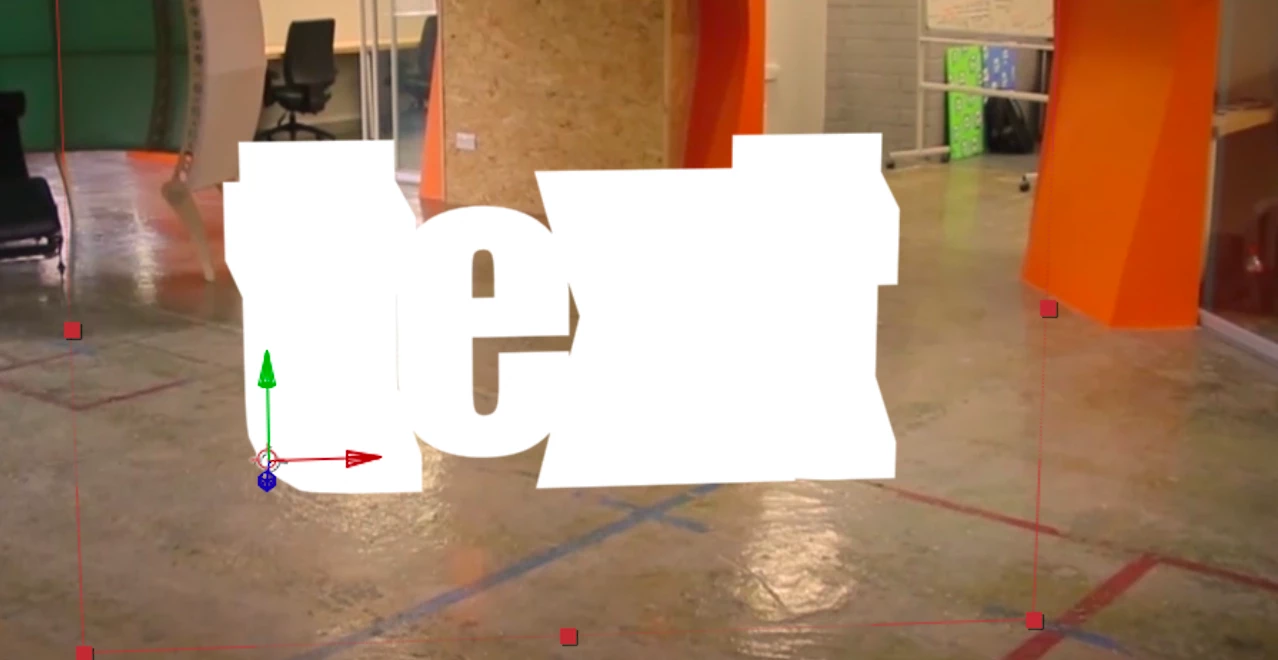
Should I just keep it on Classic3D and move on or will I really want to keep Cinema4D renderer and figure out what's going on here? I've used helvetica font since it's well known, easy to see there's an issue. I've also included an example from yesterday using Impact and c4d renderer, since that's a well known font too.
For what it's worth I HAVE already a) removed an installtion of cinema4d full app I had, and b) uninstalled and re-installed AE.
Thanks in advance!
A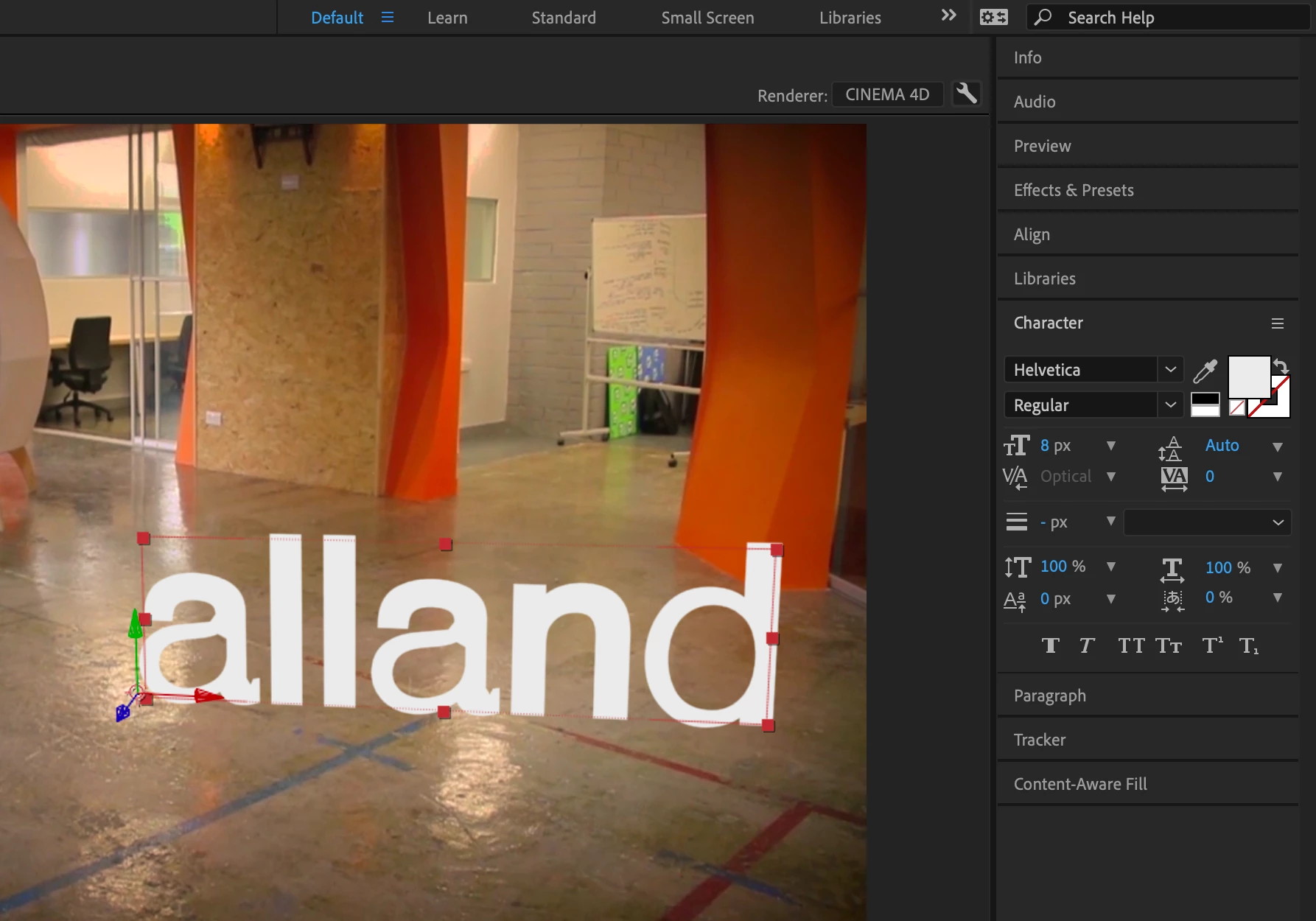
 AdChoices