vaneickelen
Participating Frequently
September 30, 2021
Answered

Text looks Low Quality

  • September 30, 2021
  • 2 replies
  • 745 views

I had this job, where i made lower thirds for a corporate video we shot. I never encountered any problems with previous Lower Third packs I used to buy, but since doing them myself, no matter what a I do, my text and titles look rigid and jagged.

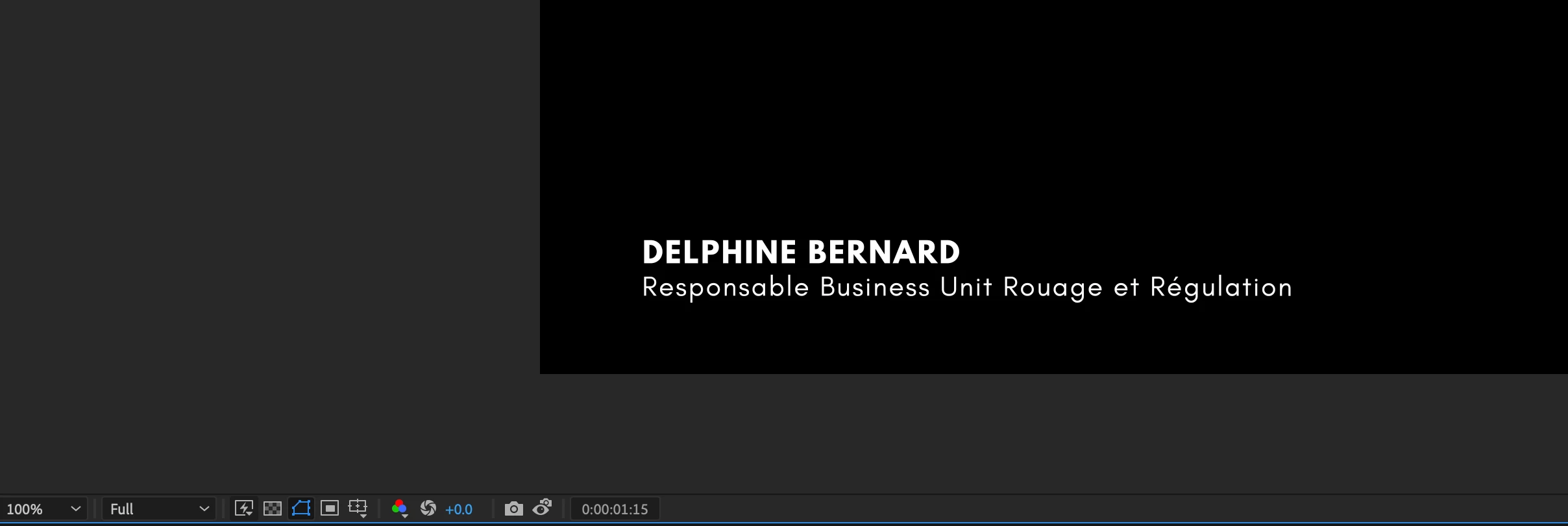


I used a plugin called FXAA as well just in case this was a Anti-Aliasing problem. It helped a bit, but if I used it too agressively it would bleed out and make my text Fuzzy.


Q: How can I make my text to be as sharp as for example .ai text files or at least other AE Lower Third Packs? 


PD: Here are a few Settings on the Comp.

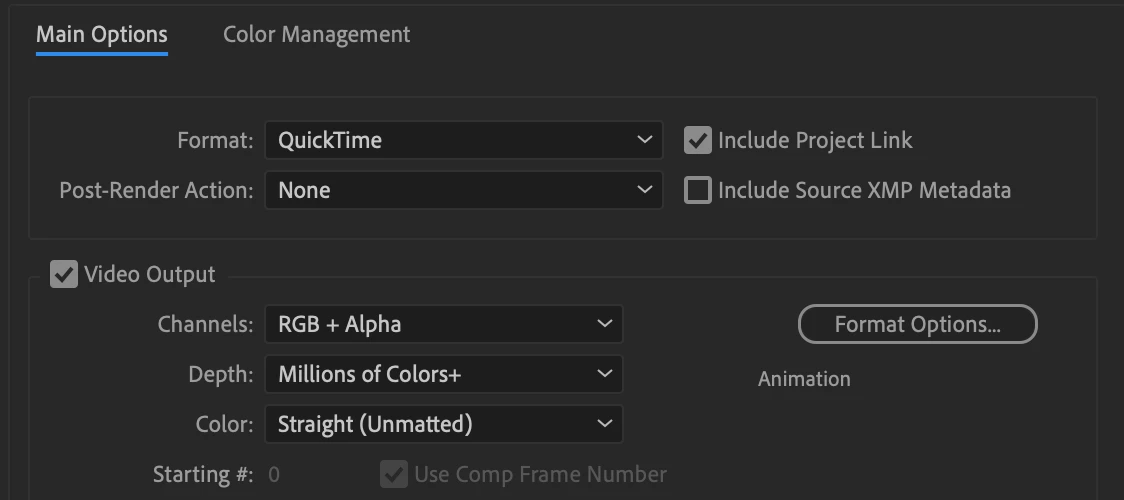
Export Settings:
Thank you in advance!

This topic has been closed for replies.
Correct answer Jose Panadero

DaVinci interpret footage correctly but FCPX not, this is whay I'm asking you. What you can do is not to use Animation as the codec for render. Animation is an 8bit format and can cause some artifacts. Change your project to 16bpc, and use ProRes 4444 as the codec for the output file. Also change your output module to trillions of colors+. 


I've done a quick test right now and it looks perfect in my computer

2 replies

Jose Panadero
Community Expert
Community Expert
September 30, 2021

What editing software are you using to add your animated text over the video? Some non-linear editors don't interpret correctly the alpha channels.

vaneickelen
Participating Frequently
September 30, 2021

I use DaVinci Resolve 17.0 as my main NL. Animations on AE. Do you think there's a difference between importing from AE to DaVinci or to Premiere Pro?

Jose Panadero
Community Expert
Jose PanaderoCommunity ExpertCorrect answer
Community Expert
September 30, 2021

DaVinci interpret footage correctly but FCPX not, this is whay I'm asking you. What you can do is not to use Animation as the codec for render. Animation is an 8bit format and can cause some artifacts. Change your project to 16bpc, and use ProRes 4444 as the codec for the output file. Also change your output module to trillions of colors+. 


I've done a quick test right now and it looks perfect in my computer

Mylenium
Legend
September 30, 2021

Nothing wrong here. Within reason of what you can expect from MPEG-compressed footage this looks perfectly normal and al lthe mucking around with extra effects won't do much. You may just never have noticed it before because your footage was different or whatever templates you used had other stuff going on that distracted from the problem. Also your type is very perepndicular, which is always going to amplify alaiasing issues on edges when they are pefectly straight and coincide with the pixel grid. Again, really nothing wrong with your stuff from a technical viewpoint. If at all you could possibly minimize the artifacts by changing the design like adding the faintest bit of a dark outer glow or making the white more of a bright grey to minimize the sharp contrast that may cause artifacts just as well as you may be able to improve the look by slightly changing the position of the text, but overall you have to accept this. Only uncompressed output will ultimately look sharper, but that doesn't do you much good when uploading to YouTube or whatever and it compresses your video, anyway.


Mylenium