
Participating Frequently
February 7, 2018
Answered

Text missing in after rendering composition in Adobe After Effects

  • February 7, 2018
  • 1 reply
  • 4191 views

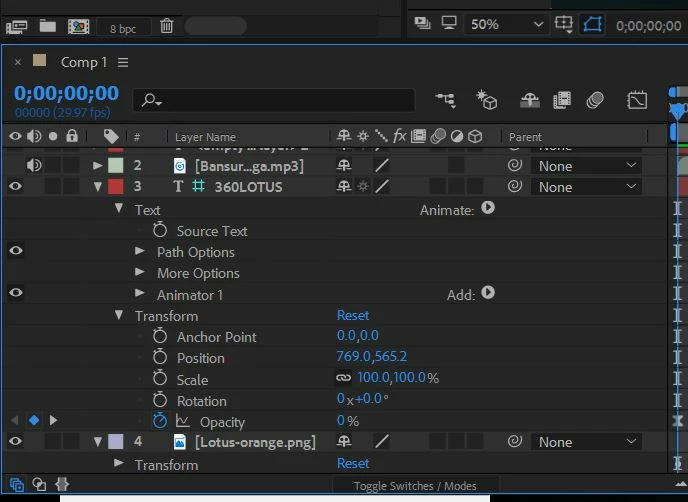
The text layer "360LOTUS" shows up in the preview, then once rendered, that layer is invisible.

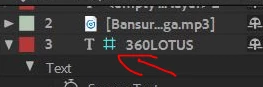
It is also invisible if I precompose this text layer with other layers. What is that green space icon in the image below, does that have anything to do with it.

If not where could the problem lie. In the preview the text fades in and out. In the rendered video, this layer is invisible.
    This topic has been closed for replies.
    Correct answer Roei Tzoref

    this icon indicates it is a guide layer

    it means it does not render. right click on the layer and turn guide layer off and it will render.

    1 reply

    Roei Tzoref
    Roei TzorefCorrect answer
    Legend
    February 7, 2018

    this icon indicates it is a guide layer

    it means it does not render. right click on the layer and turn guide layer off and it will render.

    l.rtmAuthor
    Participating Frequently
    February 7, 2018

    Thanks! That worked.