Participant
March 29, 2018
Question

Text not showing

  • March 29, 2018
  • 4 replies
  • 22379 views

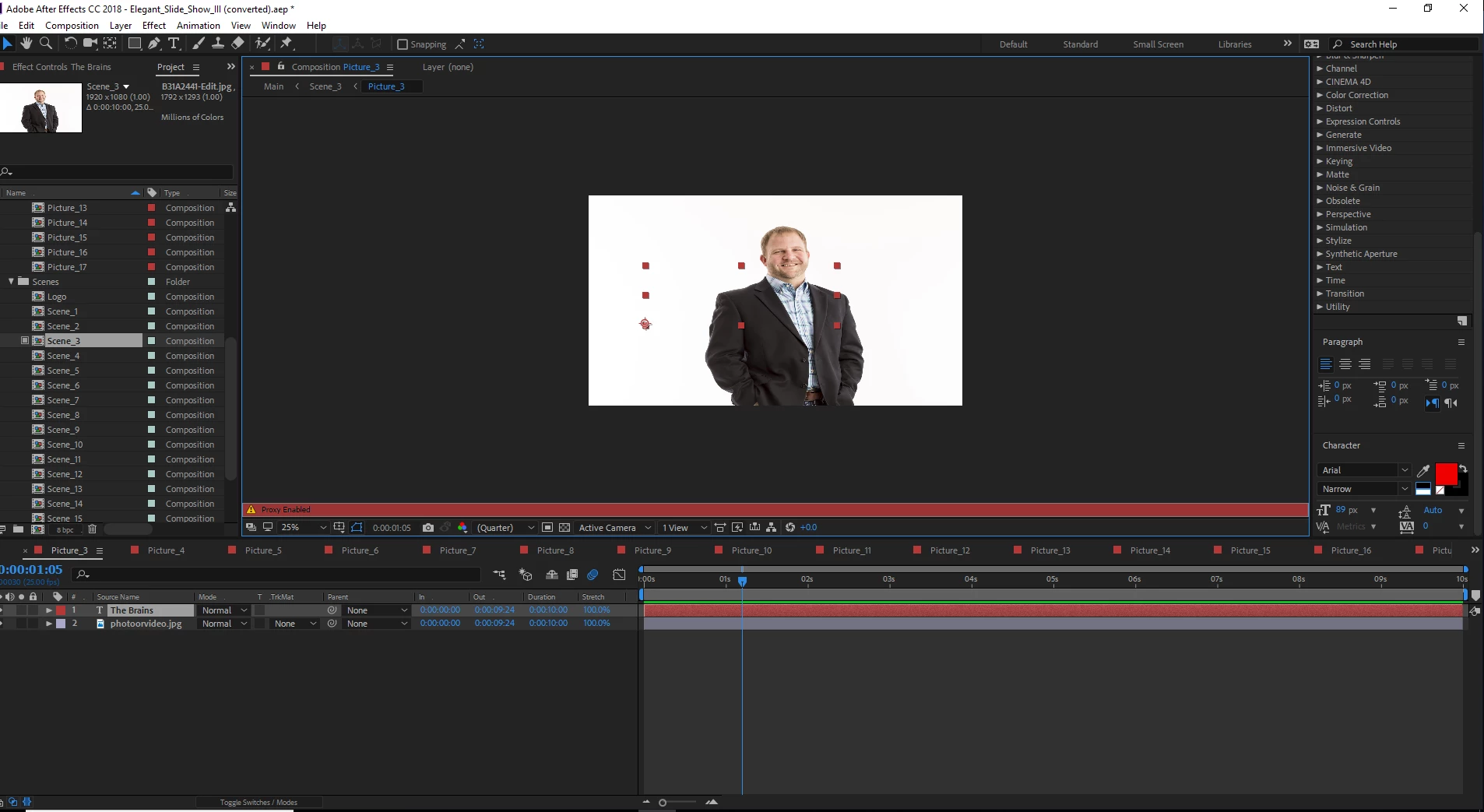
I have made all the changes I can think of, but I can't get the text to show.

4 replies

Dave_LaRonde
Inspiring
June 20, 2019

Without being able to see the Character pane, I'd say you need to re-set it.

Community Expert
June 20, 2019
  1. Select the text layer
  2. Press the U key twice
  3. Check modified properties
  4. Check the Character Panel

You would get that result if you had added a text animator and set the opacity to 0. You would also get that result of you turned off the fill color in the Character Panel.

Top selected text layer has no fill and the stroke is set to zero. The bottom text layer has a text animator for opacity.

This is not a bug, this is user error.

Participant
October 12, 2021

Didn't work, pretty sure bug and not user error

Kevin-Monahan
Community Manager
Community Manager
April 24, 2018

Hi JTW,

Did you ever get this issue solved? Did our experts help you solve it? Let us know.

Thanks,
Kevin

Kevin Monahan - Sr. Community and Engagement Strategist – Adobe Pro Video and Audio
czarinap82670991
Participant
June 20, 2019

nope, still haven't solved till now. help pls. thank you very much

Roland Kahlenberg
Legend
June 22, 2019

Use the reset option in the Character Panel's menu - see image below.

Very Advanced After Effects Training | Adaptive & Responsive Toolkits | Intelligent Design Assets (IDAs) | MoGraph Design System DEV
Community Expert
March 29, 2018

Show us all Layer Properties please. Character panel too.

Byron.
Roland Kahlenberg
Legend
March 29, 2018

What you've shown seems to look OK. What you've not shown are the Transform properties and Switches Column in the Timeline - check that these are in order. And, do you have one or more Text Animator Groups in your Text Layer?

Very Advanced After Effects Training | Adaptive & Responsive Toolkits | Intelligent Design Assets (IDAs) | MoGraph Design System DEV
jtw3850Author
Participant
March 29, 2018

No text animations

Kyle Hamrick
Community Expert
Community Expert
March 29, 2018

If you create a new text layer, does it show up?
If you copy/paste this text layer into a new comp, does it show up?
Do you have any blending modes set on this layer?
Is it a really thin font that might just be disappearing at 1/4 resolution?