
Participant
May 15, 2022
Answered

Text Style Property

  • May 15, 2022
  • 2 replies
  • 593 views

Hi,

I'm trying to write different parameters into my Source Text like this:

thisComp.layer("a").text.sourceText.getStyleAt(0,0)
+
thisComp.layer("b").text.sourceText.getStyleAt(0,0);

But It shows [object][object] instead of showing text of two layers A and B.


What should I do?
This topic has been closed for replies.
Correct answer ShiveringCactus

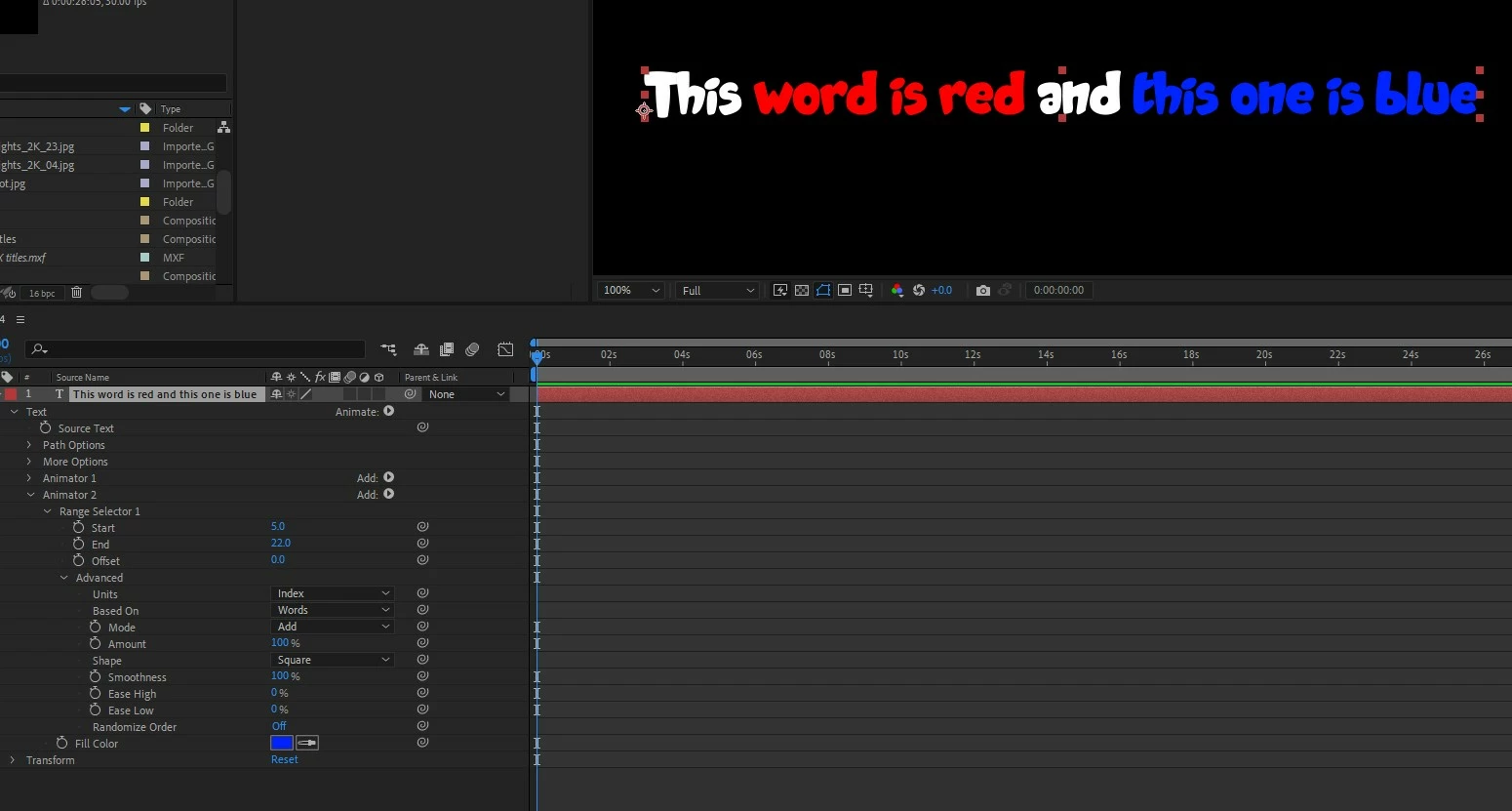
Using the Animate menu (visible when you expand a text layer), it's possible to add a Fill Color.  From there, if you expand the options and the advanced options, not only can you set different words to be different colours, but you can add multiple animators and keyframe the change.

2 replies

Mylenium
Legend
May 15, 2022

That's what text animators are for. I suggest you read the online help on the subject.


Mylenium

Mylenium
Legend
May 15, 2022

You cannot combine different text styles within the same layer and that is that.


Mylenium

Bilal__Author
Participant
May 15, 2022

Can I set different colors for text within the same layer? Means color 1 for text 1 and color 2 for text 2?


ShiveringCactus
Community Expert
ShiveringCactusCommunity ExpertCorrect answer
Community Expert
May 15, 2022

Using the Animate menu (visible when you expand a text layer), it's possible to add a Fill Color.  From there, if you expand the options and the advanced options, not only can you set different words to be different colours, but you can add multiple animators and keyframe the change.