Thai font missing accent mark issue in AE 17.5
Hi, I just updated AE to latest 17.5 and found issue with Thai font.
My issue is when the accent mark (letter or symbol which placed above or below normal line) are not follow by letter or symbol in line it will disappear.
I will use these word as example here.
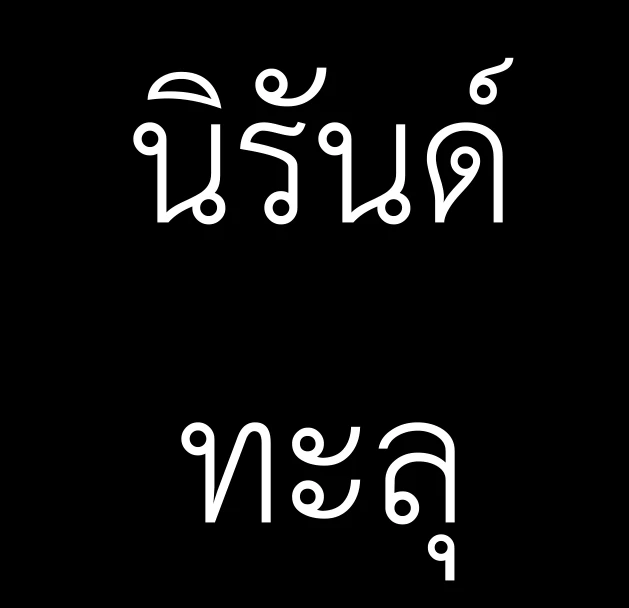
notice the end of each word, there are accent mark, one above and one below, as I said when it not follow by any letter, it disappear.
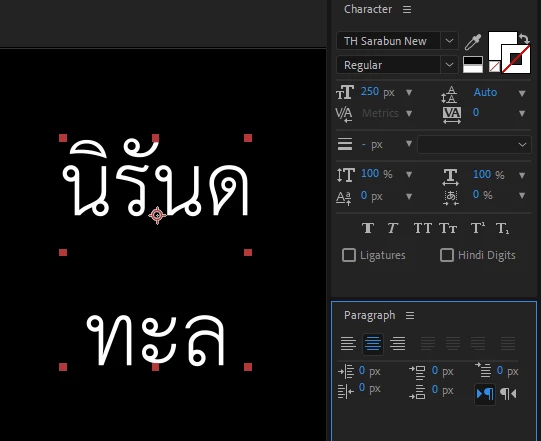
and if it follow by letter or symbol it back, and I try to demonstrate another accent mark in the line disappear if follow by space.
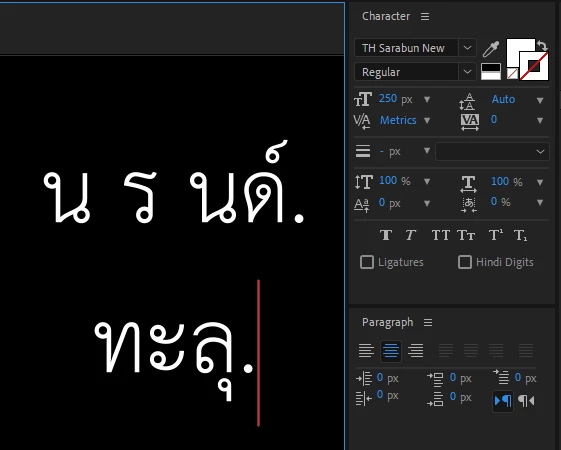
my quick fix for now is change text direction from Thai normal left to right reading to right to left reading, it kinda fix but this method issue is if the line end with symbol it jump to start of line.
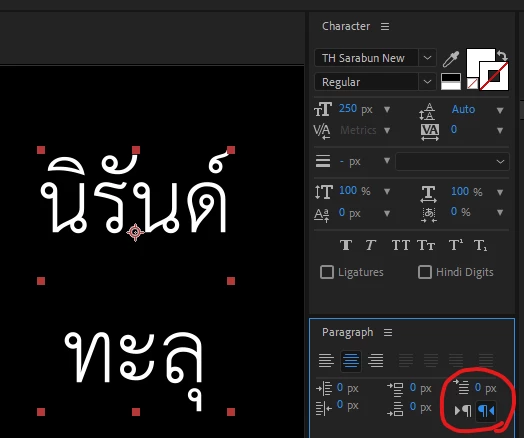
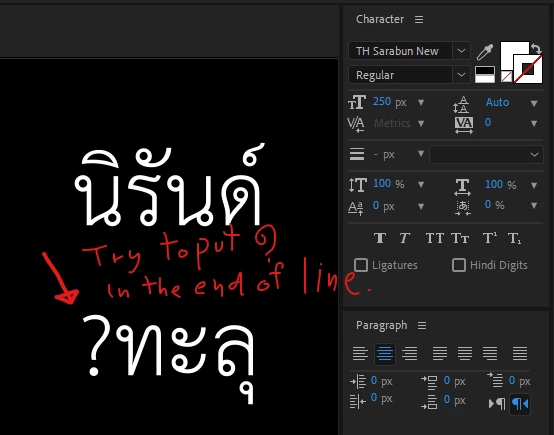
It really annoy when I have to fix it word by word, this issue never happend before this latest update and I'm sure I config type property correctly, are there any fix for this issue? please look in to this, thanks in advance.
 AdChoices