


Participant
December 4, 2023
Answered

Thai Language tone marks not displayed properly in After Effects

  • December 4, 2023
  • 1 reply
  • 237 views

This thai sentense isn't displayed properly

Our translater says it should have dots on tho top of it. and it seems to be stacked together in After Effects(judging by the red lines on the top part)
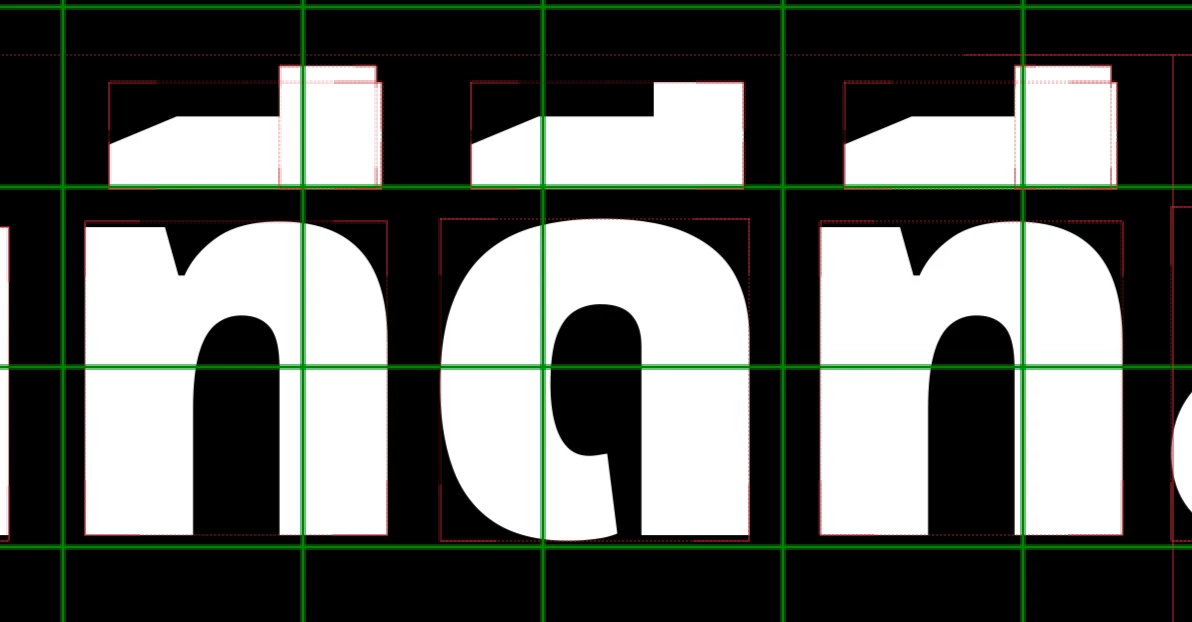
The same font in Premiere Pro work right.
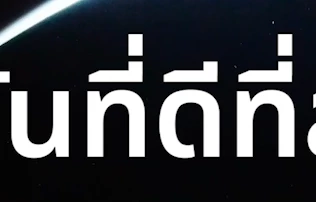
Any one knows how to properly set it up?or is it a known bug?


I'm using Version 24.0.3(build2) the font is Noto Sans Thai Black, tho i don't think it's the font.


This topic has been closed for replies.
Correct answer Allen Zhu

Hey Nishu,


thanks again for replying, actually i found the answer in the comment section of another post.

they are saying the text engine wasn't doing anything, but they managed to find the solution,


You select the troubled text, go to paragraph, and in the 3-lined icon settings, select reset paragraph


Though i do hope you guys can fix this, or make it easier for future uses.


Thanks again

Allen

1 reply

nishu_kush
Legend
December 4, 2023

Hi Allen Zhu,


Welcome to the community.

Are you on macOS or Windows? Have you tried using a different Thai font? Does that work better? Are you typing the text or pasting it from outside?

Let us know, we're here to help.


Thanks,

Nishu

Allen ZhuAuthor
Participant
December 5, 2023

Hi Nishu,

Thanks for replying, i'm on Mac OS 13.5.2, i tried 2 other differet thai font and it doesn't work either. I'm pasting them from outside. all works out in Premiere but not in After Effects.

thanks

Allen