This topic has been closed for replies.
Correct answer OussK

try to reactivate the parent & Link, just remove it and put it again so may it can appear
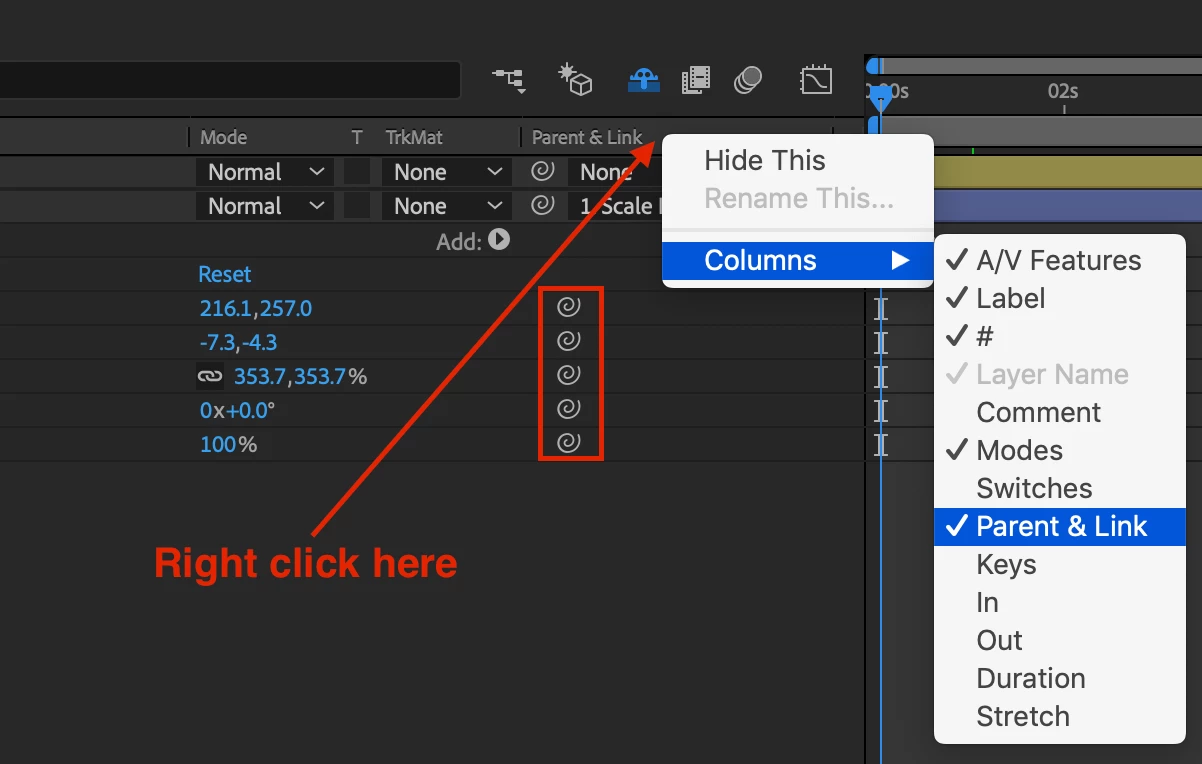
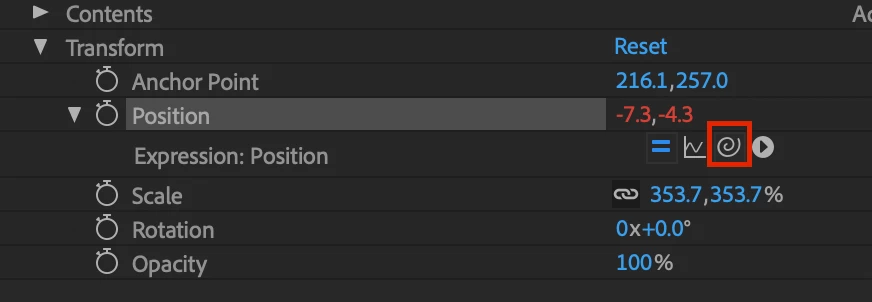
to add expression simply hold the Alt key than click on the keyframe you want to link, Then you will be able to see the Pickwhip again
2 replies

OussK
Community Expert
OussKCommunity ExpertCorrect answer
Community Expert
August 6, 2019

try to reactivate the parent & Link, just remove it and put it again so may it can appear

to add expression simply hold the Alt key than click on the keyframe you want to link, Then you will be able to see the Pickwhip again

cukliAuthor
Participant
August 6, 2019

Thanks, it worked

Community Expert
August 5, 2019

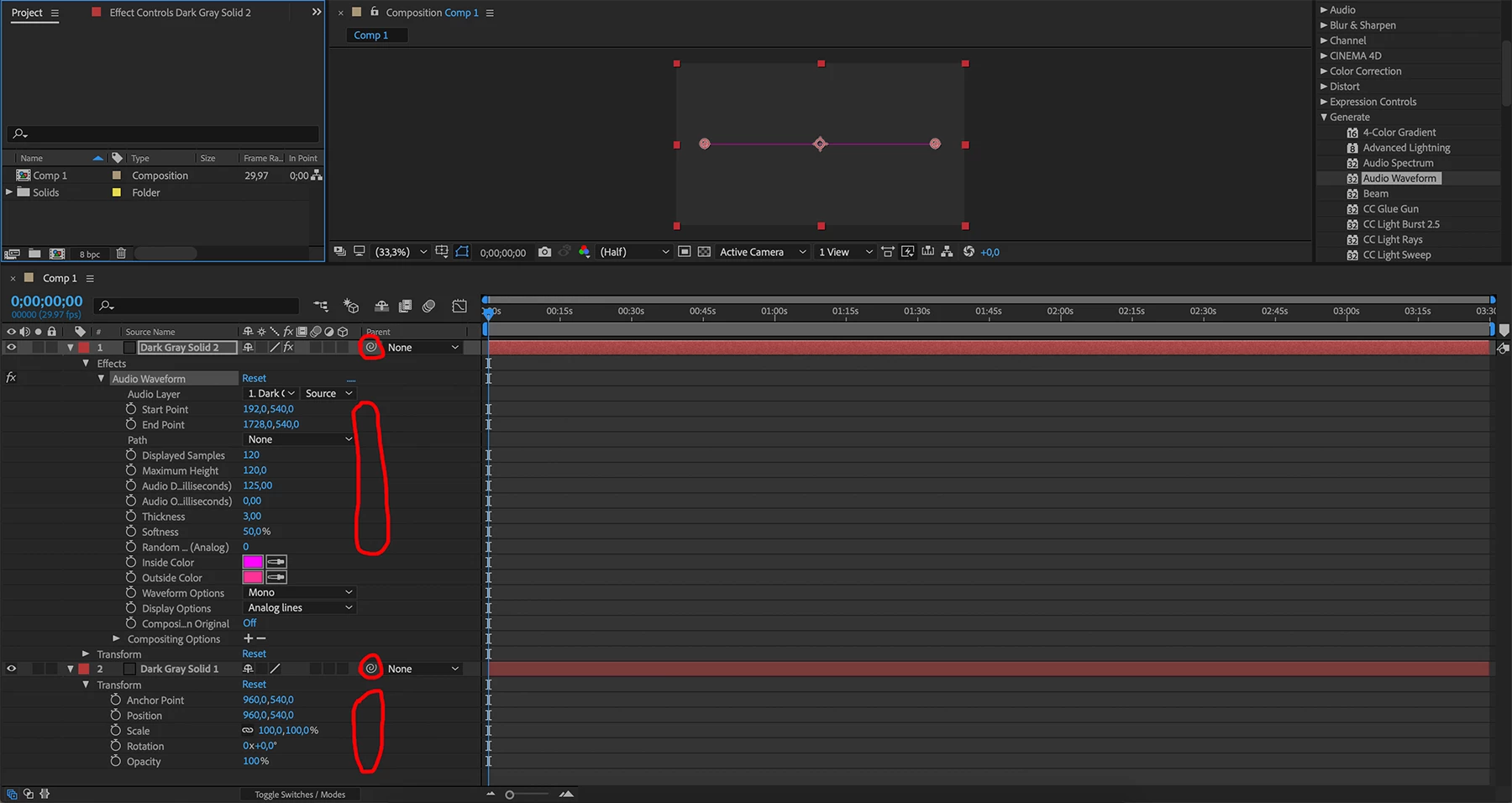
What are you trying to do? The Pickwhip icon you circled is for Parenting and will only point to another layer. There is no Pickwhip for other properties unless you add an expression to that property. The Pickwhip will then show up when the expression is visible in the timeline.

cukliAuthor
Participant
August 6, 2019

I need the property of the first effect to depend on the property of the second effect.

How do I add an expression to this property?

Community Expert
August 6, 2019

cukli  wrote

I need the property of the first effect to depend on the property of the second effect.

How do I add an expression to this property

Now I'm really confused. There is one Effect in the screenshot - Audio Waveform. What exactly are you trying to do? You have circled Start Point, End Point all the way down to Random in the Layer 1 and circled all of the transform properties of Layer 2. Not one of the properties in Layer 1 has anything to do with Anchor Point, Position, Scale, Rotation or Transparency. There is no "second effect" that I can see.

I think you better start here: Overview. Check out the tutorials available right on this forum. Start with the Beginner section then move on to the Experienced section. Do not rely on a Google search for tutorials on Audio Waveform. Most of those search results will be attempts by enthusiasts to show how they did something magic and most leave out critical information and use inefficient and sometimes really lousy workflows. Make sure the folks giving you advice know what they are talking about.