Participant
May 25, 2018
Answered

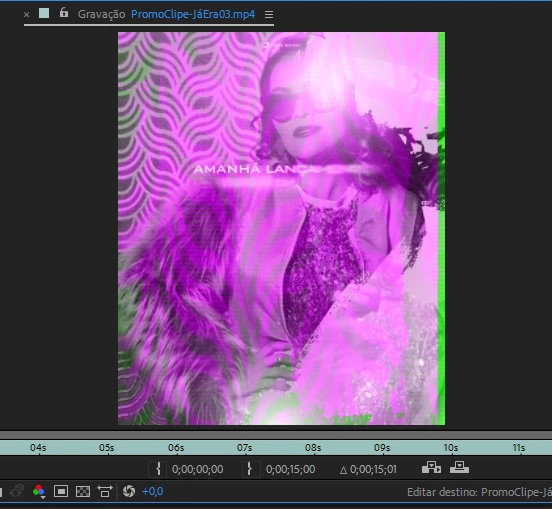
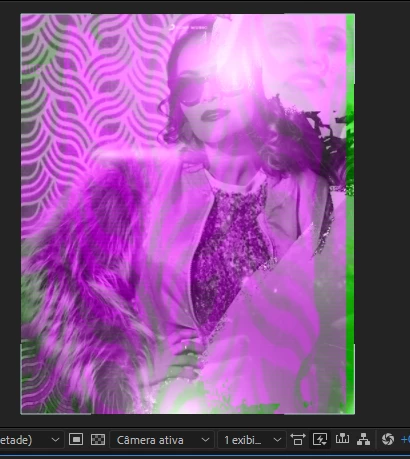
The display colors of any file look like this.

  • May 25, 2018
  • 2 replies
  • 665 views

I was using it normally when I suddenly come across this, every video file I import gets this view, it becomes impossible to work on a project when you can not see how it is getting.

I'm a little desperate, because I have late projects that I need to deliver and I have this big problem.

Sorry English, I do not speak English, I'm Brazilian.
This topic has been closed for replies.
Correct answer Rameez_Khan

Hi wendenl and theolopesmm,

Sorry for your issue!

This issue has been reported by many users in the Premiere Pro forum and seems to be related to a recent Windows update. Did you update Windows recently?

For others, going back to Intel video driver 15.60.2.4901 has resolved it. Can you try that and let us know if that helps?

Thanks,

Rameez

2 replies

Rameez_Khan
Rameez_KhanCorrect answer
Legend
June 29, 2018

Hi wendenl and theolopesmm,

Sorry for your issue!

This issue has been reported by many users in the Premiere Pro forum and seems to be related to a recent Windows update. Did you update Windows recently?

For others, going back to Intel video driver 15.60.2.4901 has resolved it. Can you try that and let us know if that helps?

Thanks,

Rameez

Mike_Abbott
Legend
May 25, 2018

The look like corrupted media to me. Do they look and play OK in other media players?

Participant
May 25, 2018

Yes, other video players do not have a problem.

Another thing, after rendering also does not get these flaws in the video.

Mike_Abbott
Legend
May 25, 2018

In that case I would try clearing all your after Effects memory and media caches. If that doesn't help - try a prefs reset.