Participant
December 13, 2022
Question

"The file you are attempting to open is corrupt..."

  • December 13, 2022
  • 3 replies
  • 400 views

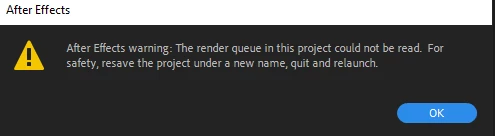
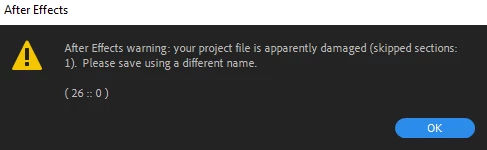
I'm trying to open some project files in version 23.0. they are from about a year ago and no longer open. I receive the following errors
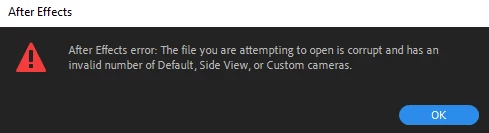
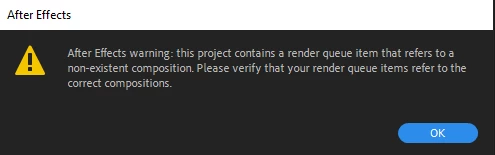
When the file opens it is completely blank. I also tried importing the file and I get the same errors. Also using backup autosave is giving me the same issue.


This topic has been closed for replies.

3 replies

Mylenium
Legend
December 13, 2022

Just re-saving the project as a new file should suffice. If it still doesn't open in 2023, then I guess it is a pretty serious bug, after all.


Mylenium

nishu_kush
Legend
December 13, 2022

Hi migueld12,


Sorry for your issue.

Is it happening with multiple projects? In which version were these projects created? If the older version doesn't work, you can try installing the latest version (23.1). Also, try importing your project into a new project instead of opening it.

Let us know how it goes.


Thanks,

Nishu

migueld12Author
Participant
December 13, 2022

I think it was created in After Effects 2020. Perhaps 17.0. I tried importing and got the same error. Is there a guide on downgrading I can use?

Mylenium
Legend
December 13, 2022

I would try and install an older version of AE and see if it still opens there. Refer to this for the procedures:


Install previous versions of your Creative Cloud apps


Mylenium

migueld12Author
Participant
December 13, 2022

Okay, thanks I'll try.