


Known Participant
December 5, 2023
Question

The "Fit" feature doesn't work for a composition that has been moved aside.

The "Fit" feature doesn't work for a composition that has been moved aside. It works only for a composition that has been zoomed in or out:
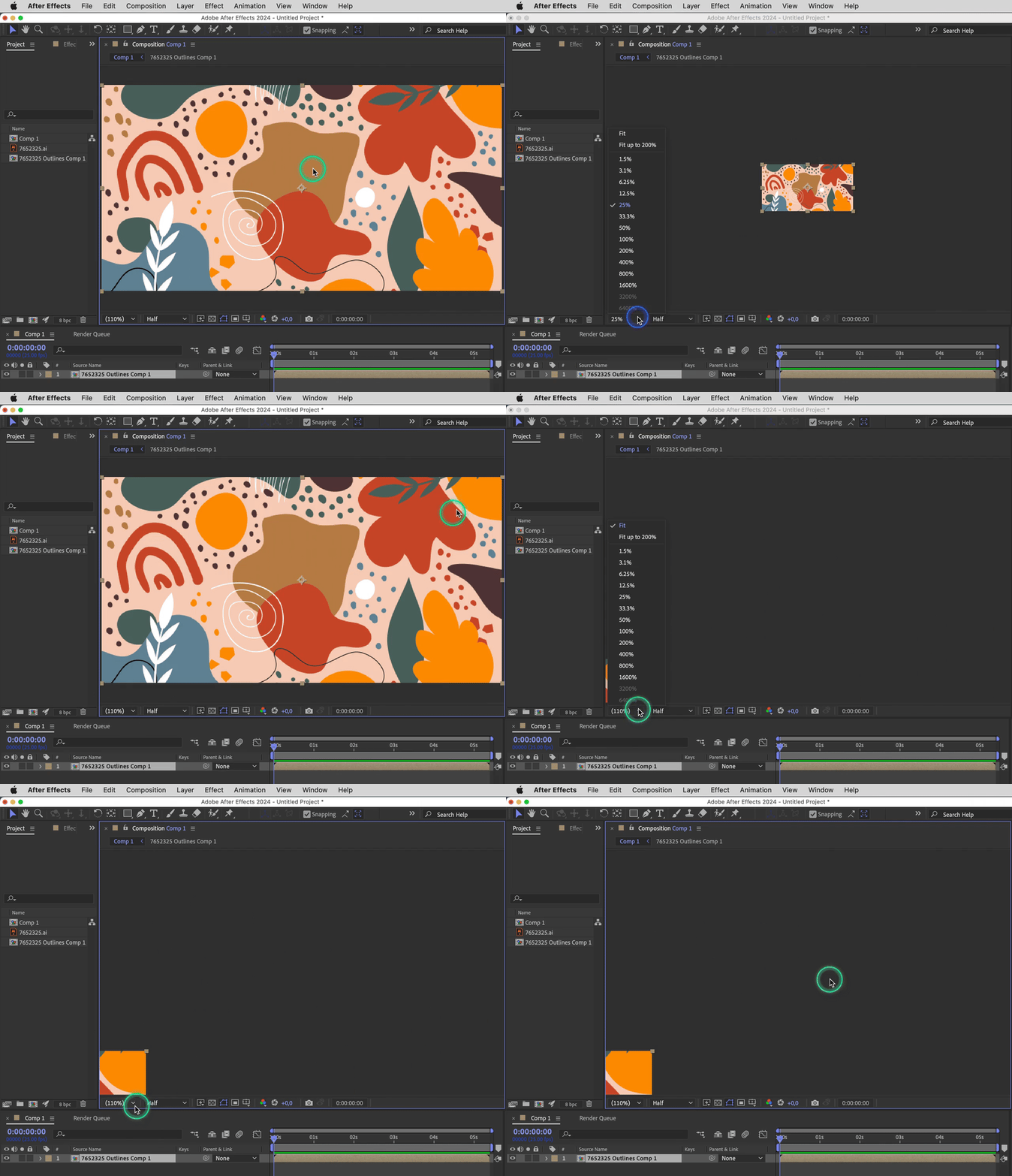
 

In Illustrator the same feature works fine for both zoomed (in/out) and moved documents.


In Photoshop there is a bug which I described in this post: https://community.adobe.com/t5/photoshop-ecosystem-bugs/the-quot-fit-on-screen-quot-feature-does-t-work-properly-for-the-moved-documents/idi-p/14277961#M97509


The "Fit" document feature:


Zoomed document

Moved document

After Effects

OK

–

Illustrator

OK

OK

Photoshop

OK

bug


macOS v12.7.1

After Effects v24.0.3

This topic is closed to new replies. Start a new post to keep the conversation going.

4 replies

Community Expert
April 6, 2024

After you moved the Comp Frame, "Fit" remained selected. Picking it again does nothing to reposition the Comp Frame. Select Fit up to 200% or use the keyboard shortcut Shift + / to re-center the comp. I think AE has always worked this way. I almost never use the mouse to recenter the Comp Frame because the keyboard shortcut is faster, can be done with one hand, and always works.

Translate
Known Participant
April 6, 2024

@Rick Gerard 👎🤮

Translate
nishu_kush
Legend
April 5, 2024

Sorry for the delayed response. Are you still having the issue?
Feel free to reach out. I am moving this thread from Bugs to Discussions for now.


Thanks,
Nishu

Translate
Known Participant
April 6, 2024

@nishu_kush  Yes, I do. Please, address this issue and make the UI/UX of After Effects, Illustrator, and Photoshop equally good and consistent. 

Translate