



Loonatiq
Participant
November 29, 2023
Answered

the position of the corner markers relative to the dimensions of the rectangle

  • November 29, 2023
  • 1 reply
  • 342 views

Hello. the question arose, which expression should be used so that when changing the size of the rectangle, the position of the markers on its corners was changed.
I used an expression based on the scale

try{
s = scale [0]/100;
L = thisLayer;
while (L.hasParent){
s *= L.parent.scale[0]/100;
L = L.parent;
}
w = value;
w/s
}catch(e){
value;
};


but it doesn't work for me, because the thickness of the stroke and the size of the markers change during non-proportional scaling. so I decided that changing the position of the markers relative to the size of the rectangle would solve this problem, but I don't know what expression to use for this. I will be grateful for your help)
in the attached video showed how it works based on scale
This topic has been closed for replies.
Correct answer Rick Gerard

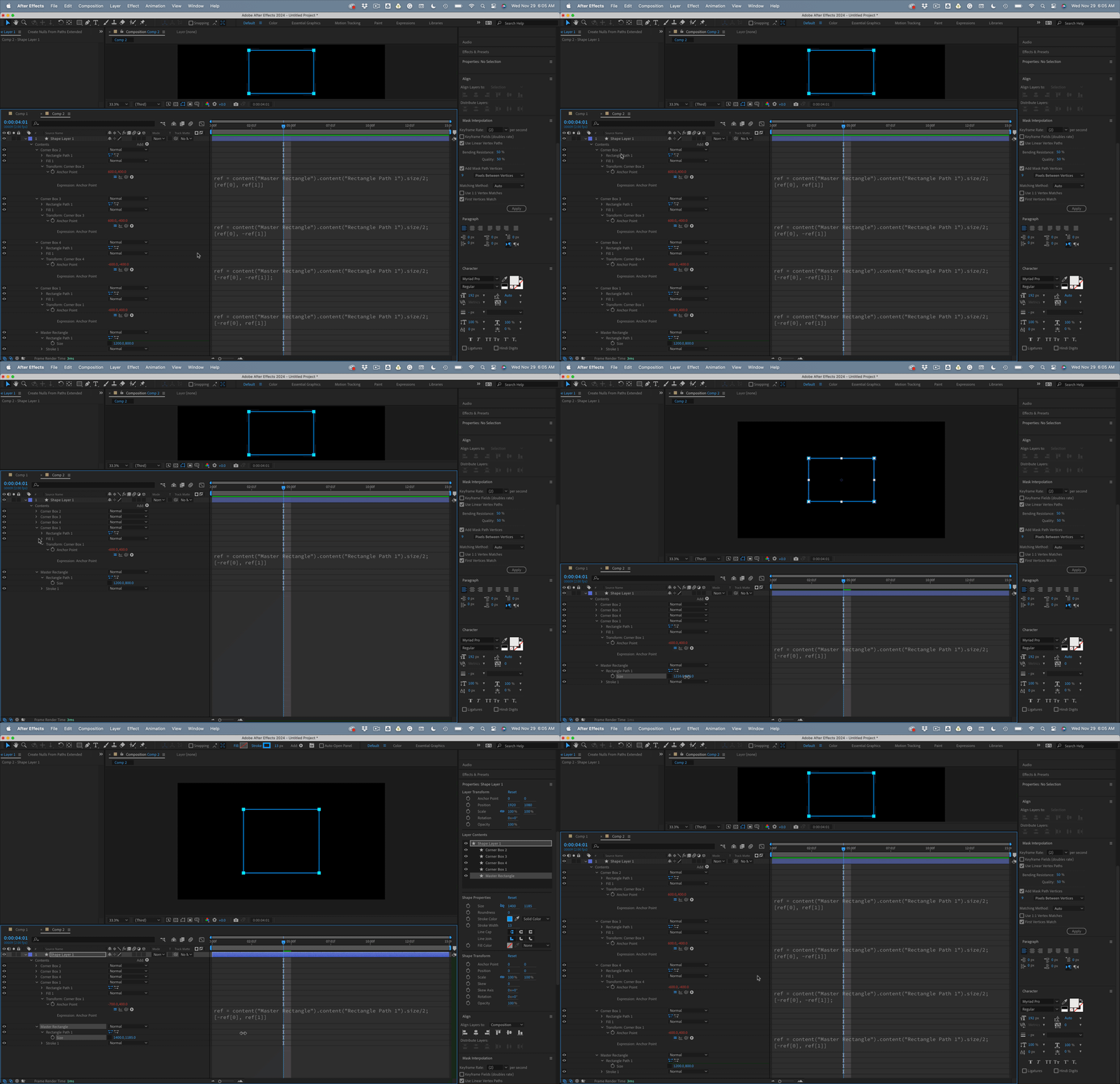
I would use a Parametric Rectangle for the outline, then tie the position of four small corner markers created from identical little rectangles to the four corners of the big rectangle by expressions applied to their CorerBox/Transform Corner Box/Anchor Point property like this:

//Top Left Corner
ref = content("Master Rectangle").content("Rectangle Path 1").size/2;
[ref[0], ref[1]];

//Bottom Left Corner
ref = content("Master Rectangle").content("Rectangle Path 1").size/2;
[ref[0], -ref[1]];

// Bottom Right Corner
ref = content("Master Rectangle").content("Rectangle Path 1").size/2;
[-ref[0], -ref[1]];

// Top Right Corner
ref = content("Master Rectangle").content("Rectangle Path 1").size/2;
[-ref[0], ref[1]]

Then, all you have to do is adjust the size of the Master Rectangle, and the corner markers will all follow.

1 reply

Rick GerardCommunity ExpertCorrect answer
Community Expert
November 29, 2023

I would use a Parametric Rectangle for the outline, then tie the position of four small corner markers created from identical little rectangles to the four corners of the big rectangle by expressions applied to their CorerBox/Transform Corner Box/Anchor Point property like this:

//Top Left Corner
ref = content("Master Rectangle").content("Rectangle Path 1").size/2;
[ref[0], ref[1]];

//Bottom Left Corner
ref = content("Master Rectangle").content("Rectangle Path 1").size/2;
[ref[0], -ref[1]];

// Bottom Right Corner
ref = content("Master Rectangle").content("Rectangle Path 1").size/2;
[-ref[0], -ref[1]];

// Top Right Corner
ref = content("Master Rectangle").content("Rectangle Path 1").size/2;
[-ref[0], ref[1]]

Then, all you have to do is adjust the size of the Master Rectangle, and the corner markers will all follow.

Loonatiq
LoonatiqAuthor
Participant
November 29, 2023
Loonatiq
LoonatiqAuthor
Participant
November 29, 2023

at first it did not work, but then I changed the order and method of creating rectangles and everything became as it should be