Participating Frequently
January 22, 2023
Answered

The text in the composition is not displayed

  • January 22, 2023
  • 2 replies
  • 734 views

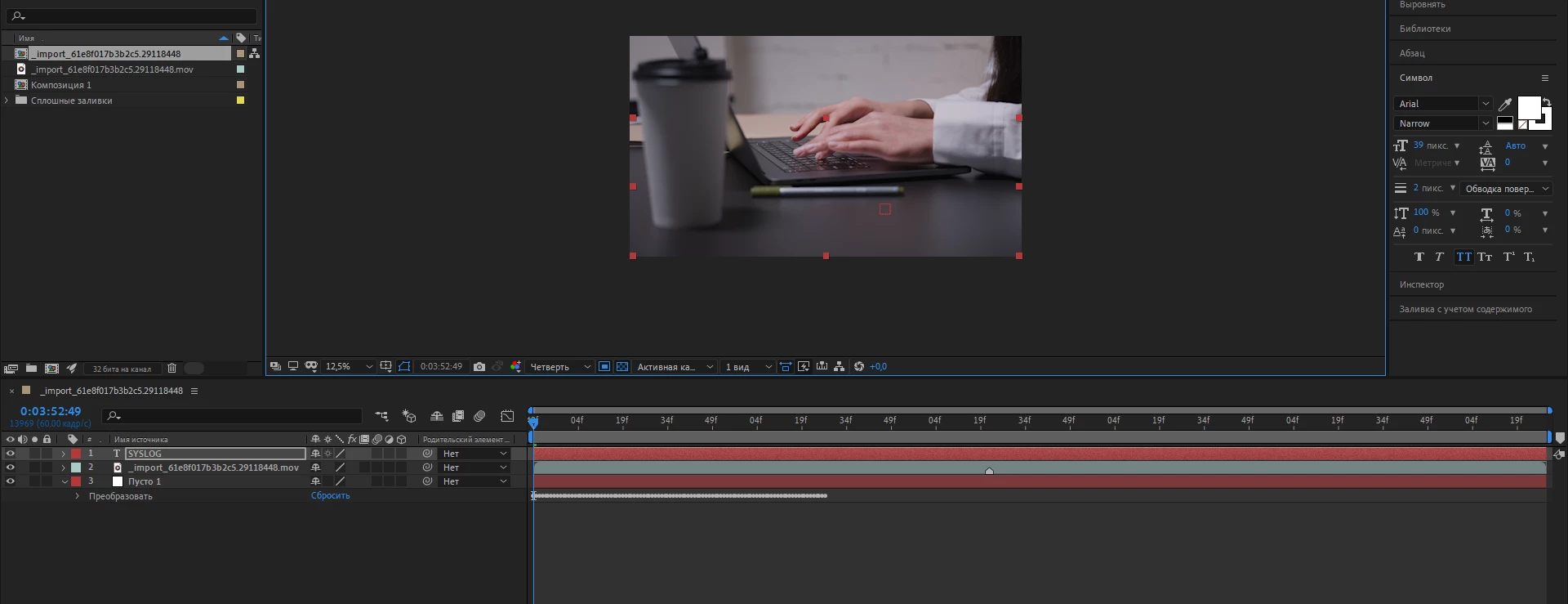
Hello. The text on the composition is not displayed. I have tried the options offered by community after effects in other posts, but they have not helped me yet
 

This topic has been closed for replies.
Correct answer thepixelsmith

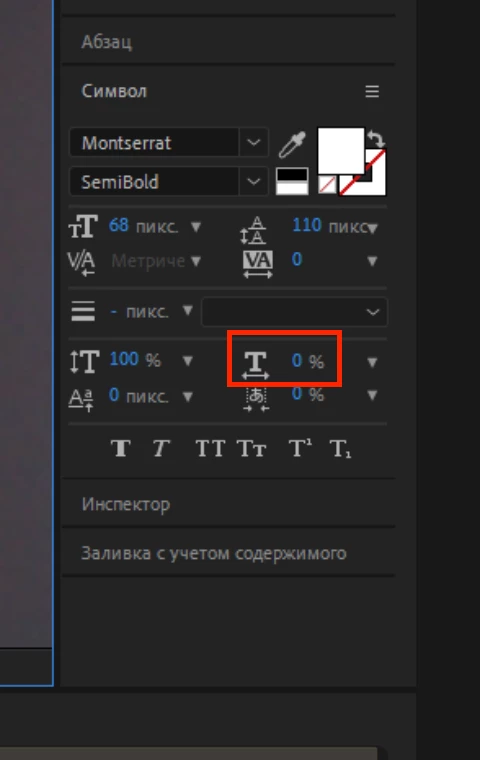
The Horizontal Scale of your text is 0%. It should be 100%.

Select your text layer and change it.

Horizontal scale is on the Character panel. It looks like a T with an arrow below it.
2 replies

Mylenium
Legend
January 22, 2023
Participating Frequently
January 22, 2023


I did as you suggested. However, nothing has changed

thepixelsmith
Community Expert
thepixelsmithCommunity ExpertCorrect answer
Community Expert
January 22, 2023

The Horizontal Scale of your text is 0%. It should be 100%.

Select your text layer and change it.

Horizontal scale is on the Character panel. It looks like a T with an arrow below it.

Mylenium
Legend
January 22, 2023

You are at 12.5 % zoom and are using Arial Narrow at 39 pixels. If you put two and two together, it is perfectly possible that your thin, tiny font is simply "eaten up" by the interpolation. Set your zoom to 100% and full resolution.


Mylenium

Participating Frequently
January 22, 2023


Я сделал так, как вы сказали, но ничего не изменилось

Mylenium
Legend
January 22, 2023

You're still at quarter res and now at 23.3 % zoom. Please do as I told you and verify your stuff at 100% and full resolution.


Mylenium