


URProduction
Participant
March 23, 2018
Answered

The top of After Effects after update is out of window reach? Why?

  • March 23, 2018
  • 5 replies
  • 503 views

I updated to the 2018 After effects and this is what I see...
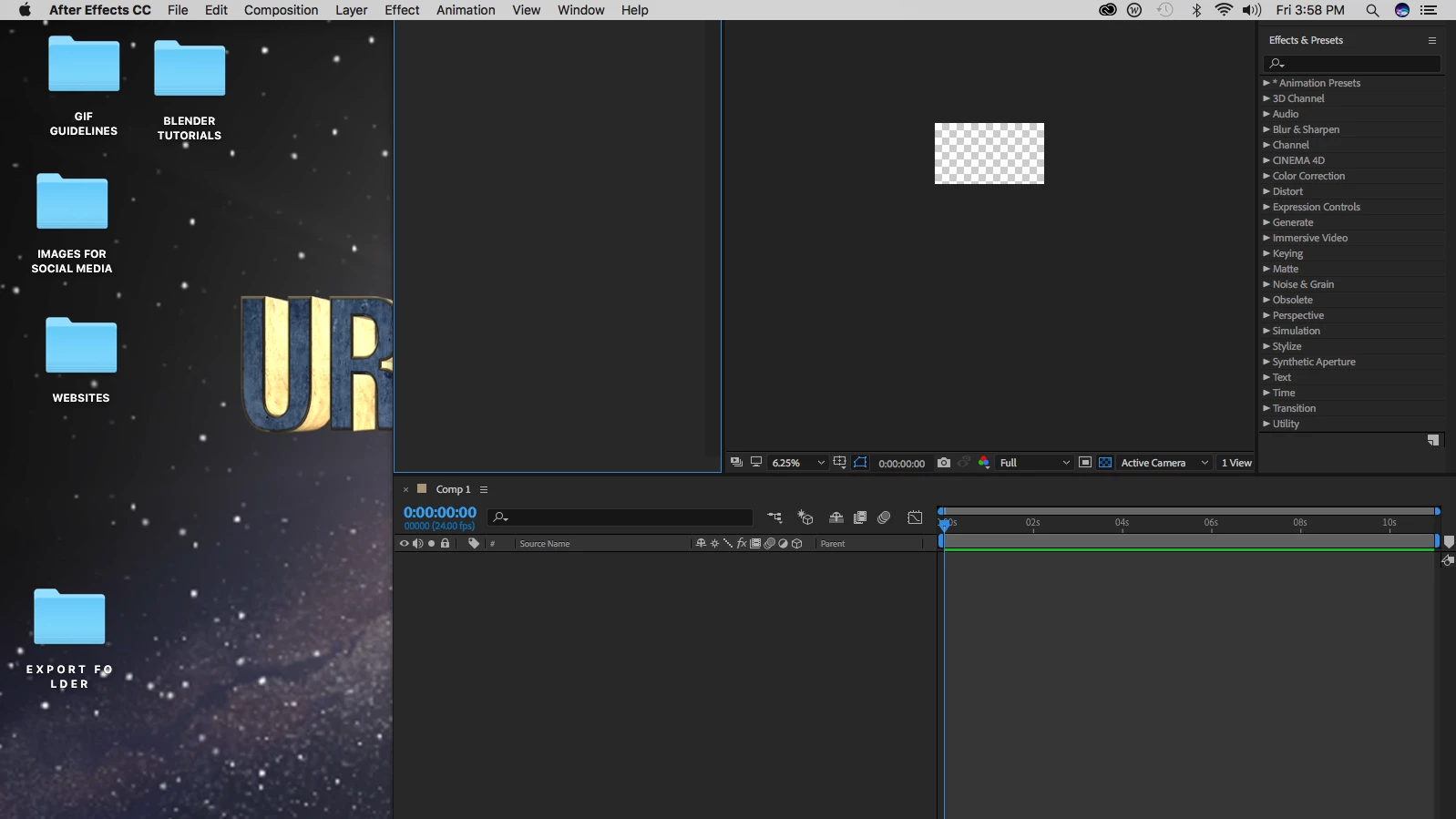
No matter what I do- even if i reset my work flow... I can not reach the top of the program to....use it... at all. I have tried changing the resolution in my monitors to see if it makes it smaller to see the top and so far nothing. I can no longer use this program becaue I cant reach the top of the controls. Is there a solution to this?

    This topic has been closed for replies.
    Correct answer Rick Gerard

    Try pressing Ctrl/Cmnd + \ to see if that brings back the top bar and repositions it in the monitor.

    This looks to me like you are halfway between dual monitors. If that is the case try changing the display settings to mirror or unplugging the second monitor.

    If all else, including a reboot, fails, try resetting your preferences.

    A little more system info may be helpful in finding a solution.

    5 replies

    URProduction
    Participant
    March 24, 2018

    Thank you so much! Originally this opened a zoom accessibility tool while simultaneously making after effects the right size- now I can use after effects. I want to thank everyone for all their replies. I was unable to respond as I was at work But I do thank all of you for helping me in this matter!

    Ryan

    URProduction.com

    Roland Kahlenberg
    Legend
    March 23, 2018

    See if resetting the current Workspace/layout helps - Window>Workspace>Reset "current workspace name" to Saved Layout; where "current workspace name" denotes the name of the current Workspace.

    Very Advanced After Effects Training | Adaptive & Responsive Toolkits | Intelligent Design Assets (IDAs) | MoGraph Design System DEV
    Warren Heaton
    Community Expert
    Community Expert
    March 23, 2018

    As Rick suggested, Maximize App Window +\ (command backslash) should work.

    Maximize App Window on Primary Monitor ++\ (option command backslash) should work as well.

    If you decide to reset your preferences, hold ⌥++⌘ (option shift command) when you launch After Effects to be prompted by AE to delete your preferences file.

    -Warren

    Participant
    March 23, 2018

    this has happened to me before! try dragging the side of the window in while holding shift. it should also shrink the window vertically.

    Rick GerardCommunity ExpertCorrect answer
    Community Expert
    March 23, 2018

    Try pressing Ctrl/Cmnd + \ to see if that brings back the top bar and repositions it in the monitor.

    This looks to me like you are halfway between dual monitors. If that is the case try changing the display settings to mirror or unplugging the second monitor.

    If all else, including a reboot, fails, try resetting your preferences.

    A little more system info may be helpful in finding a solution.