
Participant
November 11, 2021
Question

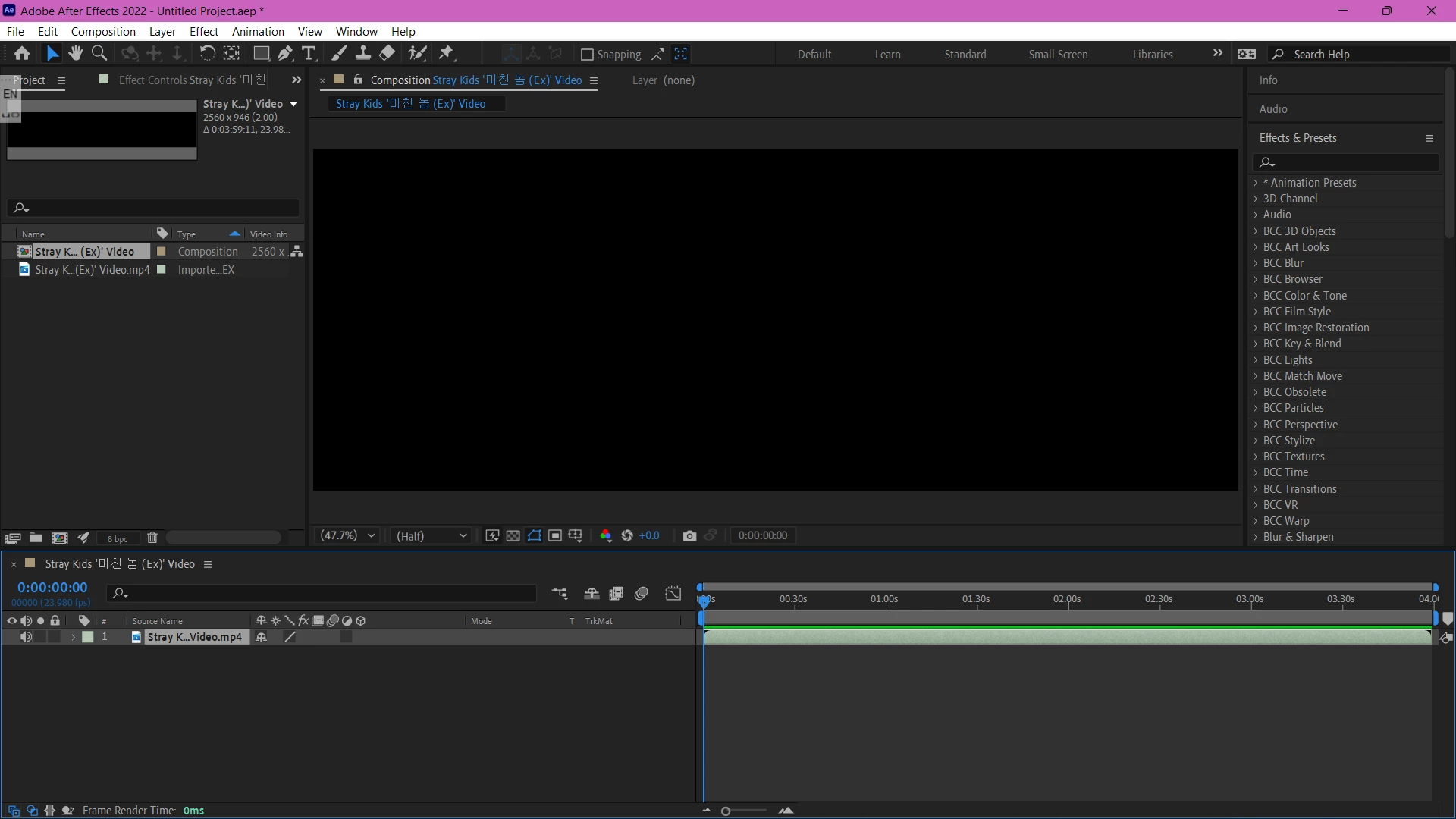
The Video I Exported doesn't Show on the Screen

  • November 11, 2021
  • 2 replies
  • 131 views

As I mentioned in the title, I cannot see my video nor edit it. It does show the audio, which I can hear loud and clear. I don't know why After Effects is doing this, I've tried everything; from playing around with the preferences to clearing the cache, and rebooting my computer. I was so excited to work on a new project when, suddenly, started doing this and I'm legit desperate.
This topic has been closed for replies.

2 replies

nishu_kush
Legend
November 12, 2021

Hi gabystayskz,


Sorry for your issue.

Is it just this video file that's not visible or does it happen with all of them? Could you try creating a new project and add a Solid and see if the preview is available. What are your system specifications (CPU, GPU, RAM, OS)? Such issues usually occur due to outdated GPU drivers. If it's happening with all the video files, my first step would be updating the GPU driver.

Let us know. 


Thanks,

Nishu

Participant
November 13, 2021

Thanks for the information. This does not happen with any other file. Honestly, After Effects is such an amazing program, I'm sure the footage is the one causing the problem since it won't let me edit it in any other editing app. Eventually, I just downloaded the video from another site and that seemed to help. Again, thanks for your dedication. Have a wonderful day, night, or wherever you are.

Participant
November 11, 2021

Sorry for the typos.