


Participant
Sep 18, 2021 6:40 PM UTC
Answered

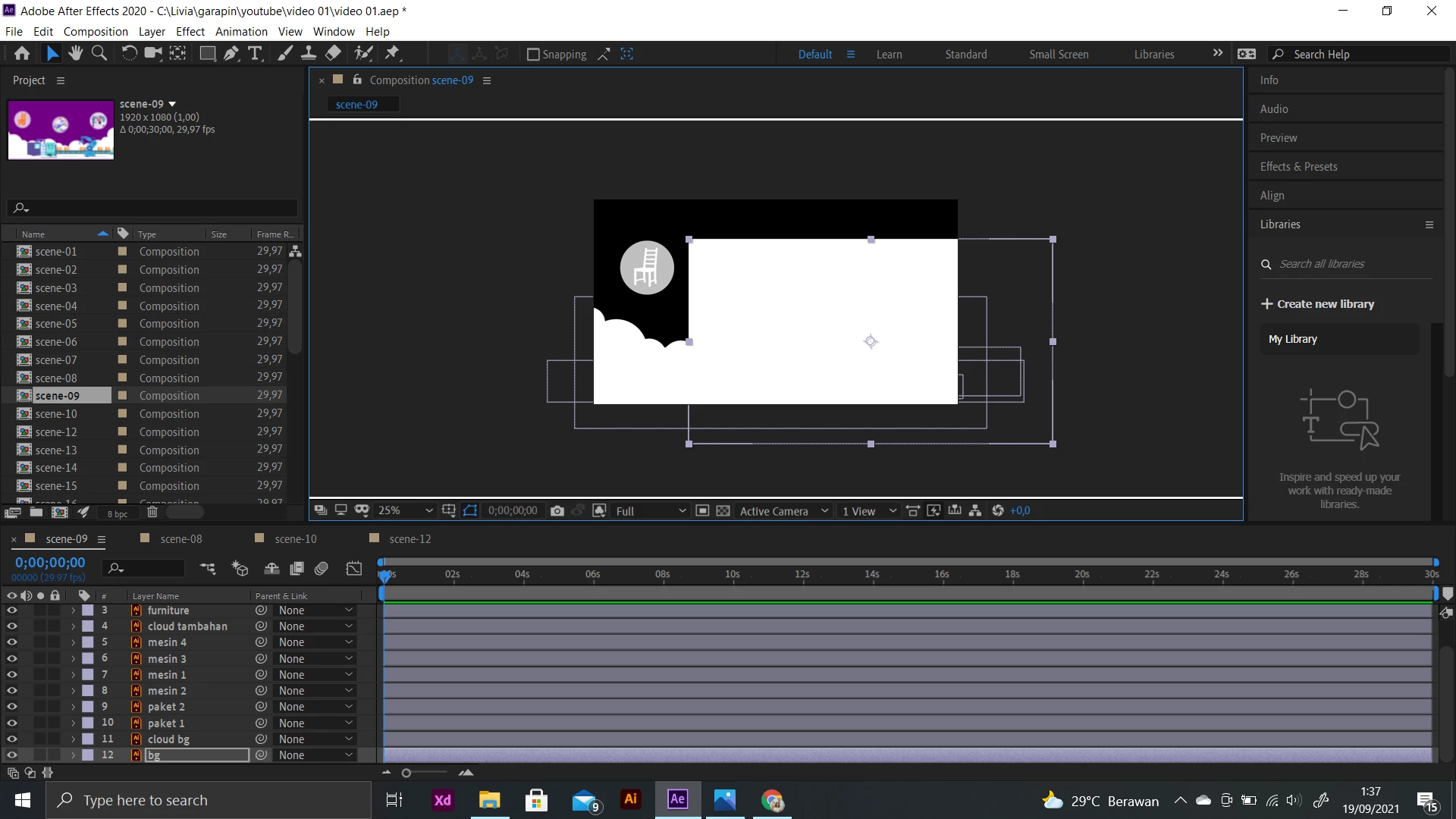
There is a white box on my composition preview (they turn black and white too)

So, I left my laptop for a while to write down in my notebook. When I see my after effect project again, the composition preview suddenly changed. There is this annoying white box, which turns out to be my background. It looks like all my layers turn into black and white. I'm a beginner in after effects and I might have accidentally click something and I don't know what to do. By the way, all my unedited composition turns like this.
This topic is closed to new replies. Start a new post to keep the conversation going.
Rick GerardCorrect answer
Community Expert
Sep 18, 2021 8:39 PM UTC

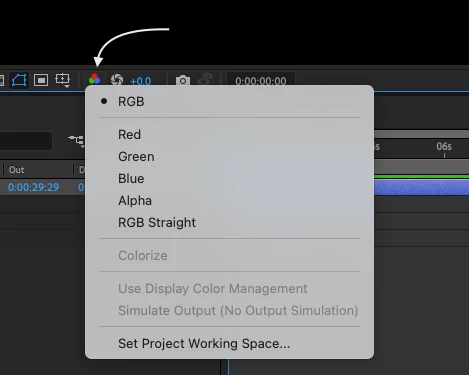
You have set the composition panel display to show only the Alpha Channel. Since you are new, if you spend some time in the Learn Workspace you will get an overview of the UI.


2 replies

Rick GerardCommunity ExpertCorrect answer
Community Expert
Sep 18, 2021 8:39 PM UTC

You have set the composition panel display to show only the Alpha Channel. Since you are new, if you spend some time in the Learn Workspace you will get an overview of the UI.


Translate
Participant
Apr 18, 2024 4:25 PM UTC

Whoever you are, you're a savior.

Translate