Participant
October 18, 2017
Answered

this effect requires gpu acceleration error....

  • October 18, 2017
  • 6 replies
  • 5693 views

IM running windows 10, I have an 8 core intel CPU, Nvidia GeForce GTX 1080, and 128 gb of ram

I have selected to edit prefs, enabled GPU
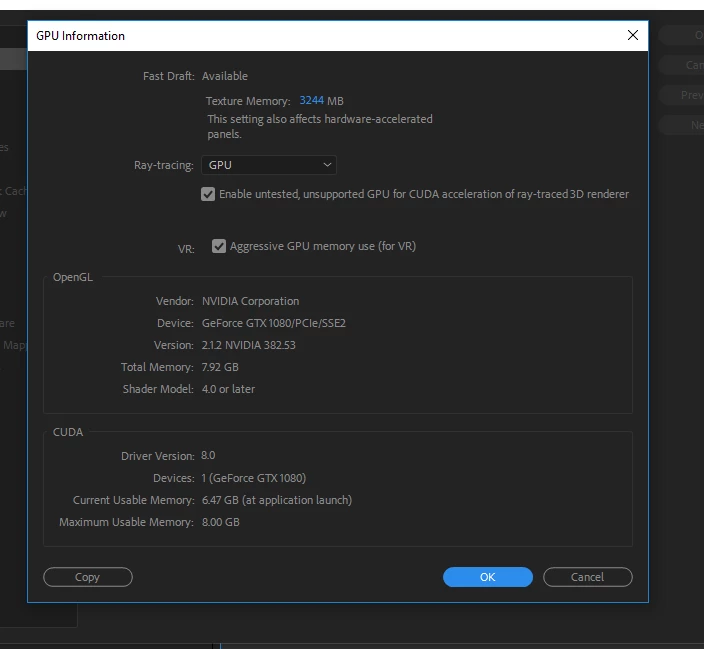
But I still get this.
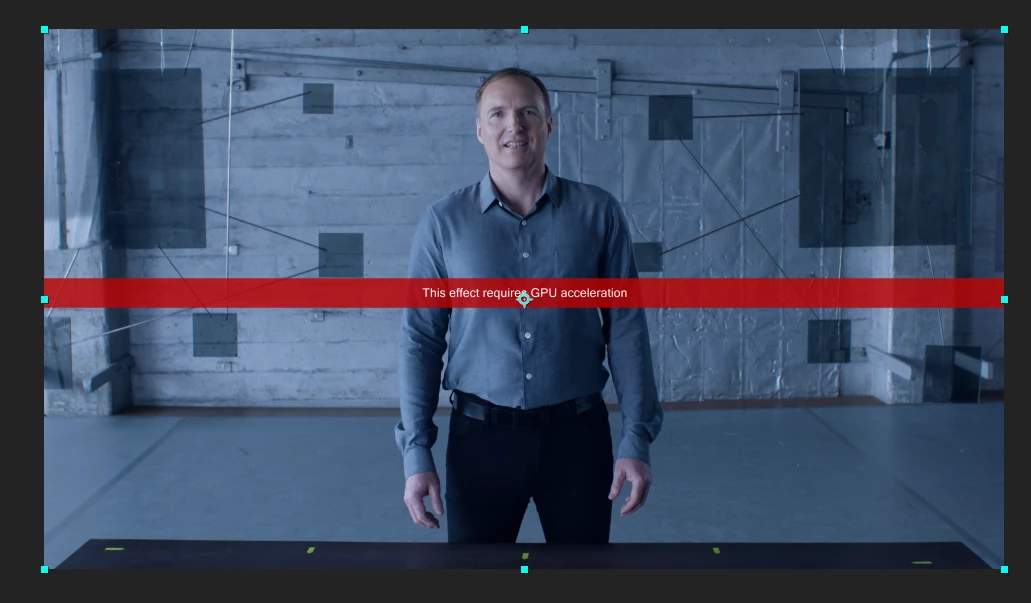
What the heck am I doing wrong?

Correct answer iusebiro

I fixed this by going file > project settings - and turn on Mercury GPU acceleration.

...it currently slower than software only however

6 replies

Participant
March 11, 2018

It doesn't work

armins19226229
Participant
November 2, 2017

I am having this problem too on my computer. I also have the GTX 1070 running premiere and I'm trying to apply the VR Plane to
Sphere effect. Worked before I updated to CC2018....fun part is, I have another clip in the same timeline I applied this effect to, and that one works...so not sure why the inconsistency.

Participant
October 22, 2017

I have a similar issue when creating a new VR composition using Element 3D V2. It seems no matter what I do, I have this red band across the screen. I checked and I am running a GTX 1070 and it is supported and listed however this wont go away. I could use some help with this too. I just updated to AE CC 2018.

Participating Frequently
October 20, 2017

I have the same error on my Mac Mini (2012 no GPU) when trying to export the final VR into the various formats - however I am able to export a cube map video (90 frames)which takes about 20 minutes for a c4d file that is mapped to all sides. I was curious and hooked up the same file to my PC at home with an i7 and Quadro® M1000M 4 GB GDDR5 and it took 7 hours to render the same scene just converted to a equirectangular format. I can't help to think that something went wrong there performance-wise - since there are online converters for for cubemap images to equirectangular, I assume that it can't be that intense to convert from one format to another.

I am not sure what has gone wrong there - I also can't figure out a correct way to do it since documentation on VR output is missing.

This update has been announced a couple of month ago, since this seems to be a plugin that has worked before for thousands of users. I don't understand why the documentation has not been simply ported to the After Effects documentation. Or am I missing something?

Looking forward to finally get to use the new features. 

iusebiroCorrect answer
Inspiring
October 19, 2017

I fixed this by going file > project settings - and turn on Mercury GPU acceleration.

...it currently slower than software only however

Participant
November 20, 2017

doesn't work for me

Nancy OShea
Community Expert
Community Expert
October 19, 2017

Which software title? Which version?  And what effect are you using?

Nancy O'Shea— Product User & Community Expert
keithw82923693
Participant
October 19, 2017

I get this problem also with After Effects 2018 using VR blur.

Nancy OShea
Community Expert
Community Expert
October 19, 2017

Moved from Creative Suites​​ to the After Effects​​ product forum.

Nancy O'Shea— Product User & Community Expert