Participant
Apr 25, 2021 2:49 AM UTC
Answered

Time remap graph is a straight line

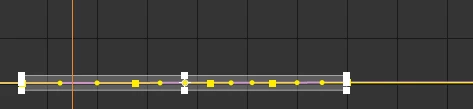
hi, i have been using after effects for a while now and ive recently stumbled on the issue that my time reamp graph is appearing as a straight line. ( i have made sure im on the value graph, made sure my keyframes are easy eased, and i have tried holding alt and scroll up in order to make my graph bigger but to no succesion.) If anyone can help witht his issue it would really help. Thanks

Rick GerardCorrect answer
Community Expert
Apr 25, 2021 5:50 PM UTC

Cropped screenshots are pretty useless when it comes to diagnosing problems. If you are looking at and editing the speed graph and you have a straight line then the speed of the playback is constant. You can have a bunch of keyframes, but if you have not moved any of them left or right then the speed doesn't change and the line is straight. The higher the line the faster the clip plays back. I would bet that your graph is set to the speed graph. Value Graph playing forward at a constant frame rate.
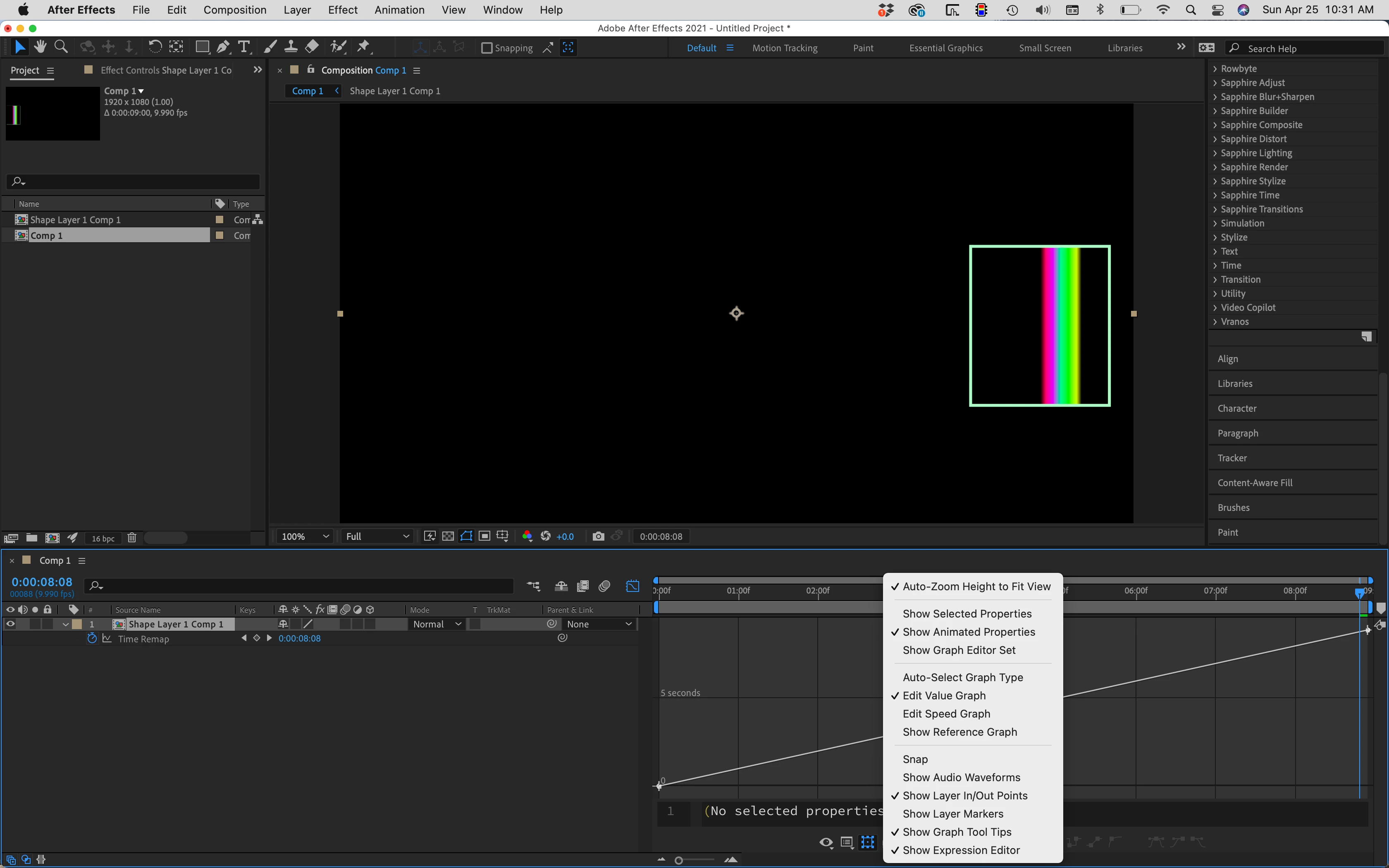
Speed Graph with constant playback rate:
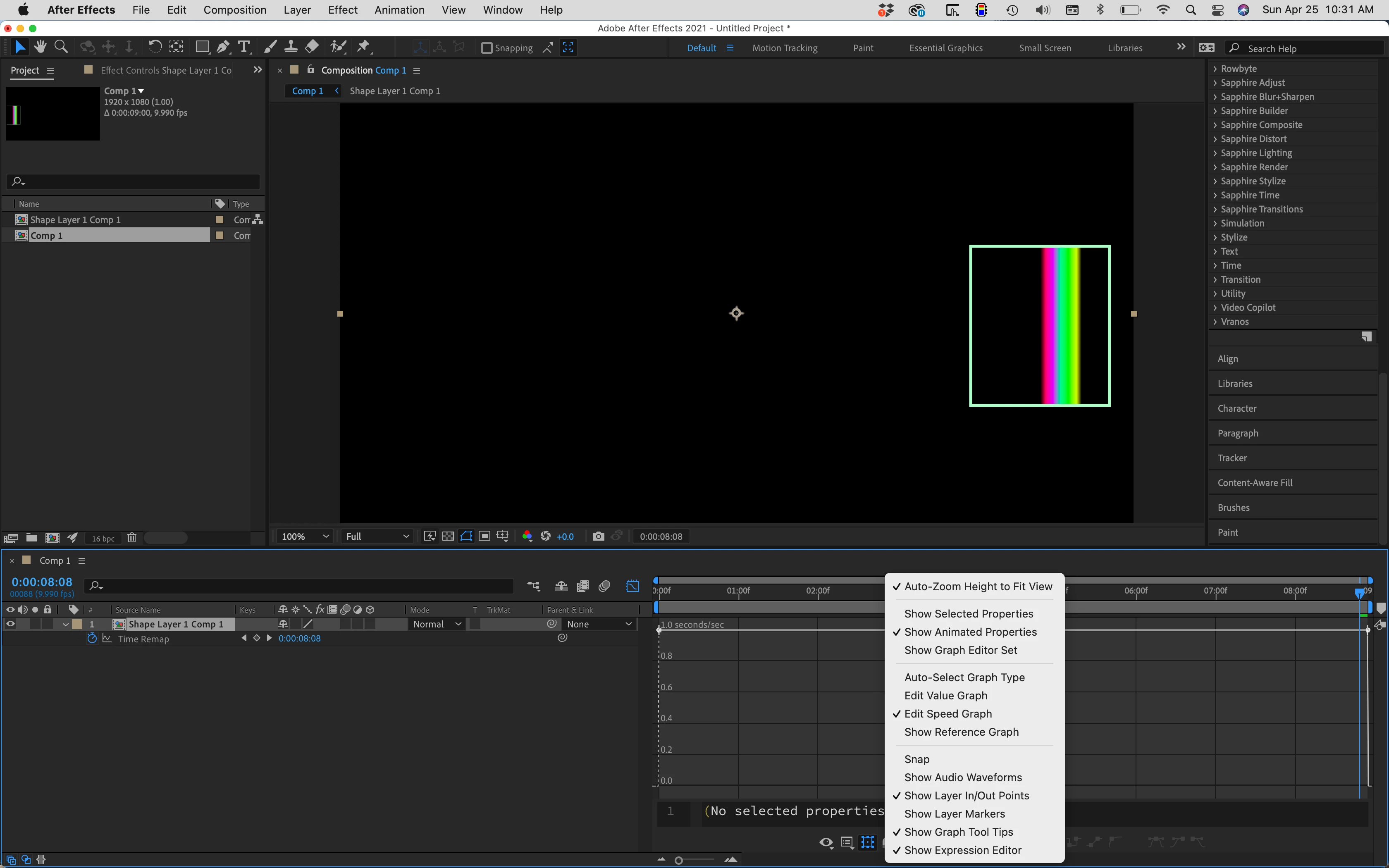
Speed Graph that shows slowing and speeding up;
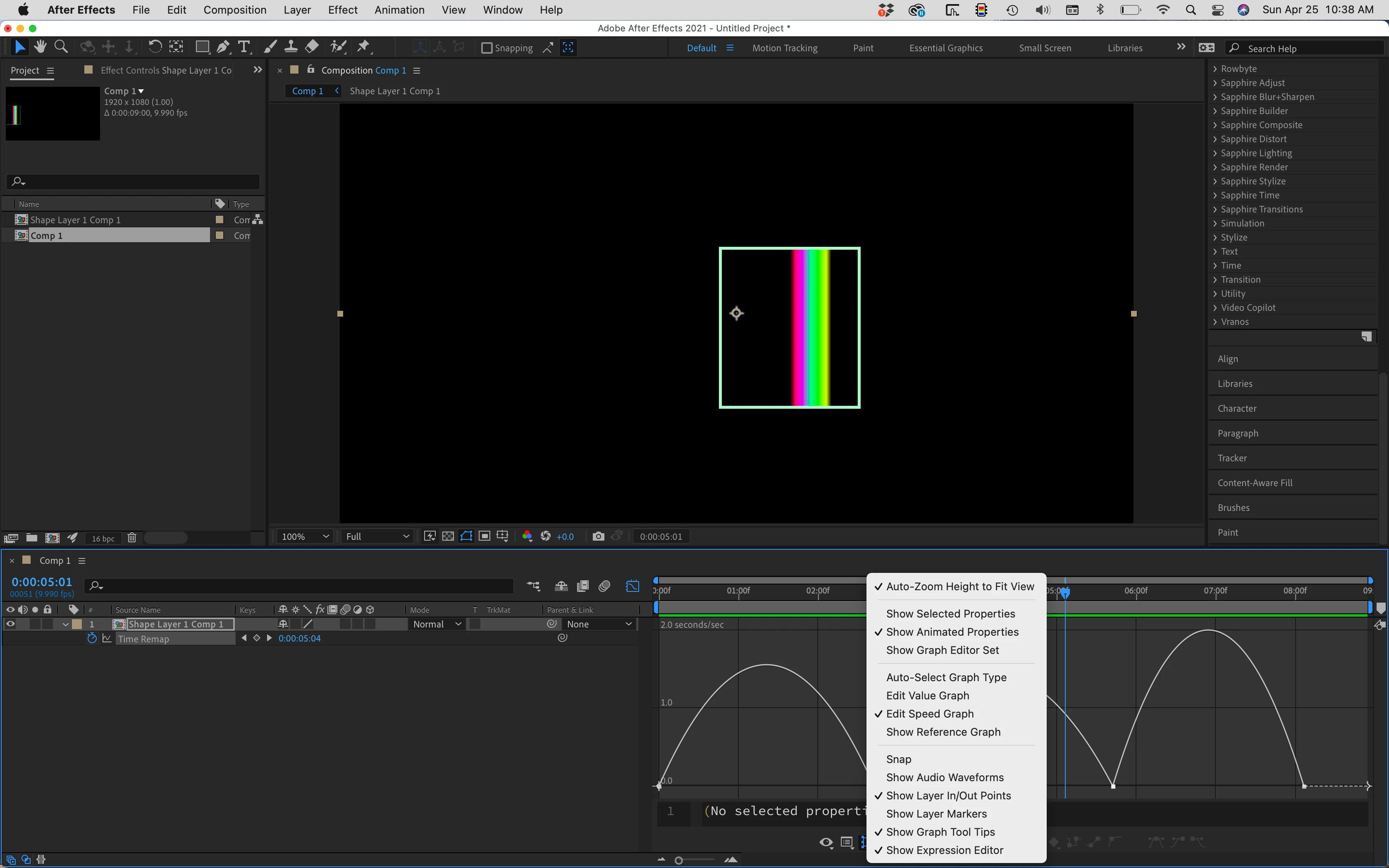
Same keyframes with the Value Graph:
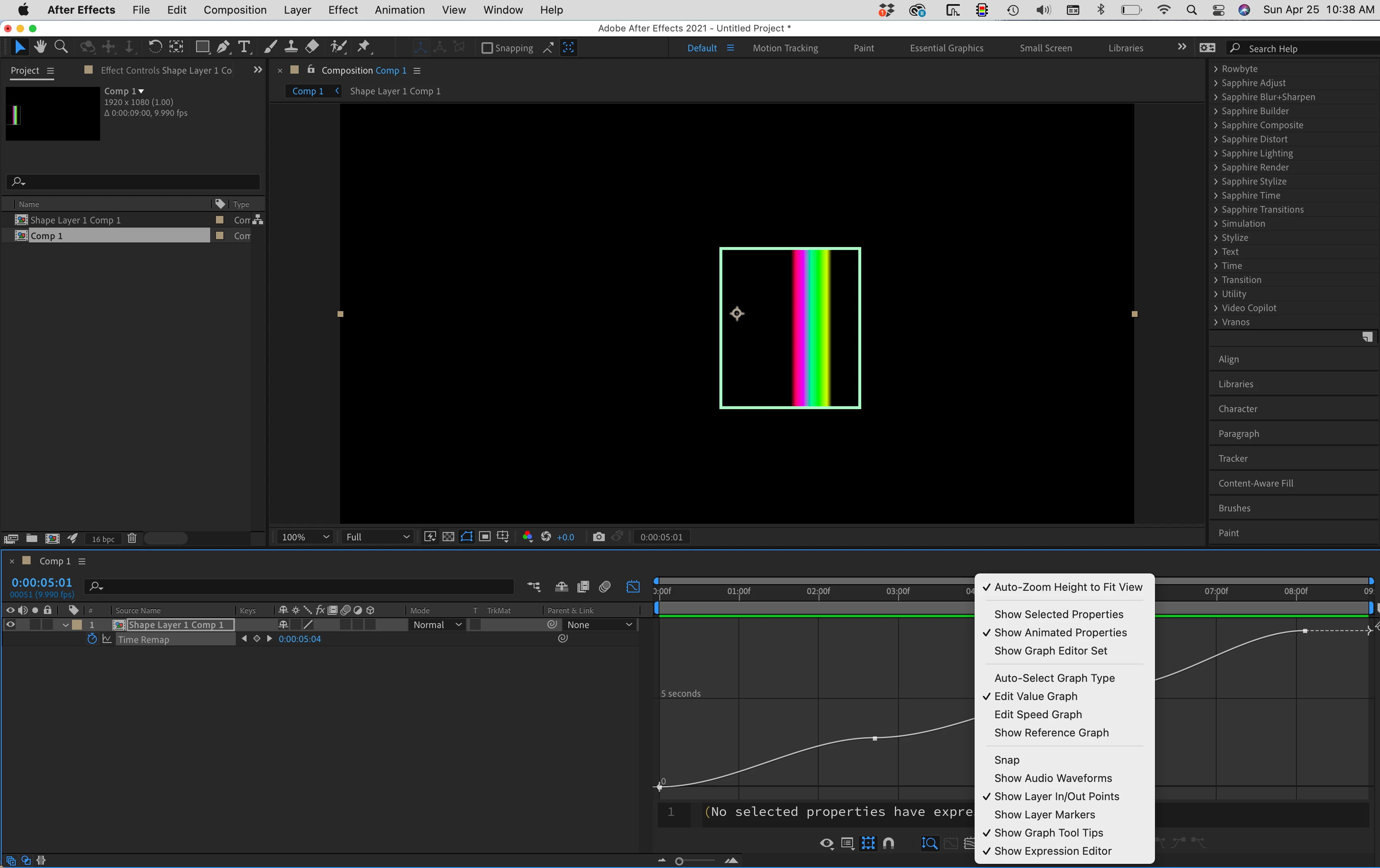
Value Graph showing clip playing forward then backward, then forward again:
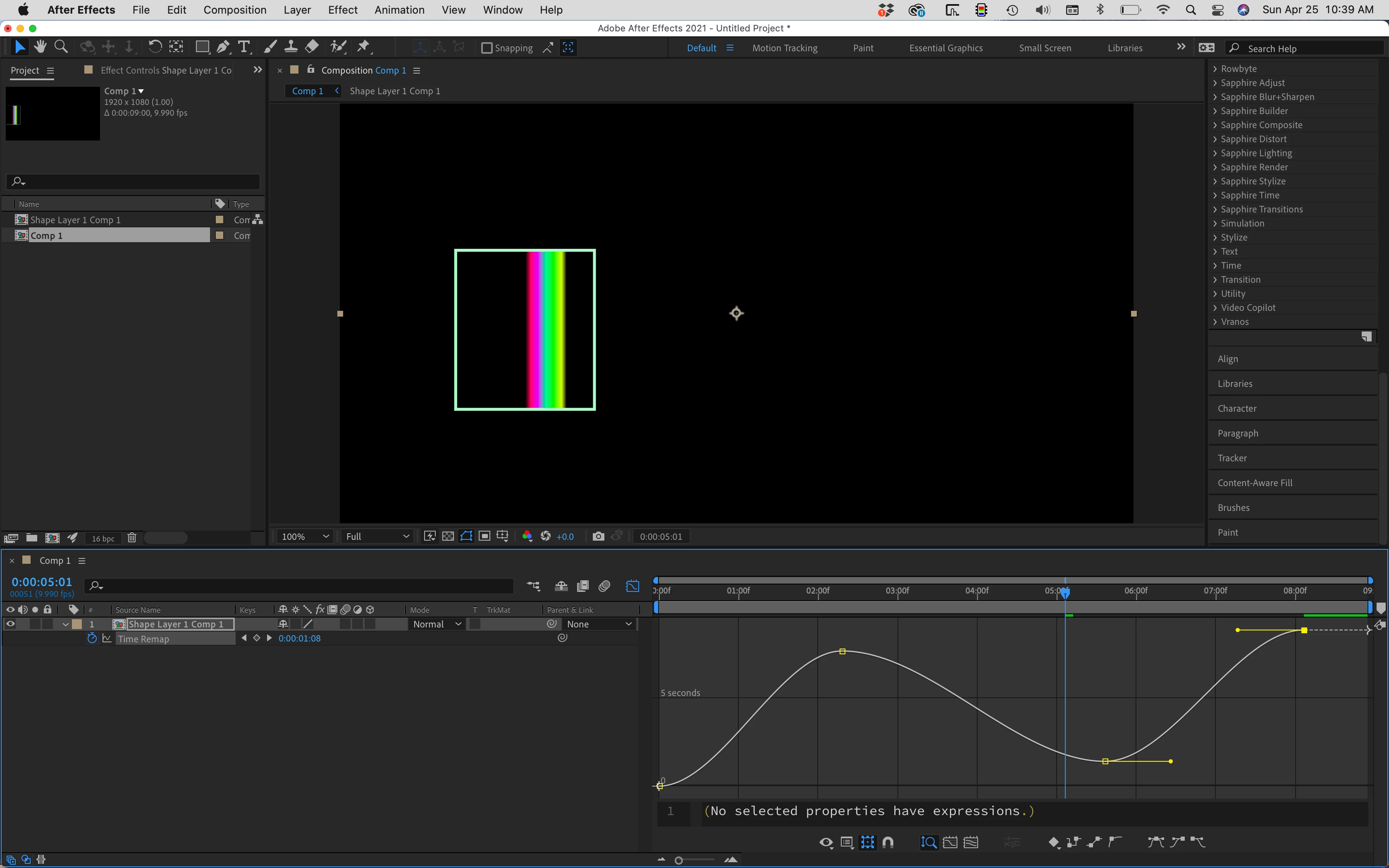
If you look at the value graph, the line is at an angle. As long as the line is angled up the clip is playing forward. When the line moves down the clip is playing backward. If you are trying to hit a specific frame at a specific time then finding the frame, adding a keyframe, then dragging it to the proper time is the easiest way to get there, Then you use the Value graph to adjust acceleration and deceleration for the time change. 


If you want to speed up and slow down and have that change consistent then manipulating the keyframe position while adjusting the curves with the speed graph is a good workflow. Your only problem is that you are not understanding what you are looking at. 

 

14 replies

Participant
Jan 13, 2022 3:07 PM UTC

how did u solve this problem 


Translate
zom1bieAuthor
Participant
Jan 15, 2022 11:33 AM UTC

i held ctrl and scrolled up

Translate
Participant
Sep 22, 2025 3:36 PM UTC

hii I'm late but did you fix this please?

Translate
Participant
Jan 13, 2022 12:28 PM UTC

Same thing happening with me 


Translate
Participant
Jan 13, 2022 12:30 PM UTC

I ve easy eased the keyframes 

Translate
Participant
Jan 22, 2022 1:46 AM UTC

did it work for you? I have the same problem and none of these answers seem to work.

Translate
Rick GerardCommunity ExpertCorrect answer
Community Expert
Apr 25, 2021 5:50 PM UTC

Cropped screenshots are pretty useless when it comes to diagnosing problems. If you are looking at and editing the speed graph and you have a straight line then the speed of the playback is constant. You can have a bunch of keyframes, but if you have not moved any of them left or right then the speed doesn't change and the line is straight. The higher the line the faster the clip plays back. I would bet that your graph is set to the speed graph. Value Graph playing forward at a constant frame rate.

Speed Graph with constant playback rate:

Speed Graph that shows slowing and speeding up;

Same keyframes with the Value Graph:

Value Graph showing clip playing forward then backward, then forward again:

If you look at the value graph, the line is at an angle. As long as the line is angled up the clip is playing forward. When the line moves down the clip is playing backward. If you are trying to hit a specific frame at a specific time then finding the frame, adding a keyframe, then dragging it to the proper time is the easiest way to get there, Then you use the Value graph to adjust acceleration and deceleration for the time change. 


If you want to speed up and slow down and have that change consistent then manipulating the keyframe position while adjusting the curves with the speed graph is a good workflow. Your only problem is that you are not understanding what you are looking at. 

 

Translate
zom1bieAuthor
Participant
Apr 25, 2021 6:35 PM UTC

thankyou! Turns out all my keyframes werent easy eased and reading through the answer helped me realise that. Ive recently switched from twixtor to time remap, and havent really understood everything it does yet. Thanks again for the answer.

Translate
Jose Panadero
Community Expert
Community Expert
Apr 25, 2021 5:16 PM UTC

This happens when you have more than one curve selected and After Effects tries to show you all the values of all of your curves at the same time. While some of them can be bigger others could be plain. I'm pretty sure you have any other curve selected because your curve is orange, and this only happens if you have more than one curve selected. What you can do is to deactivate the Show Animated Properties and Show Graph Editor Set in the button that conntrols what kind of curves are shown in the graph editor, mainntain only the Show Selected properties active. Check attached image.


Translate
Community Expert
Apr 25, 2021 3:00 AM UTC

Is the "auto zoom graph height" button is checked?:


Translate
zom1bieAuthor
Participant
Apr 25, 2021 10:56 AM UTC

yes, and it still appers a straight line

Translate