Participant
March 4, 2021
Answered

Timeline missing, even after resetting the workspace to default.

  • March 4, 2021
  • 2 replies
  • 1388 views

I was working on an AMV (Anime Music Video) and accidentally pressed CTRL + W, this got rid of my time line and now all i see is this; 
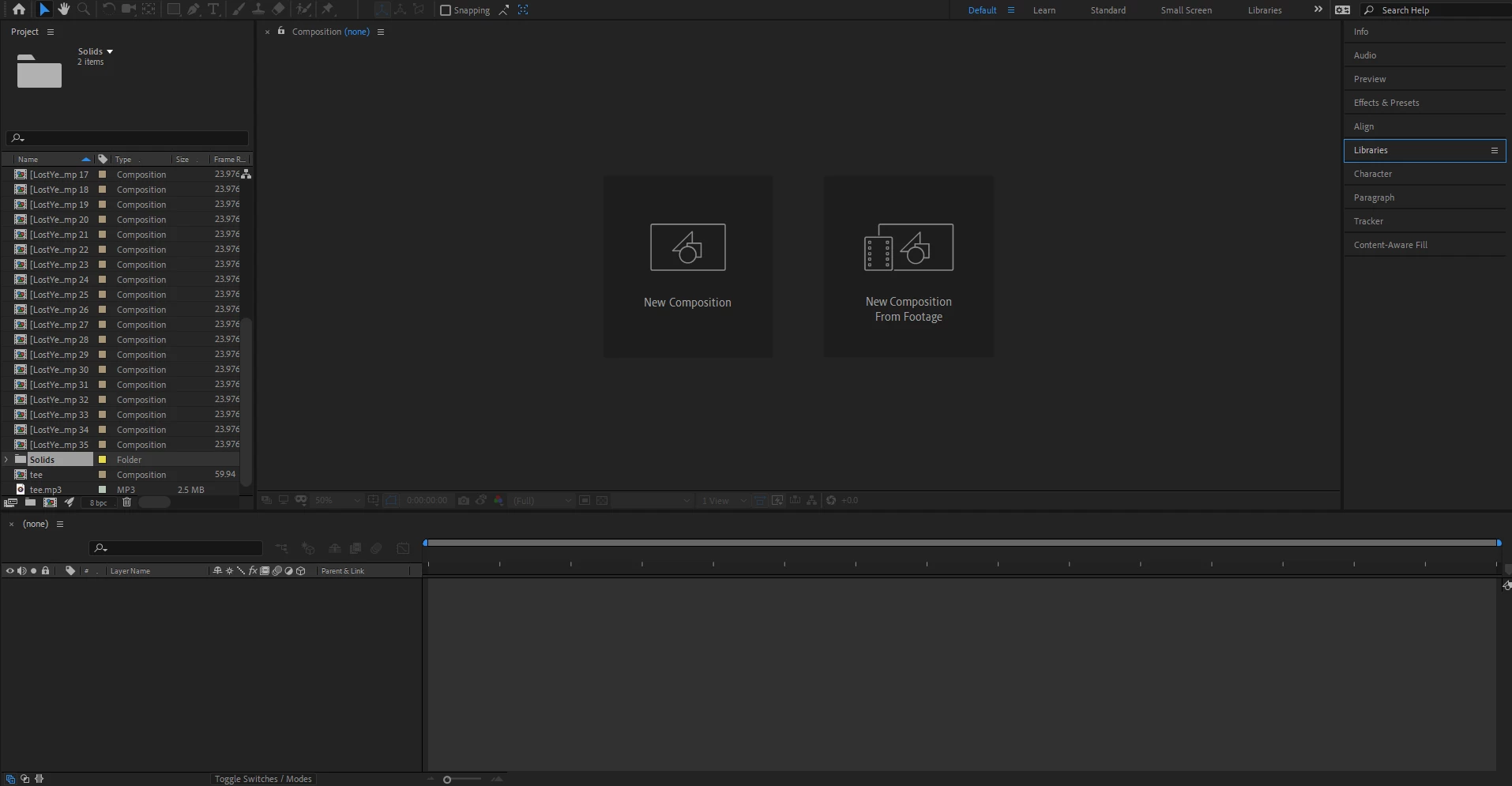
I've reset my workspace to default, closed the application and started it again and tried opening the save via a different route. Someone please help me as this was going to be one of my best videos yet and it just got flushed down the drain. 


This topic has been closed for replies.
Correct answer Roland Kahlenberg

I manual save after every change.


CTRL+W only closes the active Panel - nothing is deleted. You can re-open a Composition by double clicking it in the Project Panel. To open multiple compositions, select them in the Project Panel and double click on any of the selected Compositions.


2 replies

nishu_kush
Legend
March 5, 2021

Hi Berkan5CC4,


Thanks for writing in.

I was able to replicate it at my end. I pressed Ctrl+W with the Composition panel selected and it closed the Timeline. However, I was able to get it back by double-clicking the Composition in the Project panel. Is this not how it works at your end?

Let us know.


Thanks,

Nishu

Participant
March 5, 2021

Hi Nishu, thanks for the response.


I am able to get it back by double clicking the composition but i have 35 compositions altogether, meaning my time spent on trimming and arranging had been futile. 

Is there no other way to get my project back just how it was before?

Roland Kahlenberg
Legend
March 5, 2021

Unless you've enabled Autosave or committed to a manual save, there is no way to obtain your previous work.

Very Advanced After Effects Training | Adaptive & Responsive Toolkits | Intelligent Design Assets (IDAs) | MoGraph Design System DEV
Peru Bob
Community Expert
Community Expert
March 4, 2021

Do you have an auosave or backup file?

Participant
March 4, 2021

it autosaves but i save manually, i also have a copy of the project but its really far behind and i'd have to do everything again. Is there no way i can restore this one to how it was before the error?