DaEricPink
Participant
July 31, 2017
Answered

Timeline not displaying frames or secs.

  • July 31, 2017
  • 3 replies
  • 1156 views

Hi,

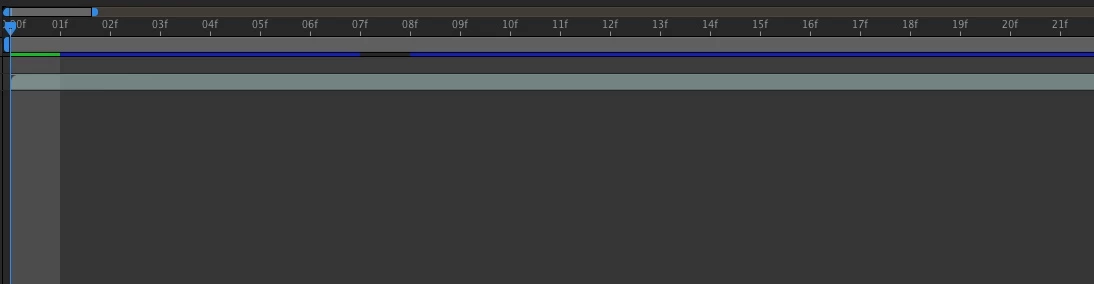
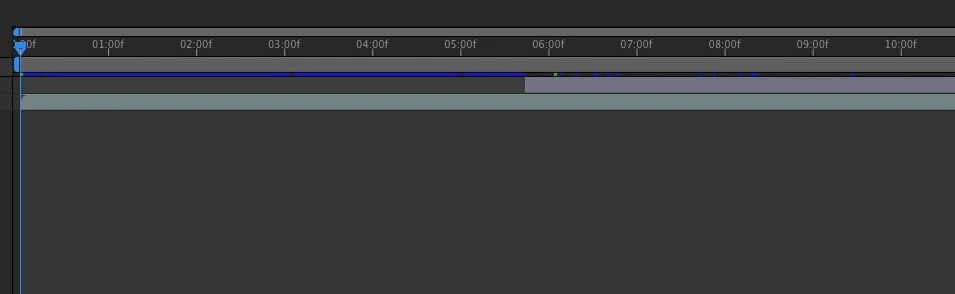
this might be something really stupid..... but my timeline is not showing frames or Secs. I know you can command (on MAC) click to switch between frames or timecode. When I am on frame mode, it properly displays the frames on the timeline. But when I am on timecode mode it displays the timeline in 01:00f, 02:00f, when it is all zoomed out, it shows 01f, 02f, 03f. I have attached pictures as well. I want the timeline to display regular time code. 
This topic has been closed for replies.
Correct answer Roei Tzoref

not stupid. a bug in the recent version.

Re: Time rules (Displaying time seconds instead of frames)

3 replies

DaEricPink
Participant
August 4, 2017

Once I created a new composition, and set frame rate to 25 a regular timeline showed up! Thank you for solving this with me. I guess I just have to wait for the next update when the fix the bug?

Roei Tzoref
Legend
August 4, 2017

We have to wait but please submit a bug report to adobe through the wishform page

DaEricPink
Participant
July 31, 2017

hope this helps

Roei Tzoref
Legend
July 31, 2017

Change the frame rate to 25 just to check. does it look fine? if so, then it's the bug. 00:01f is just 01s so that's not too bad in regards to timeline orientation. The issue really starts when you are zoomed further in and start seeing the time ruler in strange intervals like 12:10 12:35 and so on. Nothing to do about this bug. It happens on 30fps and 29.97fps btw

Roei Tzoref
Roei TzorefCorrect answer
Legend
July 31, 2017

not stupid. a bug in the recent version.

Re: Time rules (Displaying time seconds instead of frames)

DaEricPink
Participant
July 31, 2017

so there is no work around for now?

Roei Tzoref
Legend
July 31, 2017

hold on. show a full screenshot of your Ae interface. I am not sure you are experiencing the same bug.