
Participant
December 26, 2019
Question

Timeline will not play unless I reset the Audio Hardware MME preferences

  • December 26, 2019
  • 2 replies
  • 383 views

Hi,

I'm constantly getting this problem where sometimes I press play and the timeline will not play - the green cache bar progresses fine but the playhead gets stuck and nothing plays. The only way to fix this is if I go to the Audio Hardware preferences and change the device class from MME to ASIO and back to MME again. Why is this? It's really annoying.
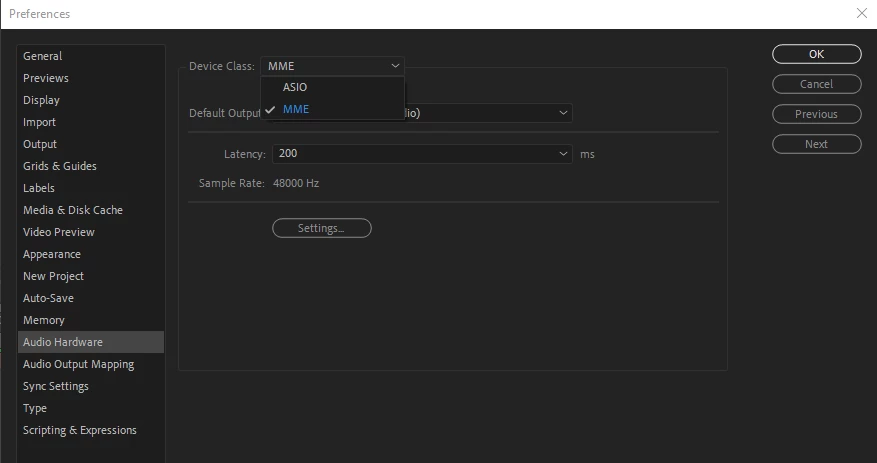
 

Thanks

This topic has been closed for replies.

2 replies

P.M.B
Legend
December 26, 2019

Maybe try leaving it on ASIO and restarting AE?  Or resetting your preferences?

~Gutterfish
Community Expert
December 26, 2019

Try resetting the preferences:


Press Alt (Windows) or Option (Mac OS) while launching After Effects. You can release the Alt orOption key when the splash screen appears.

To reset preferences and plug-in cache at the same time, hold down Control-Shift-Alt (Windows) or Command-Shift-Option (Mac OS) while the application is starting. Release the keys when the splash screen appears.

Byron.