
Sammieko
Participating Frequently
September 12, 2021
Question

Tips tracking game footage

  • September 12, 2021
  • 3 replies
  • 228 views

Hi everyone, i am trying to track and added some effects in some gameplay foottage what i got 

i trying to put fire on a weapon:
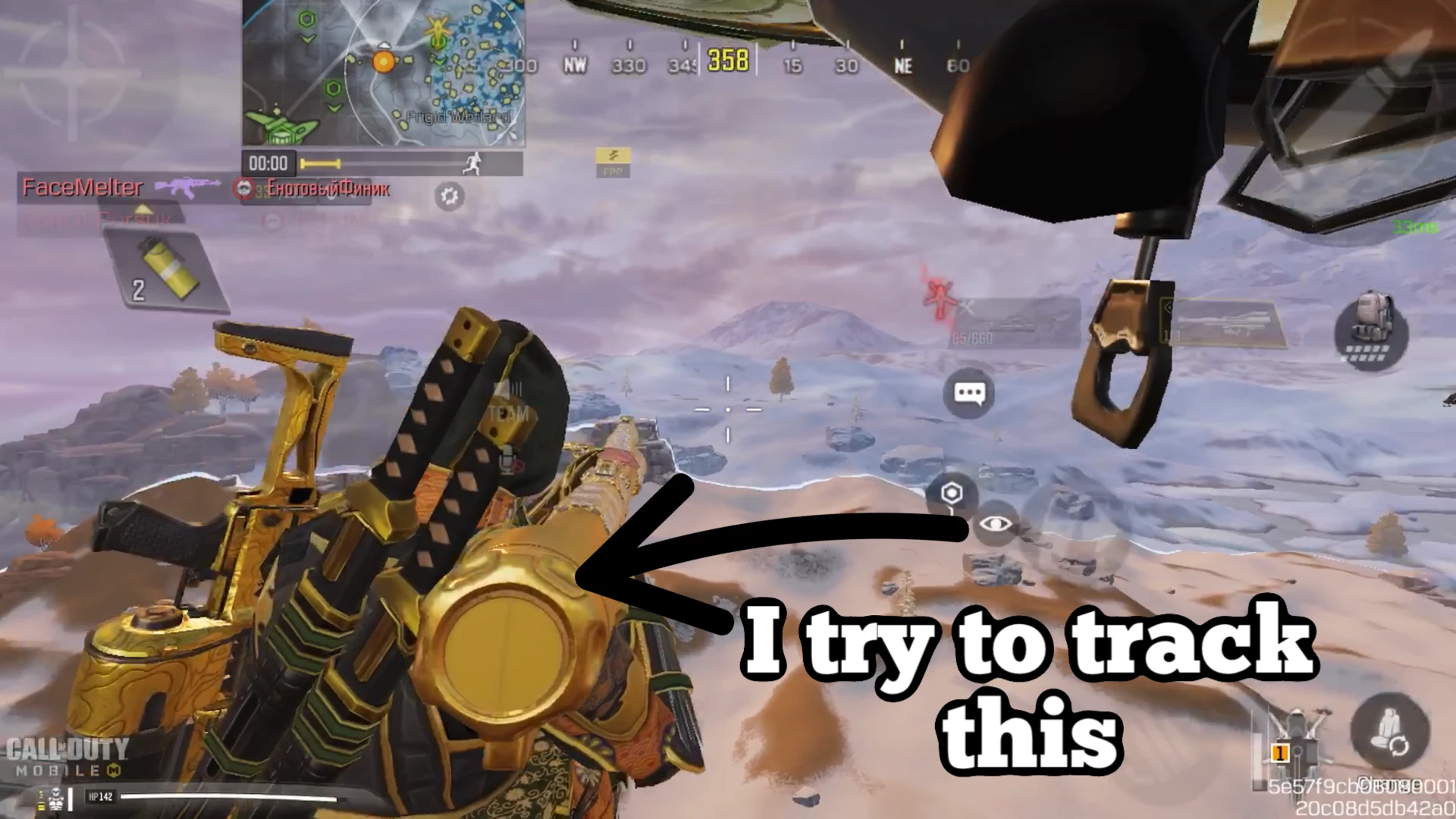
But i am not getting it done yet..

any tips? And does it help if i rotoscope out the weapon first and track the data on the rotoscoped file?


Greatz sam


This topic has been closed for replies.

3 replies

Mylenium
Legend
September 13, 2021
quote

And does it help if i rotoscope out the weapon first and track the data on the rotoscoped file?


No, it doesn't an is in fact pretty terrible to even think about. As the otehrs said already, most likely it will be best if you spend your time on conventional 2D tracking techniques. Game engines employ all sorts of cheats to render their screens and it breaks spatial consistency and plausibility. Just by looking at your image I would assume that the mountains in the background are rendered completely differently from the foreground and would not be any use for camera tracking.


Mylenium

Community Expert
September 13, 2021

You will want to use a feature tracker, not the camera tracker. The camera tracker is not going to work well because the perspective and parallax you get in most game footage rarely mimic what a real camera would see.


I suggest you use Mocha AE. That can give you corner pin, transform, and even mask tracking but you'll have to learn how to use Mocha AE. To do that, spend some time here:  Mocha Basics

Roland Kahlenberg
Legend
September 12, 2021

It's best that you describe the issues you faced while trying to accomplish this task as well as the tool you used. A single image doesn't help much when we have to work with moving images. 

AE's Motion Tracking Tool should be fine for this task and of course you have the bundled BorisFX MochaAE plugin which works exceptionally well for more challenging tasks involving multi-point and perspective tracking. 

Very Advanced After Effects Training | Adaptive & Responsive Toolkits | Intelligent Design Assets (IDAs) | MoGraph Design System DEV