
Trace Path (Orbit)
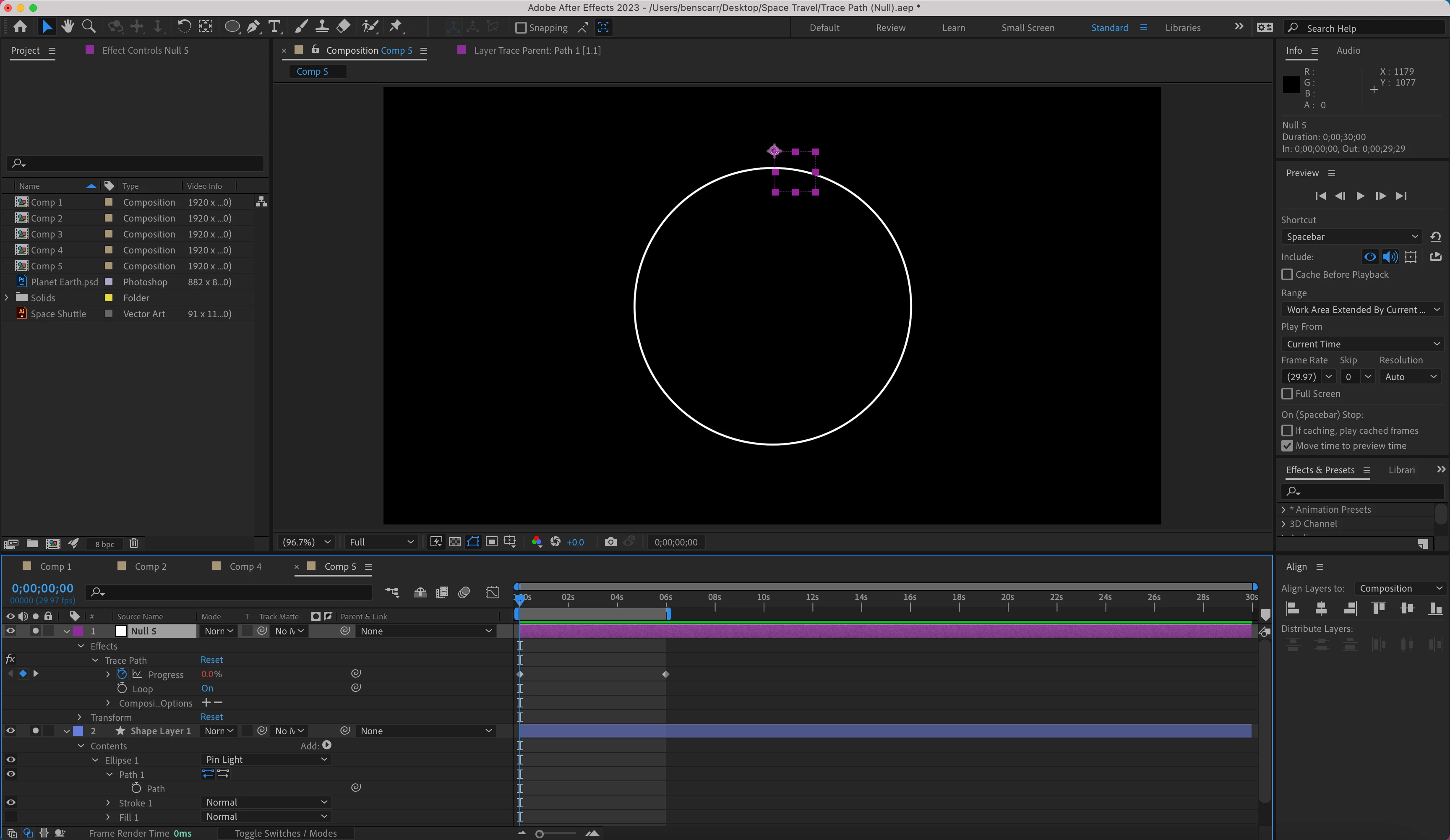
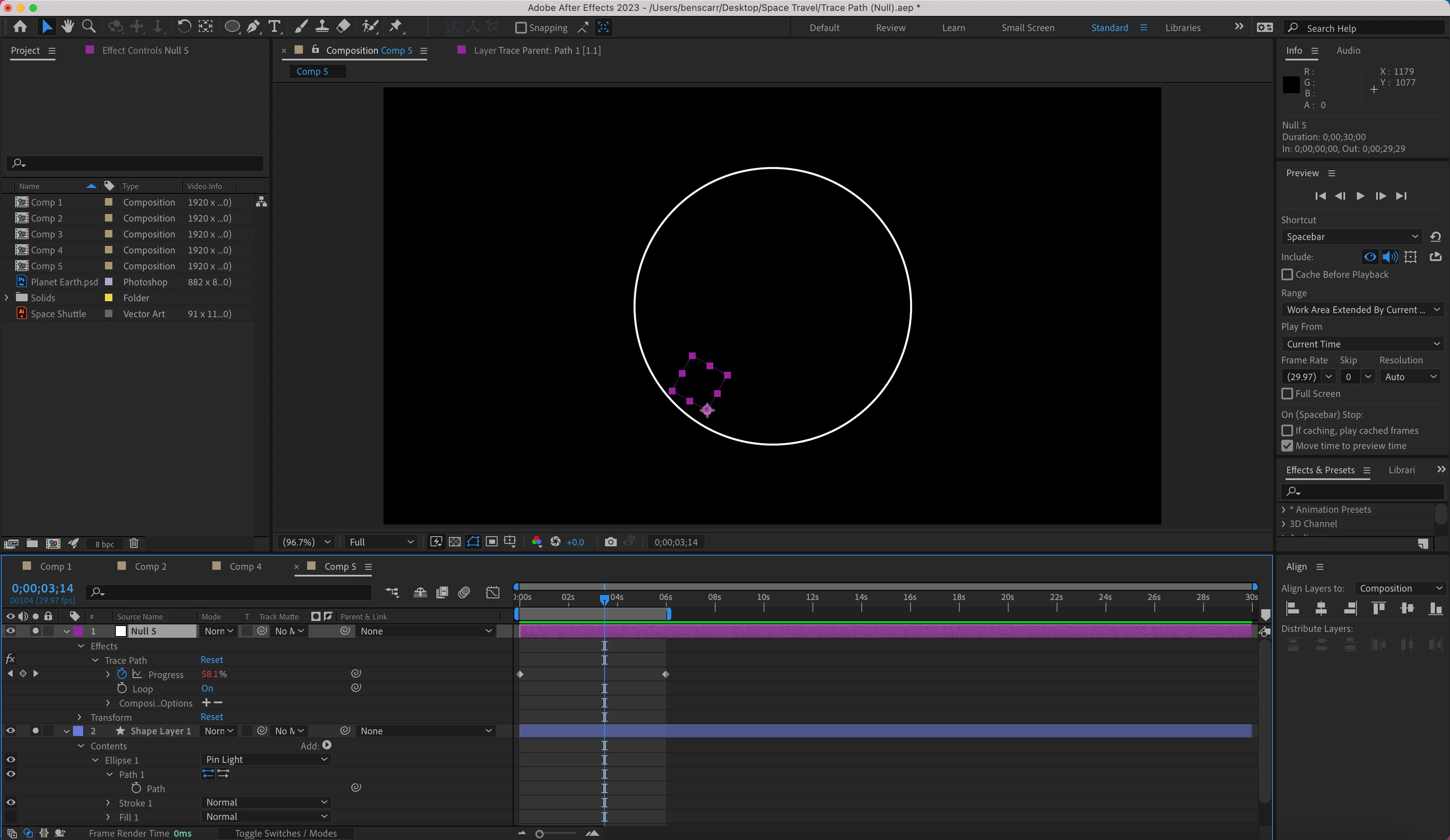
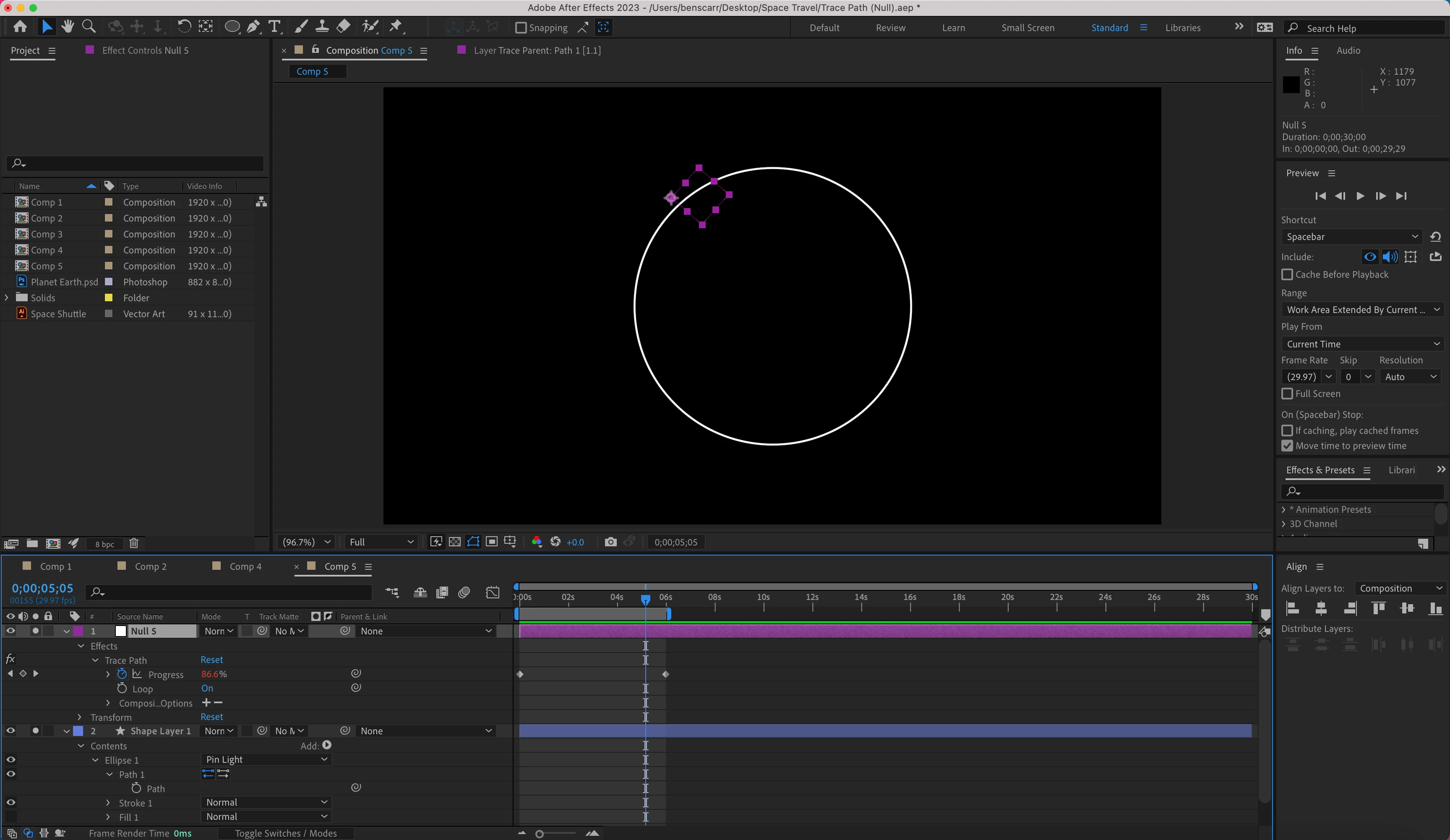
I more a less know what to do now with the Motion Path. One problem I have is that when I create a 'Circle', then Trim Path, make the path a Vector. The 'Null' doesn't stick rigidly to the 'Circle' when add 'Trace Path'.
It's moves in a circle, but first slightly above the circle, then slightly in side the circle, than again slightly outside the circle at the end. What is it that I'm missing out?
The issue is when I created a shape using the Pen Tool, the Null fixes directly to the Path, then moves directly along the path. But when I use the Ellipse Tool to make a Circle, the Null doesn't automatically fix on the Circle, and does't move directly along the Circle.
Screenshot 1 (Null above circle)
Screenshot 2 (Null inside circle)
Screenshot 3 (Null ouside circle)
 AdChoices