Yuzuki_Taro
Known Participant
Aug 27, 2018 10:02 AM UTC
Answered

Track matte isn't working in 3D mode?

Hey there!

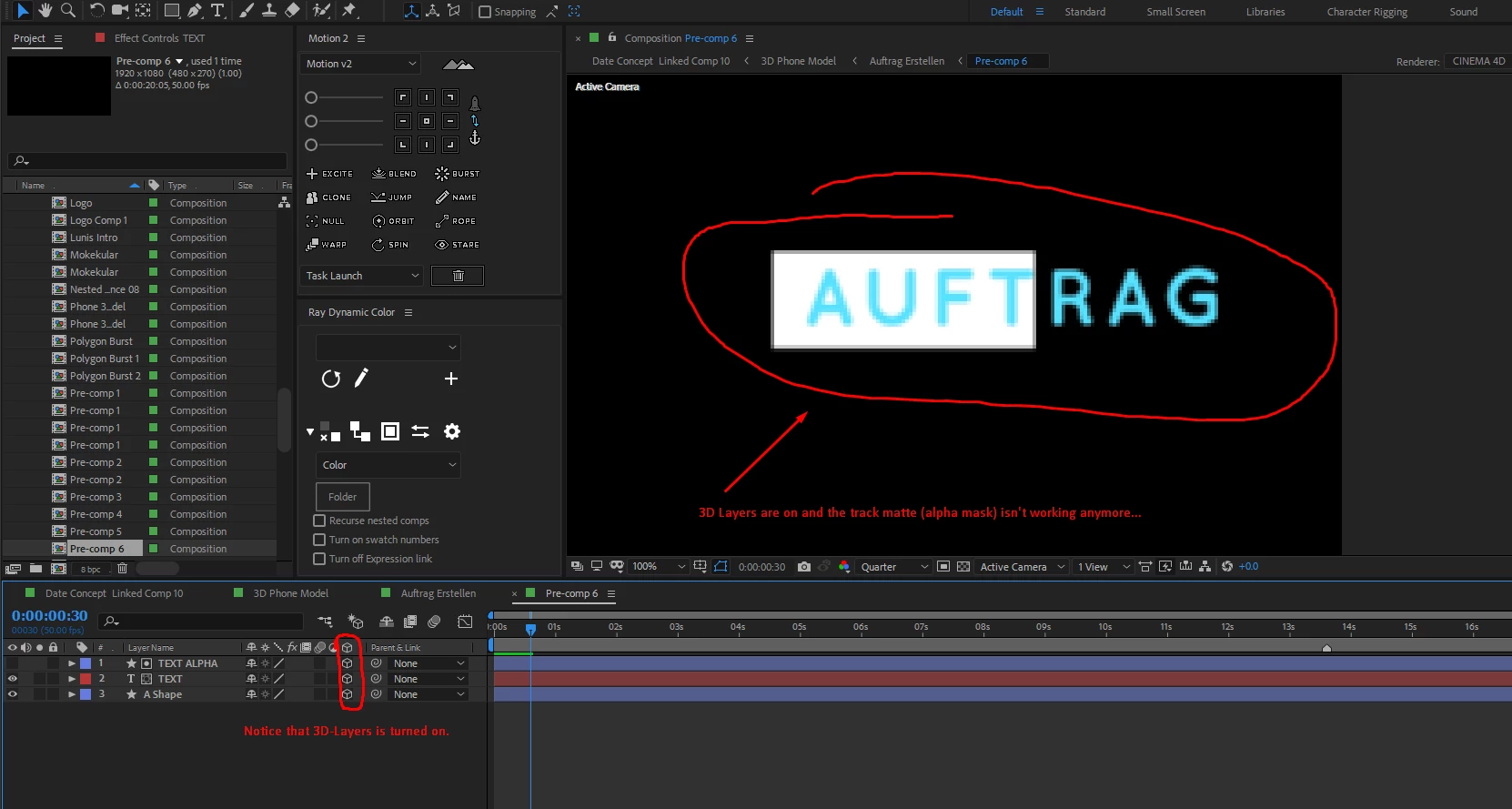
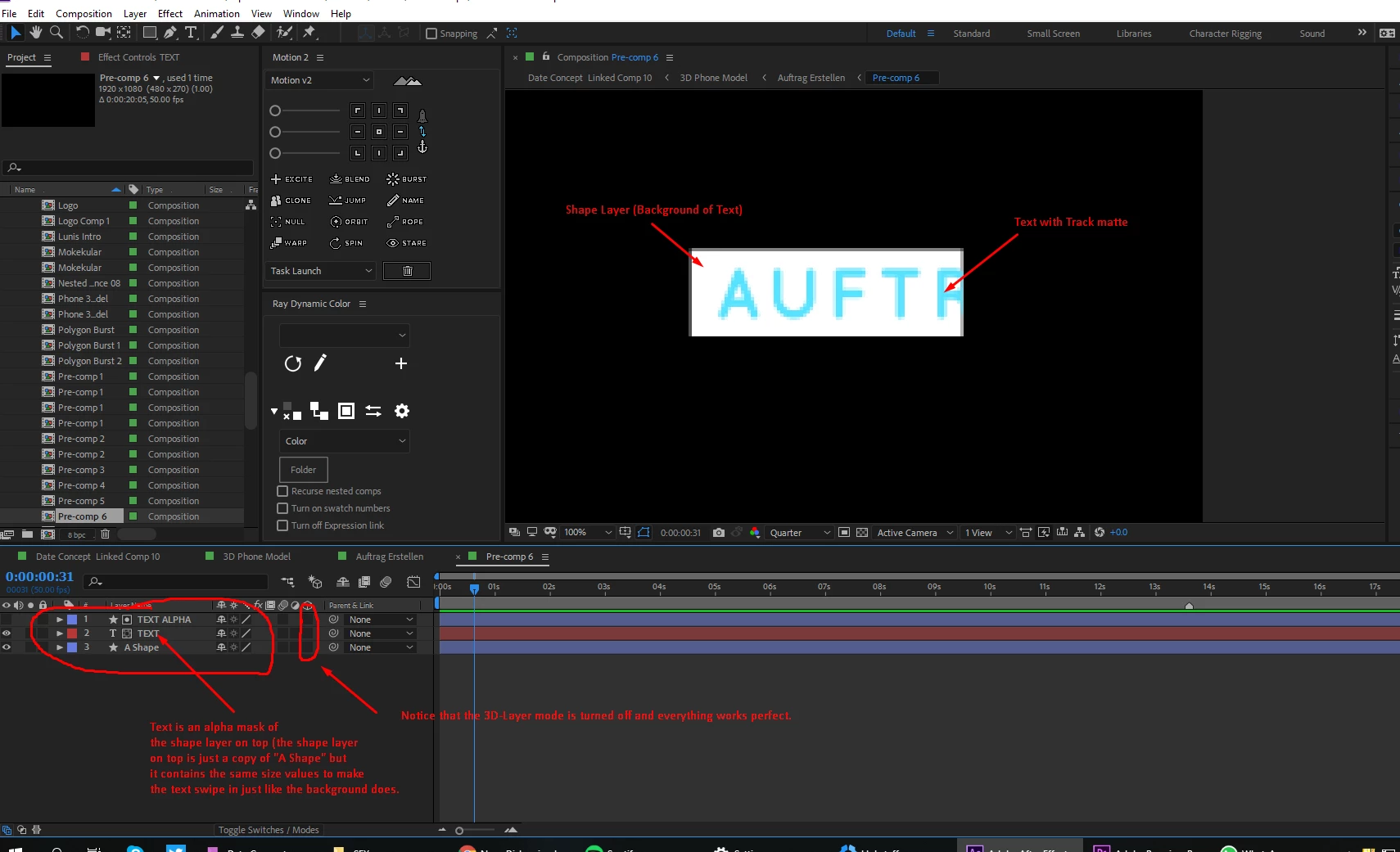
I am working on a project, where I am doing an 3D phone advertisement in after effects. I have to track some text next to the phone. The text is on a white shaper layer and I animated the size of the shape layer (disabled constrain proportions), set the first value to 0 and then to 100 so it kinda swipes in. I duplicated this layer and put it on top of my text layer and set the track matte of the text layer to alpha, so that it also swipes in. But when I turn on 3D-Layer the text disappears and moves behind the shape background and when I move it in front of the shape layer it works but stays there forever and the track matte isn't working anymore...

Is there any way to fix this?
Roei Tzoref
Roei TzorefCorrect answer
Legend
Aug 27, 2018 10:30 AM UTC

change your 3d engine to classic 3d:

8 replies

Participant
May 2, 2025 6:45 AM UTC

May 2025 here - These solutions didn't work for me. I found a solution through a Reddit thread. Remove any layers styles on your layer.

Translate
SalaryMang
Participant
Aug 28, 2025 2:46 AM UTC

Solved, Thx

Translate
Participant
Aug 5, 2021 8:30 AM UTC

If anyone like me still have problems – I solved it by clicking the little sun-icon for each shape used as alpha.

Translate
Participating Frequently
Jan 7, 2023 7:53 PM UTC

Didnt solve my problem in AE2023 never ran into that before. Render is Classic 3D collapsed / not collapsed makes no difference. the layers are aligned in z achis. So the matte layer even is physically in front of the other layer. seems the issue only happens with this certain illustrator layer. Any known pronlems with Illustator layers? Thank you! Daniel

Translate
Known Participant
Jan 24, 2023 10:50 PM UTC

I have this problem which seems to be a new 2023 bug.  Trying to matte a 3D layer using a 2D matte layer won't work for me regardless of Classic 3D or Collapsed transforms settings 😞  

Translate
Roei Tzoref
Roei TzorefCorrect answer
Legend
Aug 27, 2018 10:30 AM UTC

change your 3d engine to classic 3d:

Translate
Yuzuki_Taro
Known Participant
Aug 27, 2018 10:47 AM UTC

oh... haha so simple... thank you mate!

Translate