
Known Participant
November 3, 2022
Question

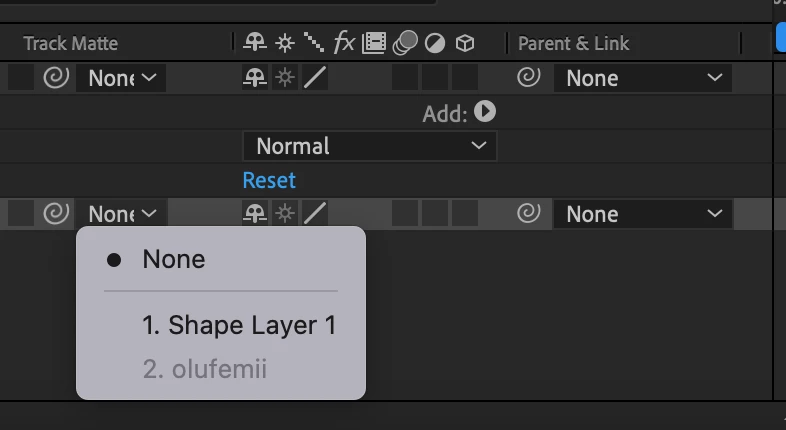
Track Matte options unavailable

  • November 3, 2022
  • 1 reply
  • 227 views

Hello! I'm trying to learn After Effects and I need to select the "Alpha Matte" option that SHOULD be under "Track Matte." It is not. Does anyone know what's going on or how to fix it? All I see when I open the drop down under Track Matte are the layers I have within the composition. Please help!
This topic is closed to new replies. Start a new post to keep the conversation going.

1 reply

Community Expert
November 3, 2022

The Track Matte feature has been greatly improved in the latest release. The layer can be anywhere in the timeline and can be used as the matte for multiple layers. Make sure you have both the Modes and Switches columns visible by selecting the first two icons in the bottom left corner of the Timeline panel, then experiment with the new UI. To learn more about the changes type Track Matte in the Search Help field in the top right corner of After Effects. 


There are also several threads on this forum on the subject.