


Participant
February 4, 2024
Question

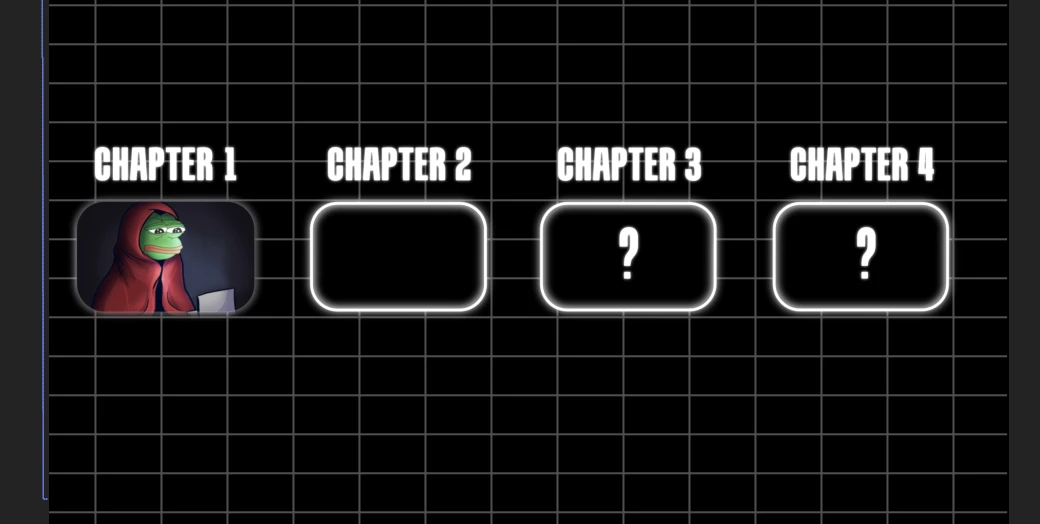
Track matte Stroke of the Solid Dissapears
  • February 4, 2024
  • 1 reply
  • 132 views


Hello, i need some help with the stroke of my rectangle. I used Track matte on my frog picture to fir perfectly in the rectangle shape, but the stroke with the glow effect dissapears. I need stroke effect like on the other rectangles. How can I fix that? 


Thank you in advance for your help!

This topic has been closed for replies.

1 reply

Community Expert
February 4, 2024

It looks like you have a layer order problem, or you are using the layer with the stroke as a track matte, and it got turned off. Cropped screenshots are pretty useless when it comes to diagnosing workflow problems. Show us the entire timeline with the modified properties of the problem layers revealed. Select the frog image and the layer with the stroke, press 'uu' to show us the things that are modified, and have both the Modes and Switches columns turned on by selecting the first two icons in the bottom left corner of the timeline, then post the screenshot if you can't figure it out.

Participant
February 4, 2024

Hello, thank you for your answer, I am sending a screenshot.