
Zonama
Participant
April 25, 2017
Answered

Tracking an Video/Image to a TV

  • April 25, 2017
  • 3 replies
  • 1346 views

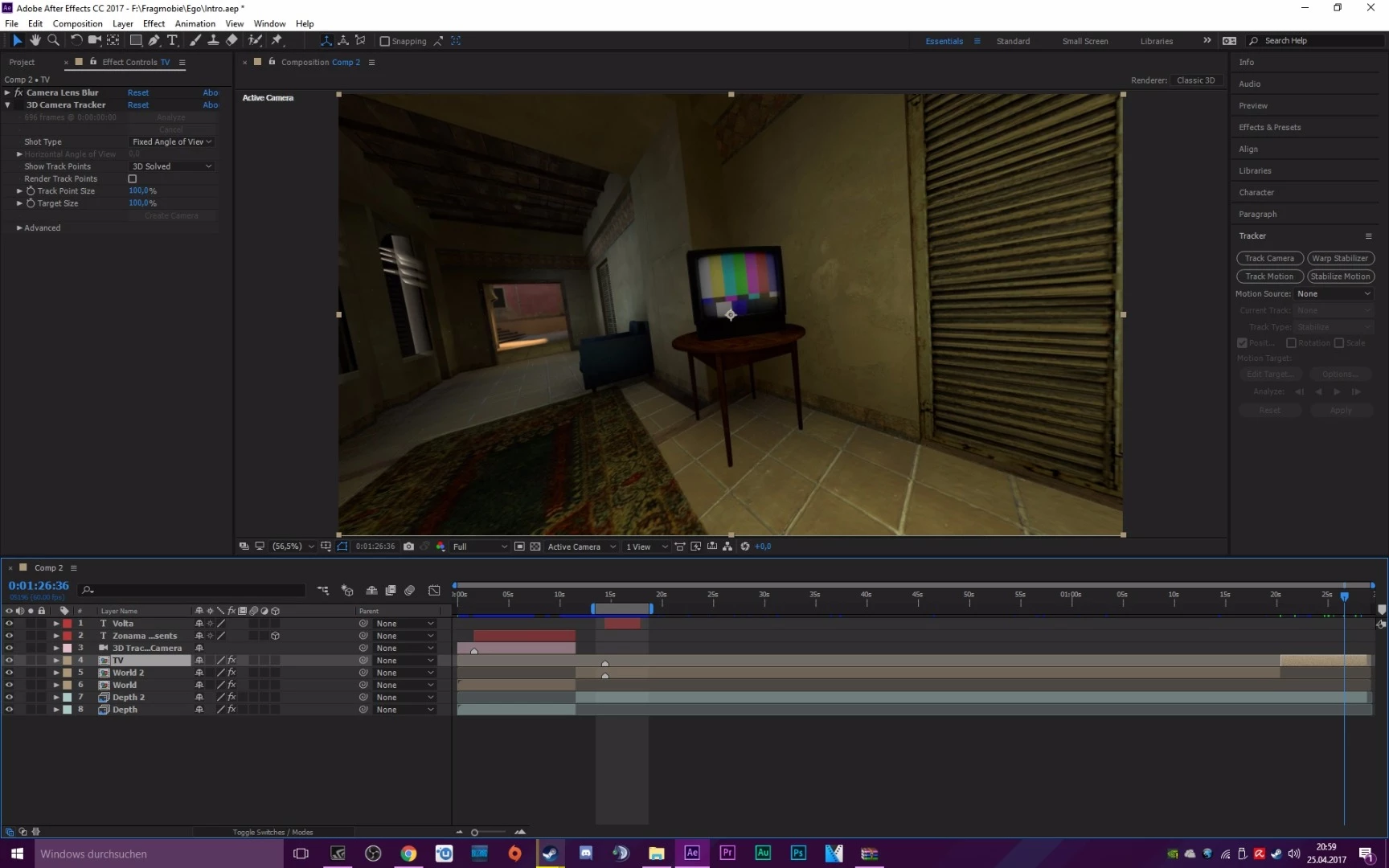
Hey, i wanna track a Video to a TV. I don't think, that this will be very hard, maybe much work, but nothing Special. But i would like to make it something special, because it would be great, to round off the corners of the Videos, to stretch it in a perfect way to the TV. Do you know any effect/Plugin or Way to do this?@Roei TzorefAfter EffectsDeutsche Foren​@
This topic has been closed for replies.
Correct answer Roei Tzoref

if you mean you are looking for an effect that will warp the layer, you have 2d warp effects in Ae like mesh warp and bezier warp. look under distort in effects for something that will suit your needs.

of course you do have to track it first and composite it in the right way. this reminds me of a tutorial with a TV too by our community's very own, very long time contributor, and among other things - a top notch vfx artist Rick Gerard. have a look-see:

3 replies

Zonama
ZonamaAuthor
Participant
April 26, 2017

I know why i tagged you! Thanks a lot of your help, hope i didn't bothered you

Roei Tzoref
Legend
April 26, 2017

No bother Zonama  Glad we go you sorted

Dave_LaRonde
Inspiring
April 25, 2017

Too bad the set has color bars on it.  A lot of TV's go to a blue screen if there's no video input, which would have been a lot better. 

You could have animated a mask -- the tough part of this effect shot, incidentally -- and used the same animated mask to cut a hole where the new video would go.   On a duplicated layer,you could have inverted the animated mask, removied the color and played with the blend modes to create dead-solid-perfect moving glares on the screen that inevitably happen when you move a camera on glass surface.

Roei Tzoref
Roei TzorefCorrect answer
Legend
April 25, 2017

if you mean you are looking for an effect that will warp the layer, you have 2d warp effects in Ae like mesh warp and bezier warp. look under distort in effects for something that will suit your needs.

of course you do have to track it first and composite it in the right way. this reminds me of a tutorial with a TV too by our community's very own, very long time contributor, and among other things - a top notch vfx artist Rick Gerard. have a look-see: