


Tracking randomly rotates for no reason
Please help!
I have spent hours on chat with Adobe and they have no clue.
My tracker is not working properly. I first run a smooth track along a moving green box (to be cut out later).
I then edit target and select the item (a tiff) I want to move along my track.
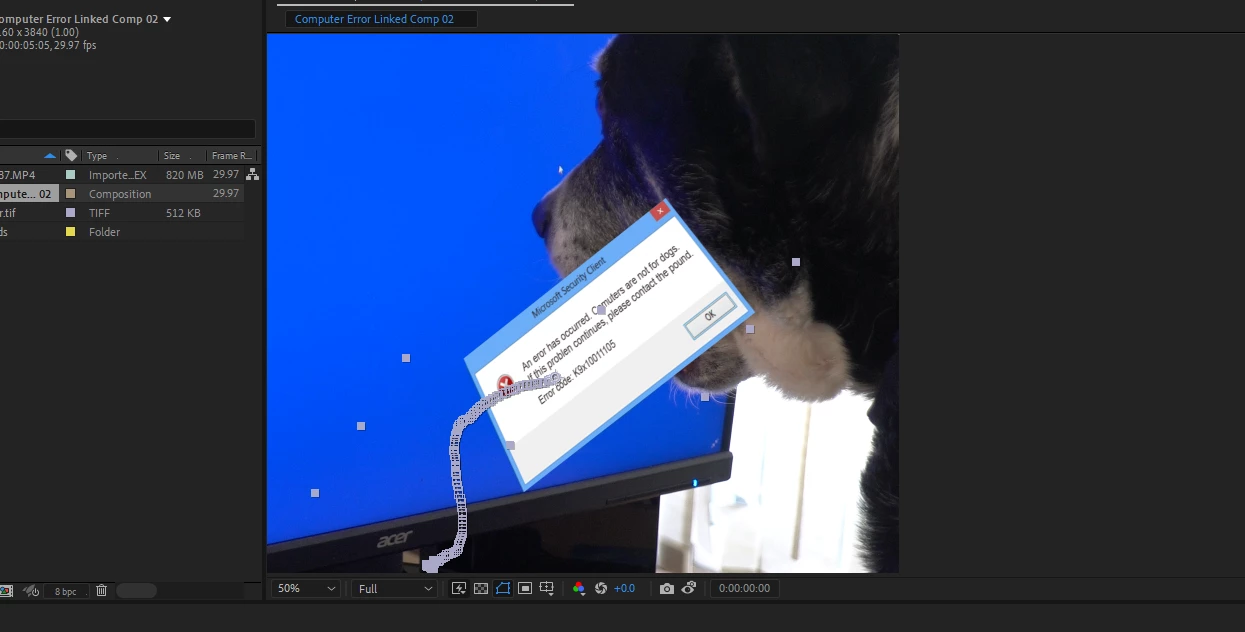
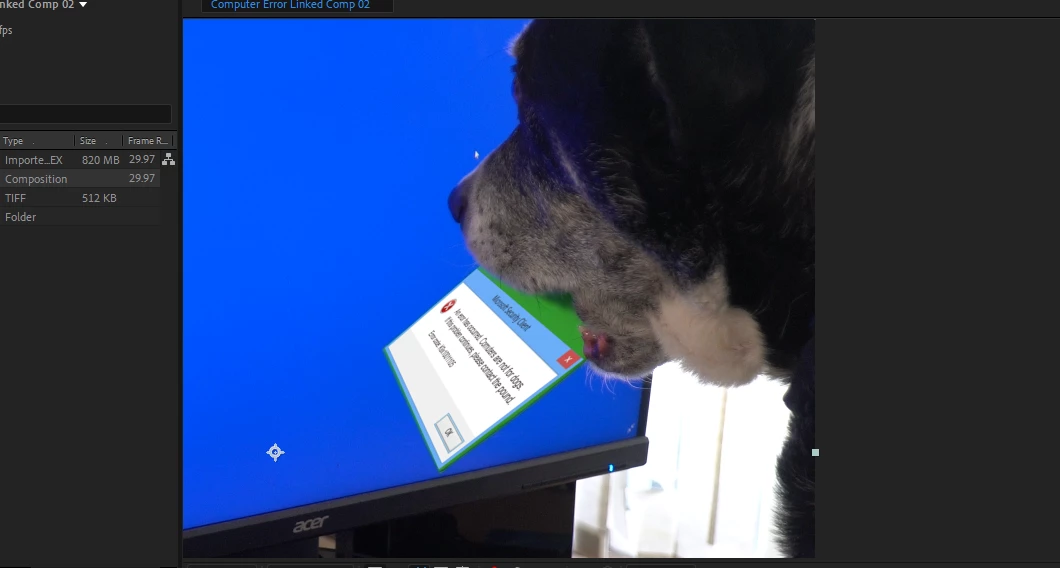
But when I select Apply my target rotates 90 degrees in the wrong direction!
I have tried uploading the Tiff rotated at -90 degrees but didn't change anything. I have tried pining the Tiff to where I want it to start, but again there is no change. If I move it back into place it will rotate off on the next frame. A null in between has the same result.
I have an updated program, even removed and reloaded. I have started the project from scratch but still get the same. This is obviously a programming flaw from Adobe.
I am up to 9 hours of trying to figure out how to make the tracker work properly without any luck. Does anyone have a work-around for this problem?
Before I hit apply and at it's proper placement ---- and after apply is selected;
 AdChoices